
A100 Reset & Teardown (FCC ID 2AHMR-A100)
Factory reset and internal photos for Tuya OEM A100. Tuya / Smart Life smart plug.
January 15, 2026
•
9 read
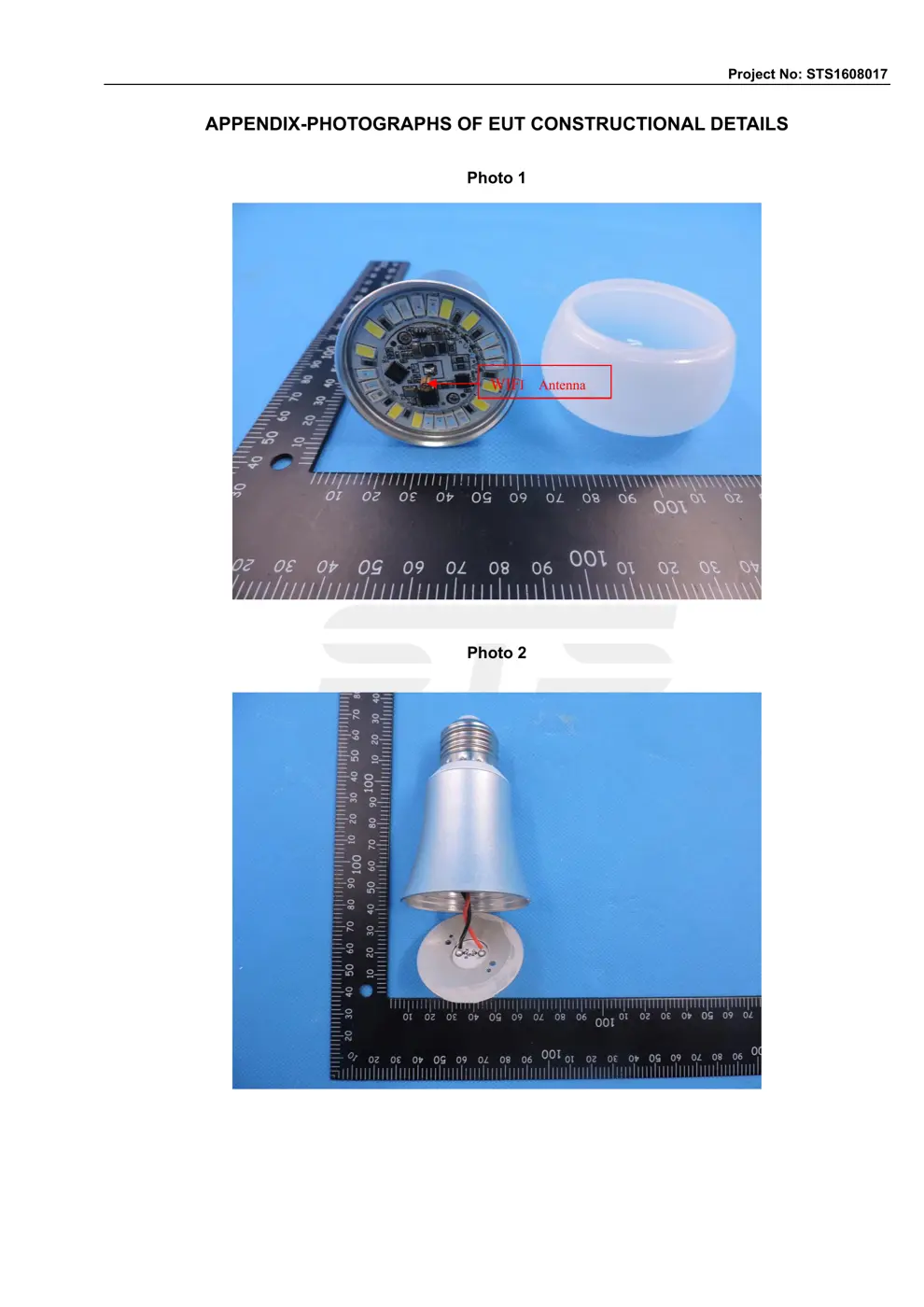
Before you buy the Tuya OEM A100, check what's inside.
This device is a Tuya-compatible smart plug or switch, designed to be integrated into the Tuya or Smart Life ecosystems. It operates on mains power and allows for remote control and automation via the Tuya app.
⚠️ NOTE: Disconnect Mains before installation or servicing. Ensure wiring is performed by a qualified electrician.
Quick Specs
- Manufacturer: Tuya OEM
- Model: A100
- Protocol: WiFi
- Chipset: Realtek/Beken
- Ecosystem: Tuya / Smart Life
- App: Smart Life
🔧 Geek Corner (Flashing Info)
- Chipset: BK7231N
- Flashable: ✅ Yes
- Info: The BK7231N chipset is known to be flashable with custom firmware like Tasmota, providing local control and enhanced integration capabilities.
User Manual
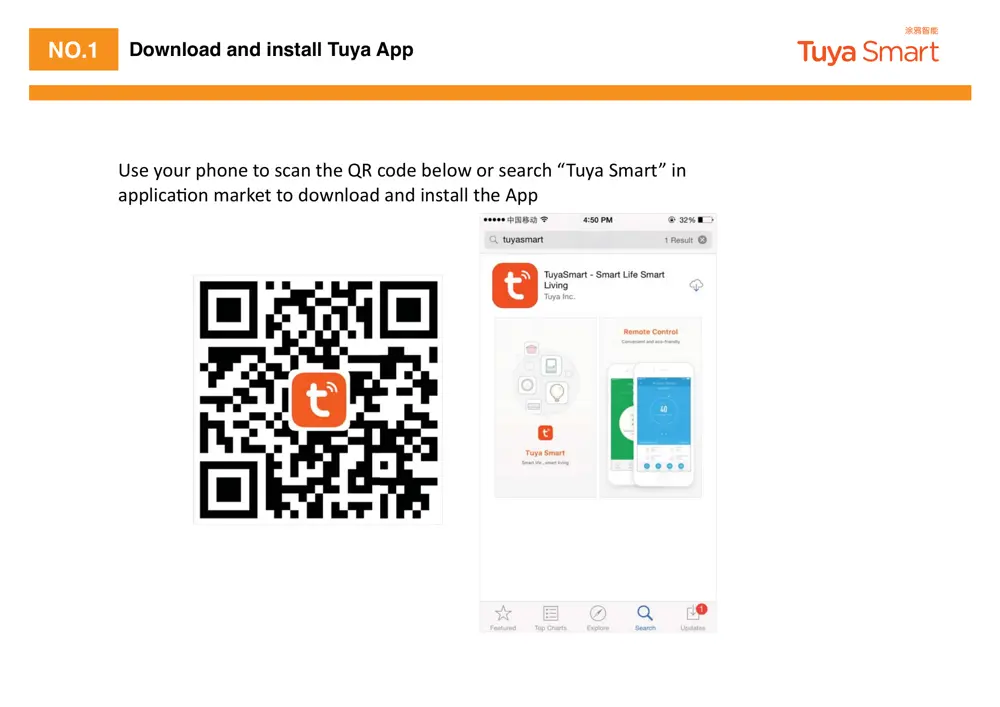
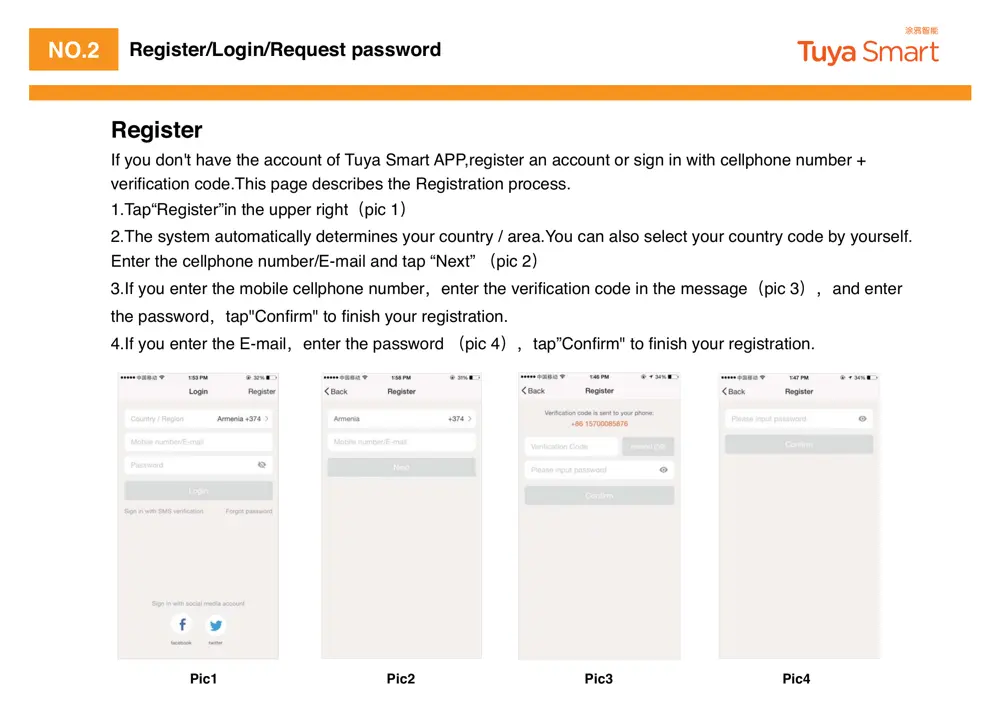
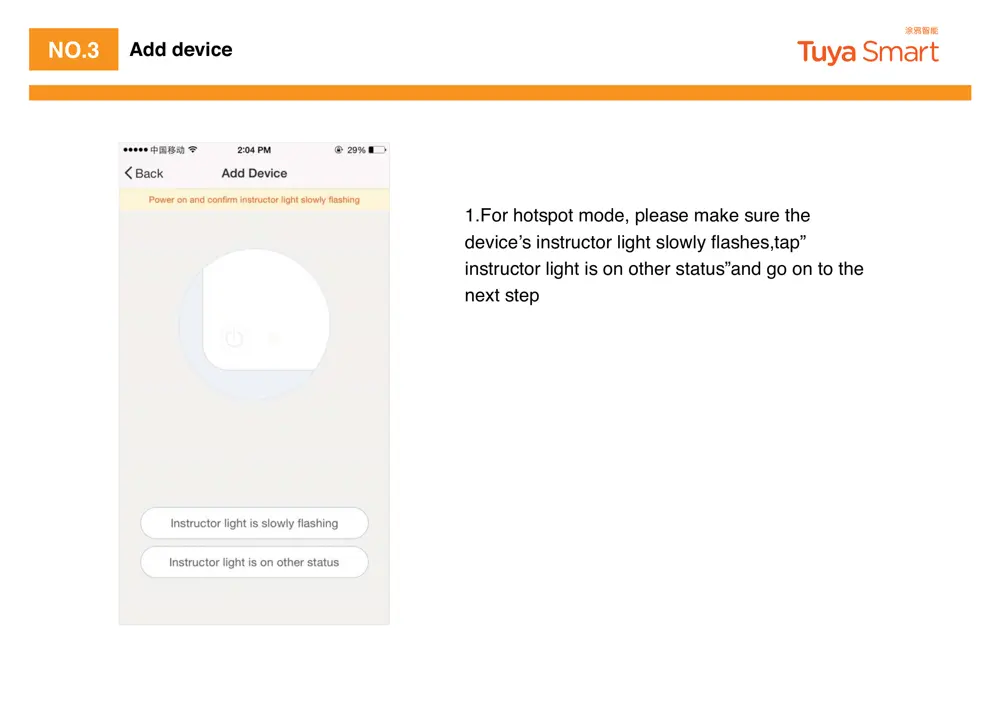
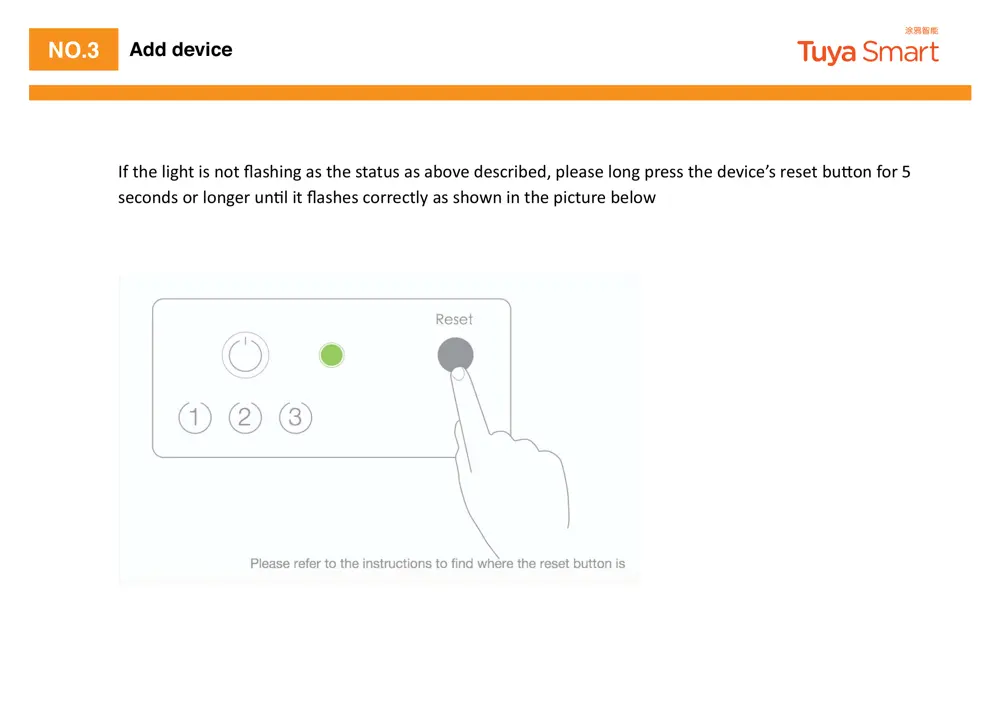
Scanned pages from the official user manual:

External Photos
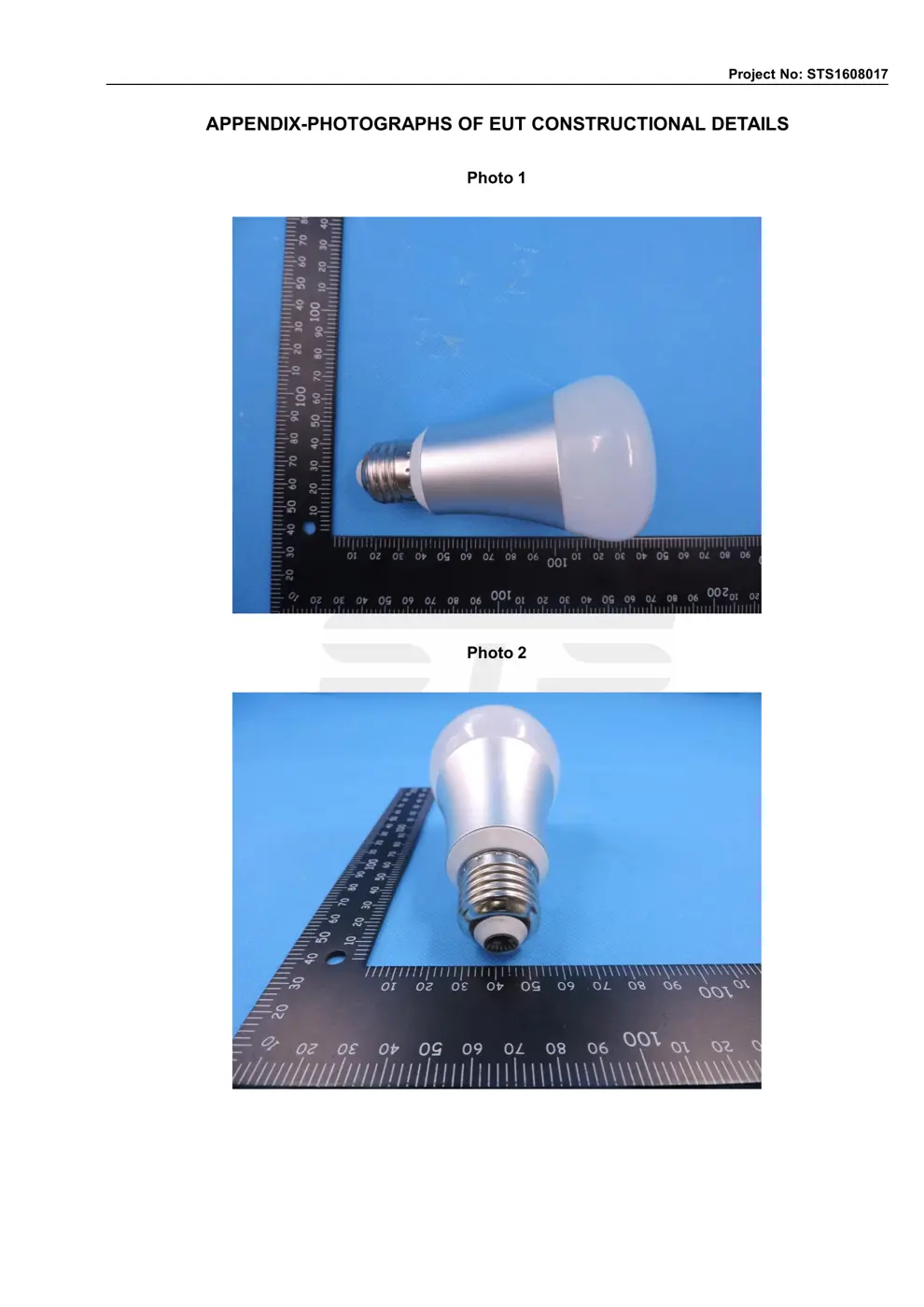
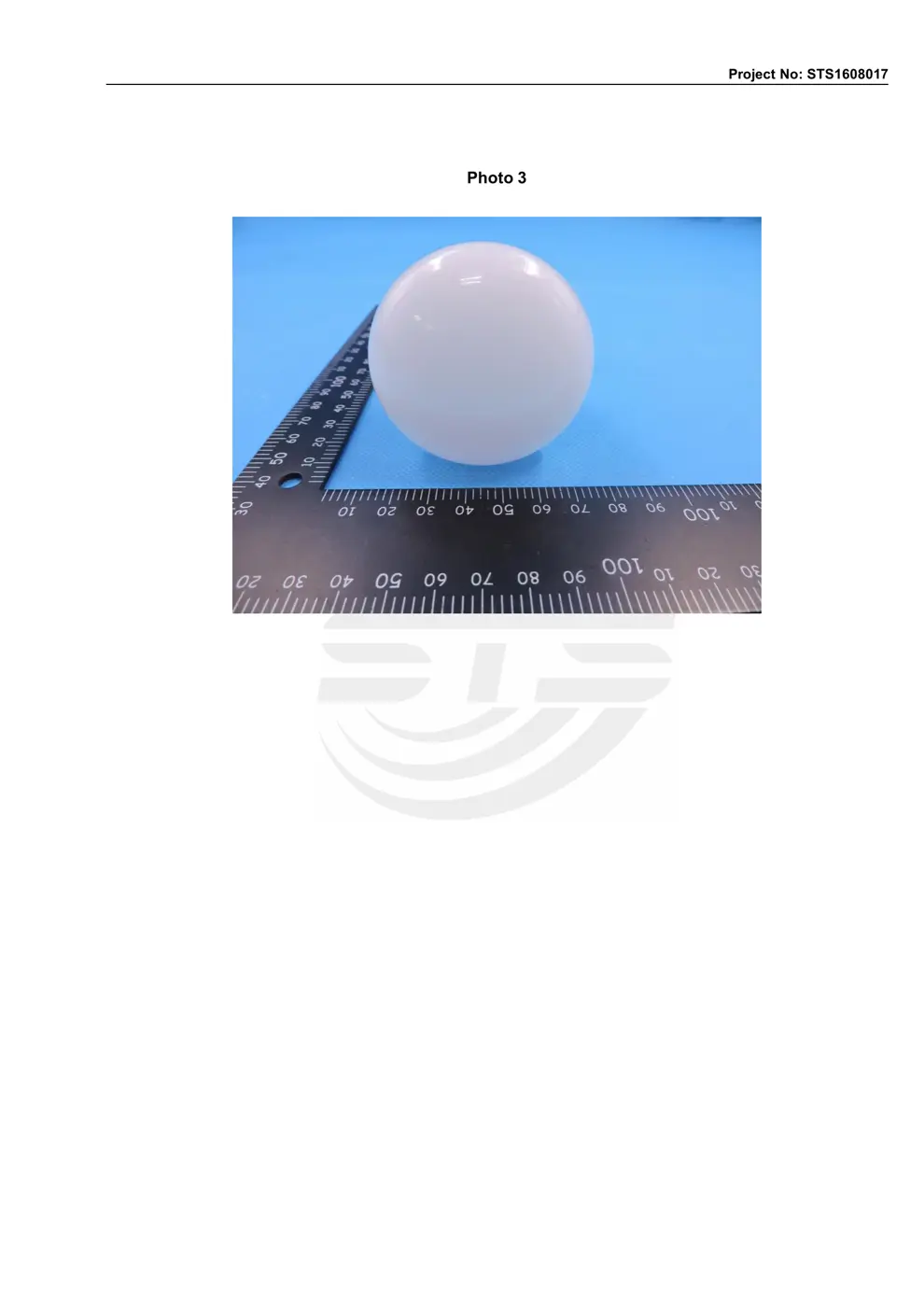
Photos of the device exterior:
Internal Photos
Teardown photos showing the PCB and components:
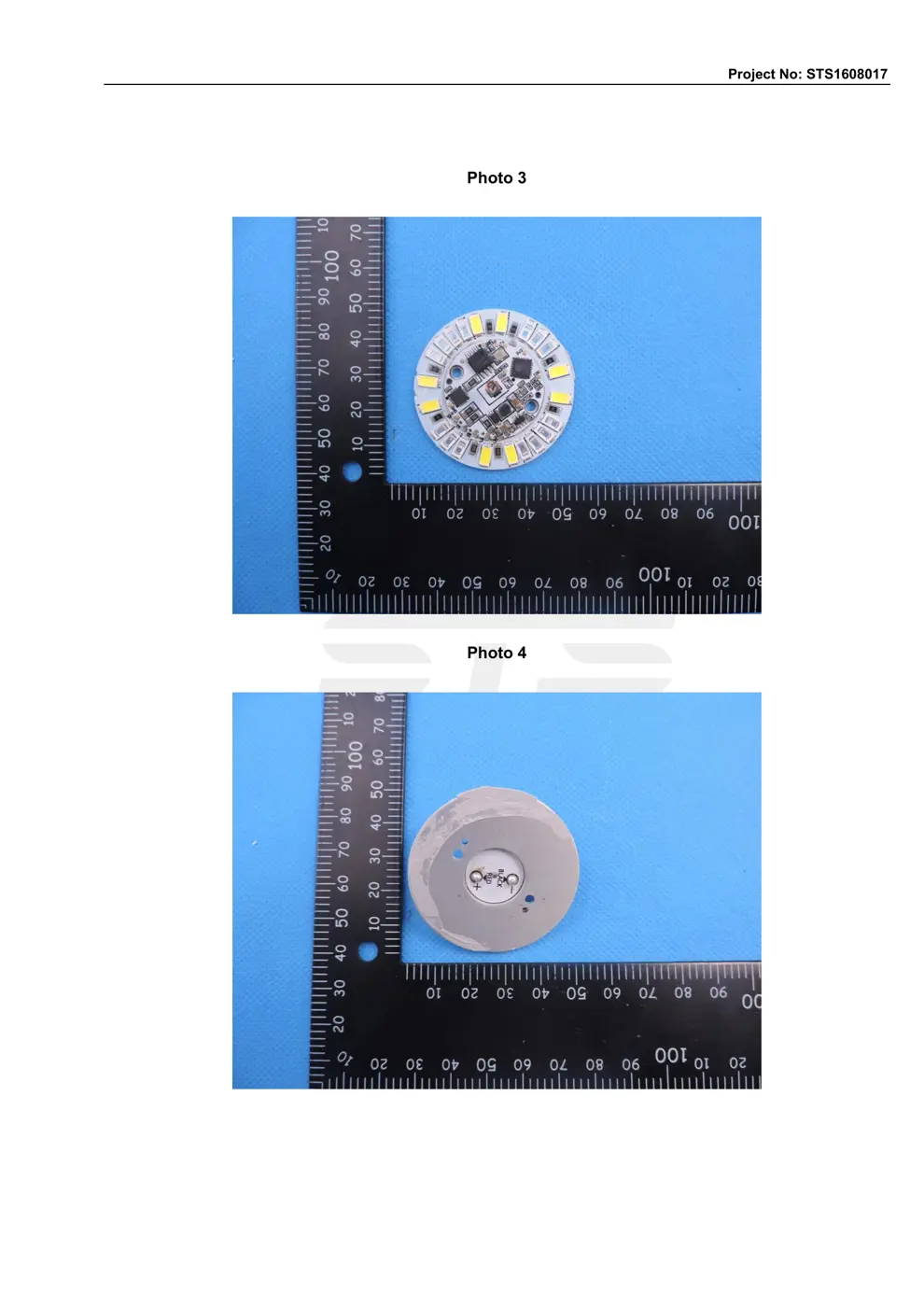
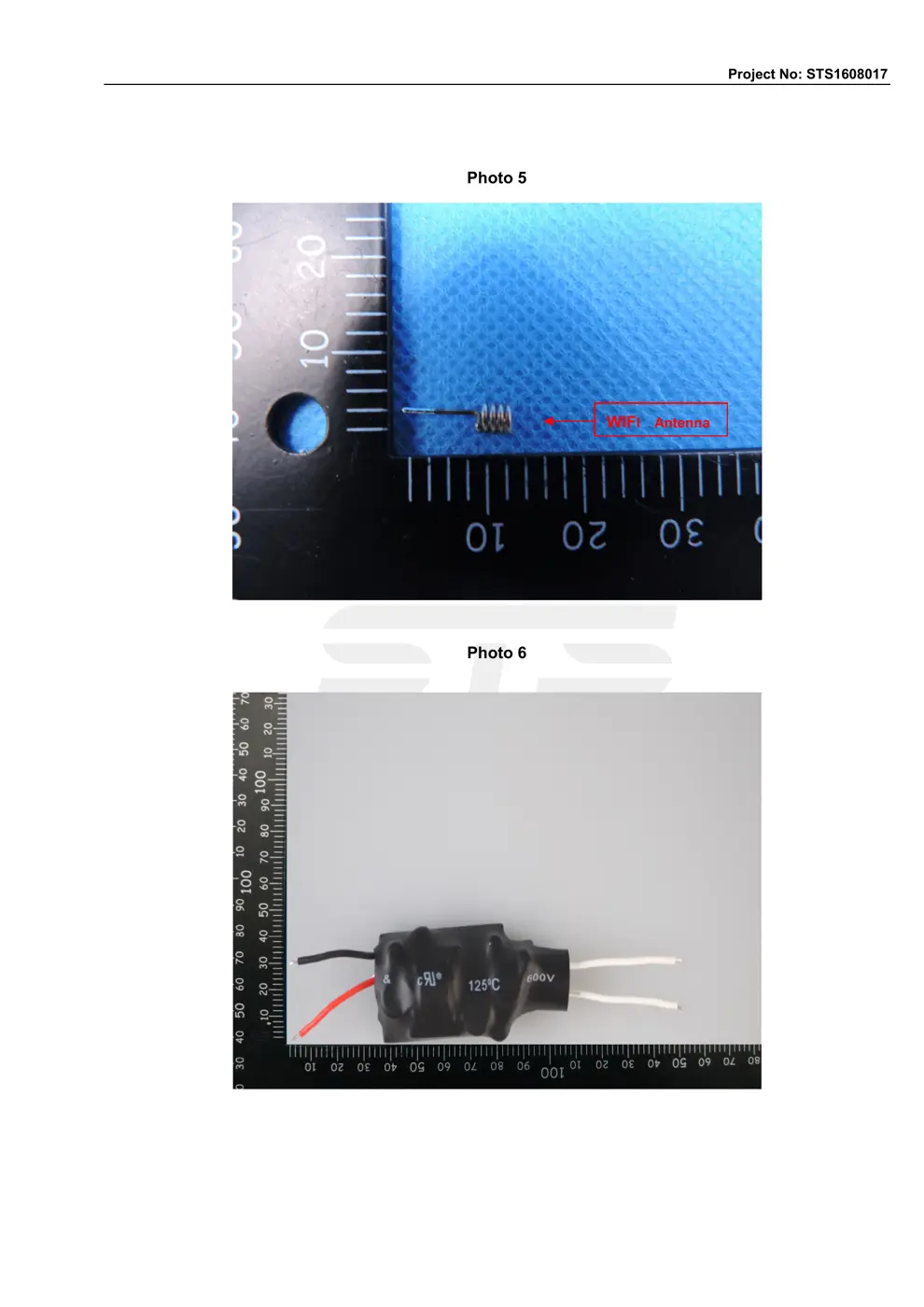
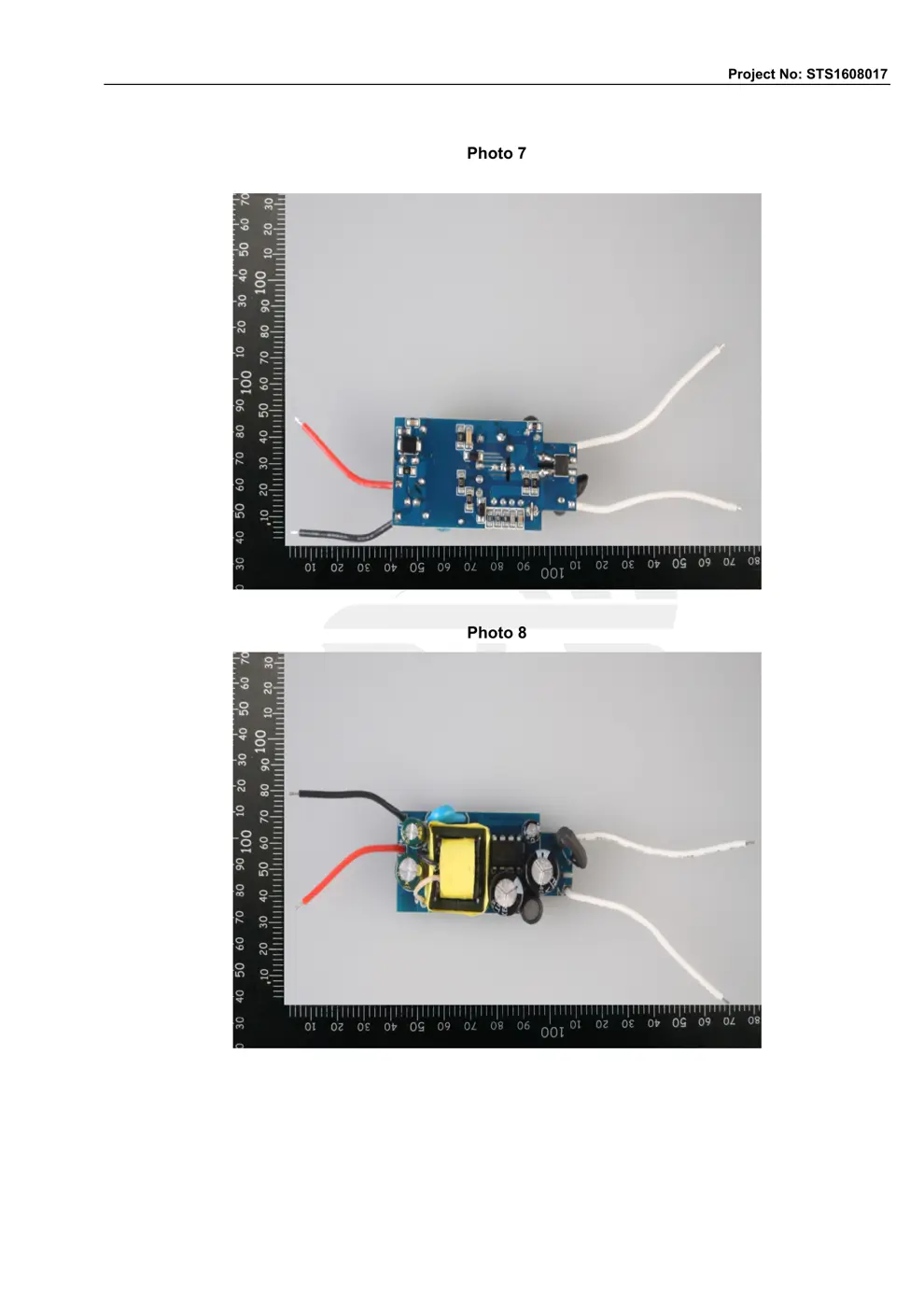
Verdict
The A100 is a WiFi device from the Tuya / Smart Life ecosystem.
📄 Click to view full text manual (SEO)
/g3/g4/g2/g1
Tuya
SmartLife

/g3/g4/g2/g1
/g6/g17/g8/g21/g23/g1/g4/g8/g17/g20
/g3/g18/g22/g23/g21/g26/g9/g24/g19/g18/g1/g5/g8/g18/g26/g8/g16/g1/g19/g12/g1/g7/g26/g28/g8/g1/g6/g17/g8/g21/g23/g1/g2/g20/g20
/g3/g4/g2/g1
NO.1 Download and install Tuya App
/g18/g44/g25/g1/g55/g40/g51/g43/g1/g41/g33/g40/g39/g25/g1/g45/g40/g1/g44/g23/g21/g39/g1/g45/g33/g25/g1/g14/g15/g1/g23/g40/g24/g25/g1/g22/g25/g37/g40/g53/g1/g40/g43/g1/g44/g25/g21/g43/g23/g33/g1/g64/g17/g51/g55/g21/g1/g16/g38/g21/g43/g45/g65/g1/g34/g39/g1
/g21/g41/g41/g37/g34/g23/g21/g46/g40/g39/g1/g38/g21/g43/g36/g25/g45/g1/g45/g40/g1/g24/g40/g53/g39/g37/g40/g21/g24/g1/g21/g39/g24/g1/g34/g39/g44/g45/g21/g37/g37/g1/g45/g33/g25/g1/g2/g41/g41/g1
/g3/g4/g2/g1
NO.2 Register/Login/Request password
Register
If you don't have the account of Tuya Smart APP,register an account or sign in with cellphone number +
verification code.This page describes the Registration process.
1.Tap“Register”in the upper rightҁpic 1҂
2.The system automatically determines your country / area.You can also select your country code by yourself.
Enter the cellphone number/E-mail and tap “Next” ҁpic 2҂
3.If you enter the mobile cellphone number҅enter the verification code in the messageҁpic 3҂҅and enter
the password҅tap"Confirm" to finish your registration.
4.If you enter the E-mail҅enter the password ҁpic 4҂҅tap”Confirm" to finish your registration.
Pic1 Pic2 Pic3 Pic4

/g3/g4/g2/g1
NO.2
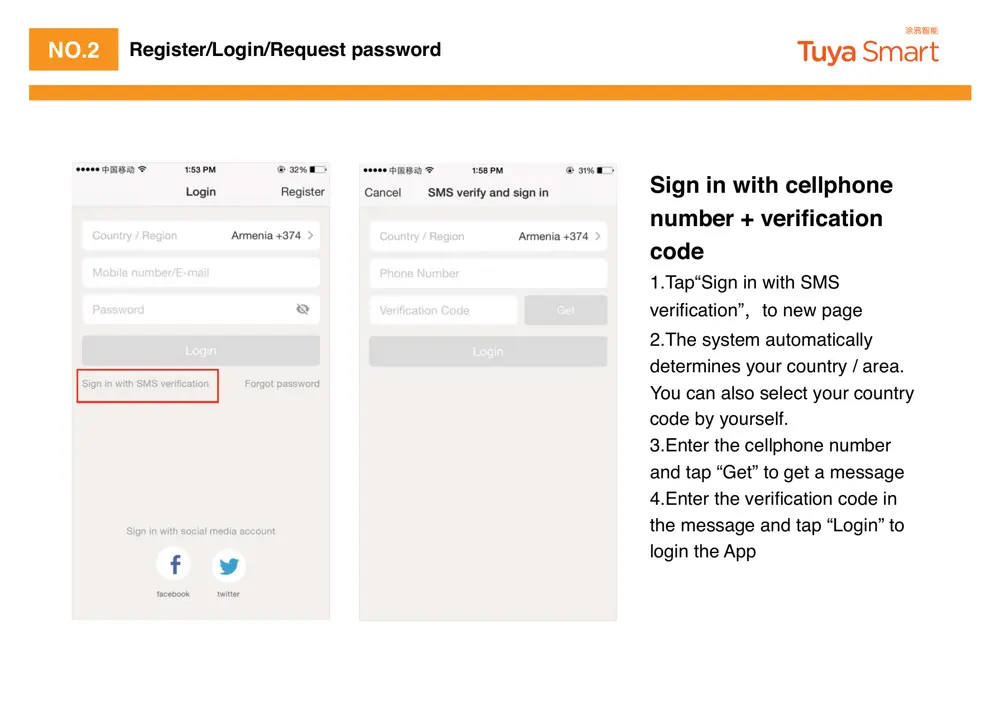
Sign in with cellphone
number + verification
code
1.Tap“Sign in with SMS
verification”҅to new page
2.The system automatically
determines your country / area.
You can also select your country
code by yourself.
3.Enter the cellphone number
and tap “Get” to get a message
4.Enter the verification code in
the message and tap “Login” to
login the App
Register/Login/Request password
/g3/g4/g2/g1
NO.2
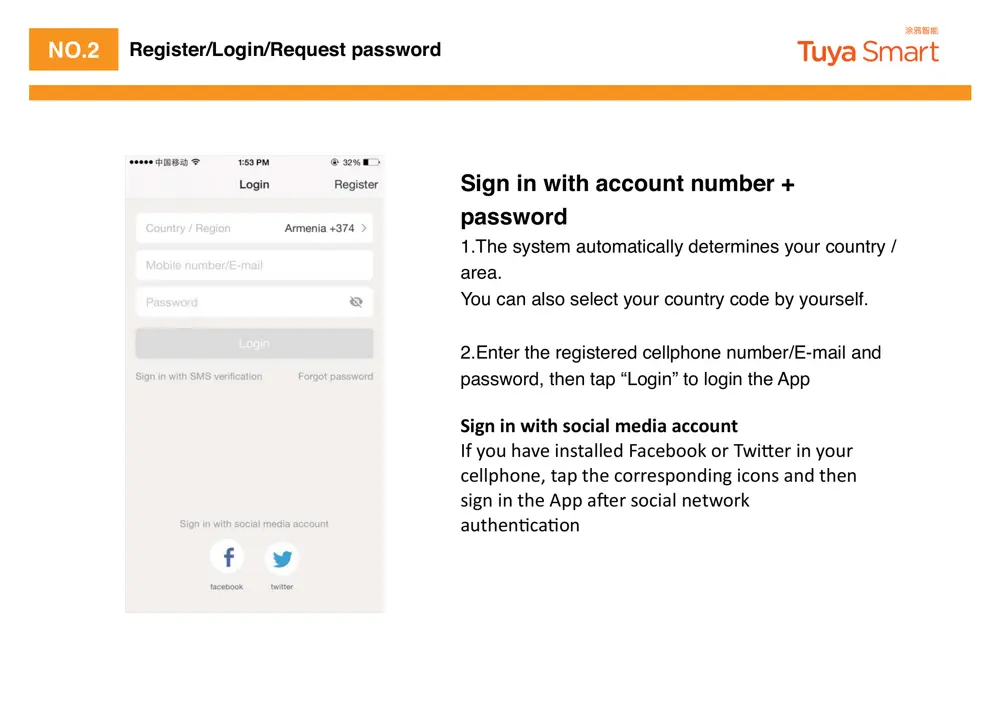
Sign in with account number +
password
1.The system automatically determines your country /
area.
You can also select your country code by yourself.
2.Enter the registered cellphone number/E-mail and
password, then tap “Login” to login the App
/g6/g15/g13/g18/g1/g15/g18/g1/g27/g15/g23/g14/g1/g22/g19/g9/g15/g8/g16/g1/g17/g11/g10/g15/g8/g1/g8/g9/g9/g19/g26/g18/g23/g1
/g8/g26/g1/g55/g40/g51/g1/g33/g21/g52/g25/g1/g34/g39/g44/g45/g21/g37/g37/g25/g24/g1/g6/g21/g23/g25/g22/g40/g40/g36/g1/g40/g43/g1/g17/g53/g34/g48/g25/g43/g1/g34/g39/g1/g55/g40/g51/g43/g1
/g23/g25/g37/g37/g41/g33/g40/g39/g25/g58/g1/g45/g21/g41/g1/g45/g33/g25/g1/g23/g40/g43/g43/g25/g44/g41/g40/g39/g24/g34/g39/g32/g1/g34/g23/g40/g39/g44/g1/g21/g39/g24/g1/g45/g33/g25/g39/g1
/g44/g34/g32/g39/g1/g34/g39/g1/g45/g33/g25/g1/g2/g41/g41/g1/g21/g31/g25/g43/g1/g44/g40/g23/g34/g21/g37/g1/g39/g25/g45/g53/g40/g43/g36/g1
/g21/g51/g45/g33/g25/g39/g46/g23/g21/g46/g40/g39
Register/Login/Request password

/g3/g4/g2/g1
NO.2 Register/Login/Request password
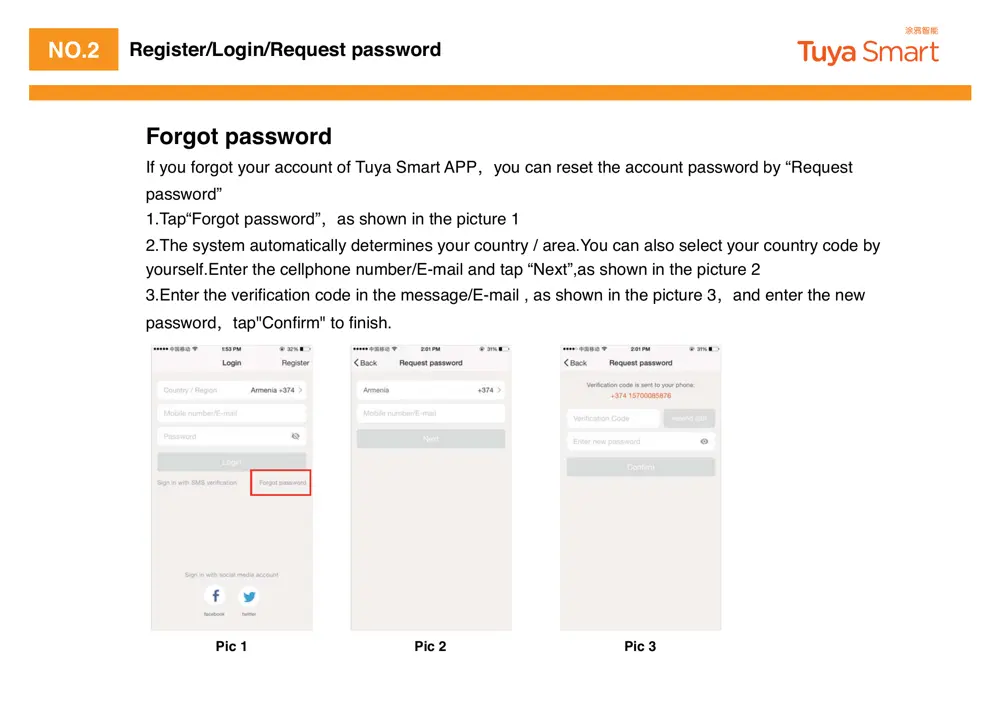
Forgot password
If you forgot your account of Tuya Smart APP҅you can reset the account password by “Request
password”
1.Tap“Forgot password”҅as shown in the picture...