
4CHPROR3 Reset & Teardown (FCC ID 2APN54CHPROR3)
Factory reset and internal photos for Sonoff (Itead) 4CHPROR3. Sonoff smart plug.
January 16, 2026
•
9 read
Before you buy the Sonoff (Itead) 4CHPROR3, check what's inside.
The Sonoff 4CHPROR3 is a 4-gang Wi-Fi smart switch designed for controlling multiple electrical appliances remotely. It supports various control modes including scheduled on/off, voice control, and smart scenes, making it a versatile addition to a smart home setup.
⚠️ NOTE: Ensure mains voltage is disconnected before installation. Verify correct wiring for AC and DC inputs.
Quick Specs
- Manufacturer: Sonoff (Itead)
- Model: 4CHPROR3
- Protocol: WiFi
- Chipset: ESP/CK Chip
- Ecosystem: Sonoff
- App: eWeLink
🔧 Geek Corner (Flashing Info)
- Chipset: ESP8285
- Flashable: ✅ Yes
- Info: Based on FCC ID and common Sonoff models, likely uses an ESP8285 chip which is flashable with custom firmware like Tasmota or ESPHome.
User Manual
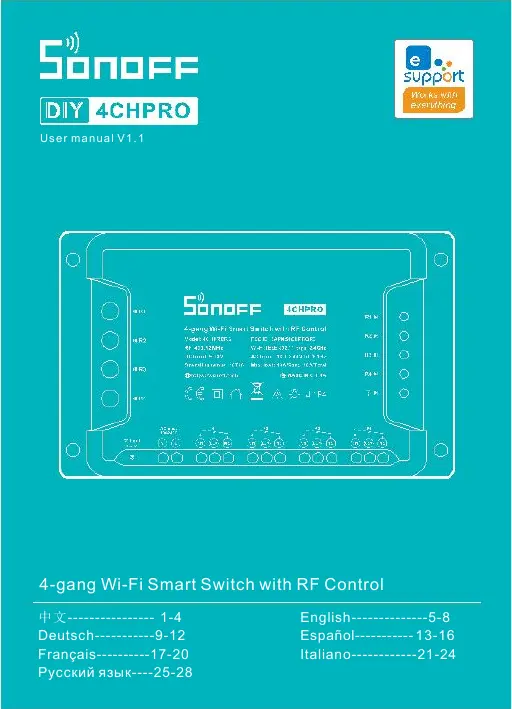
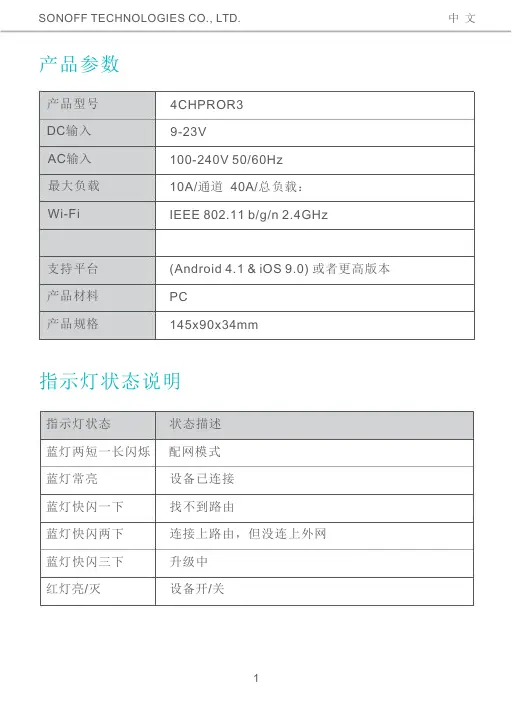
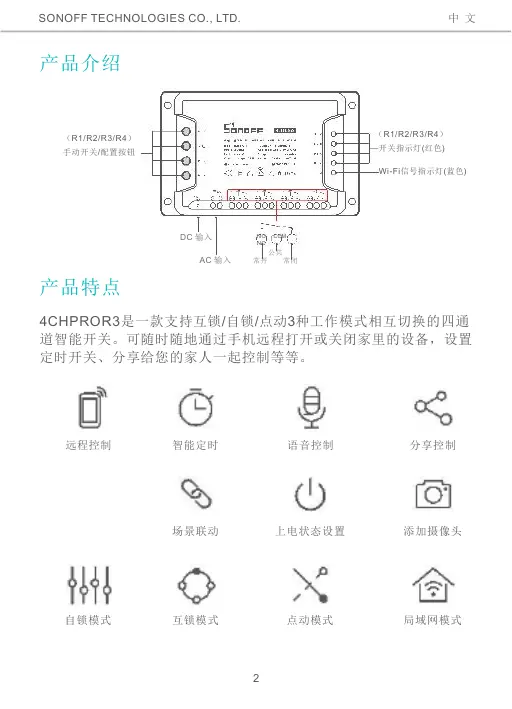
Scanned pages from the official user manual:
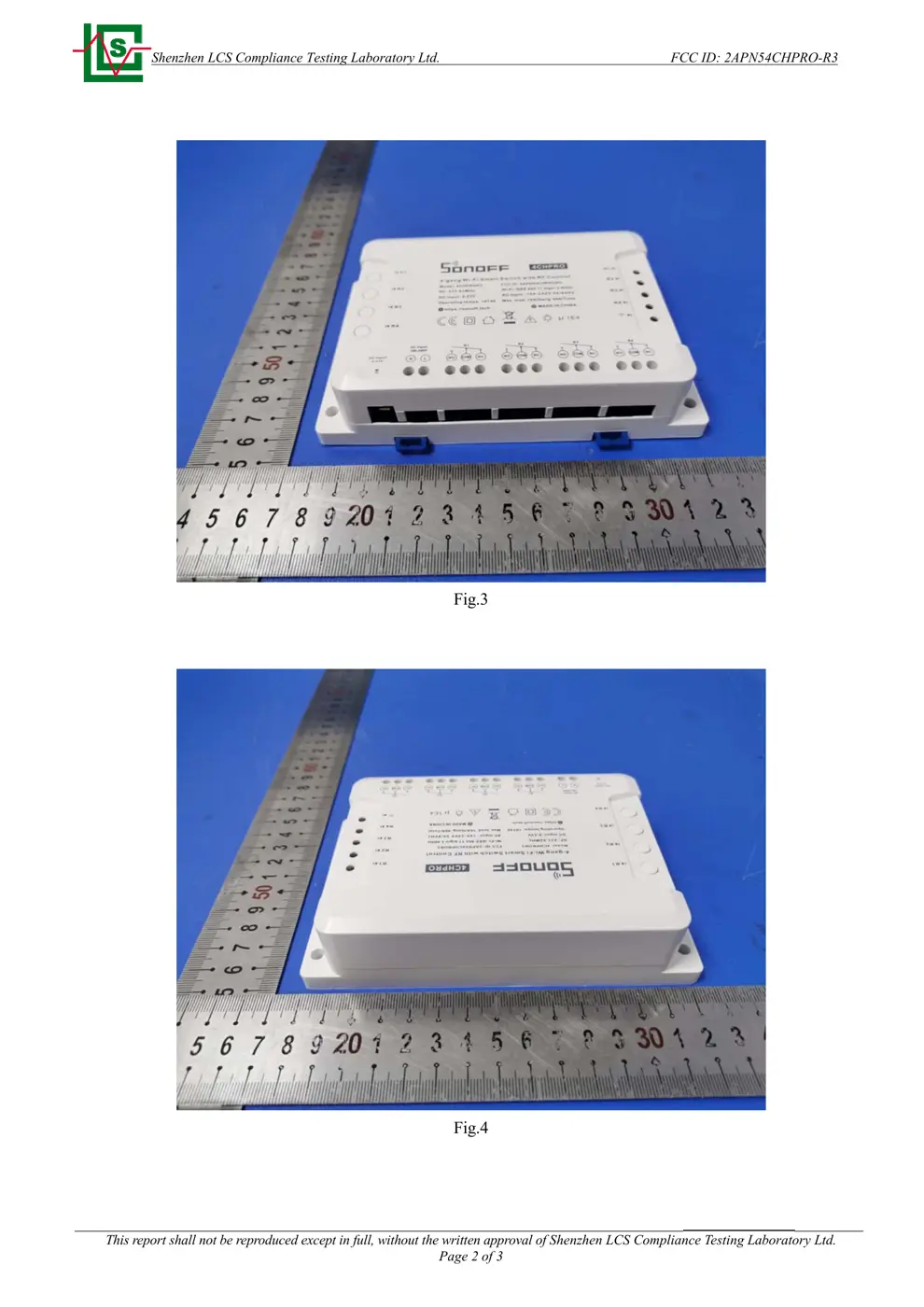
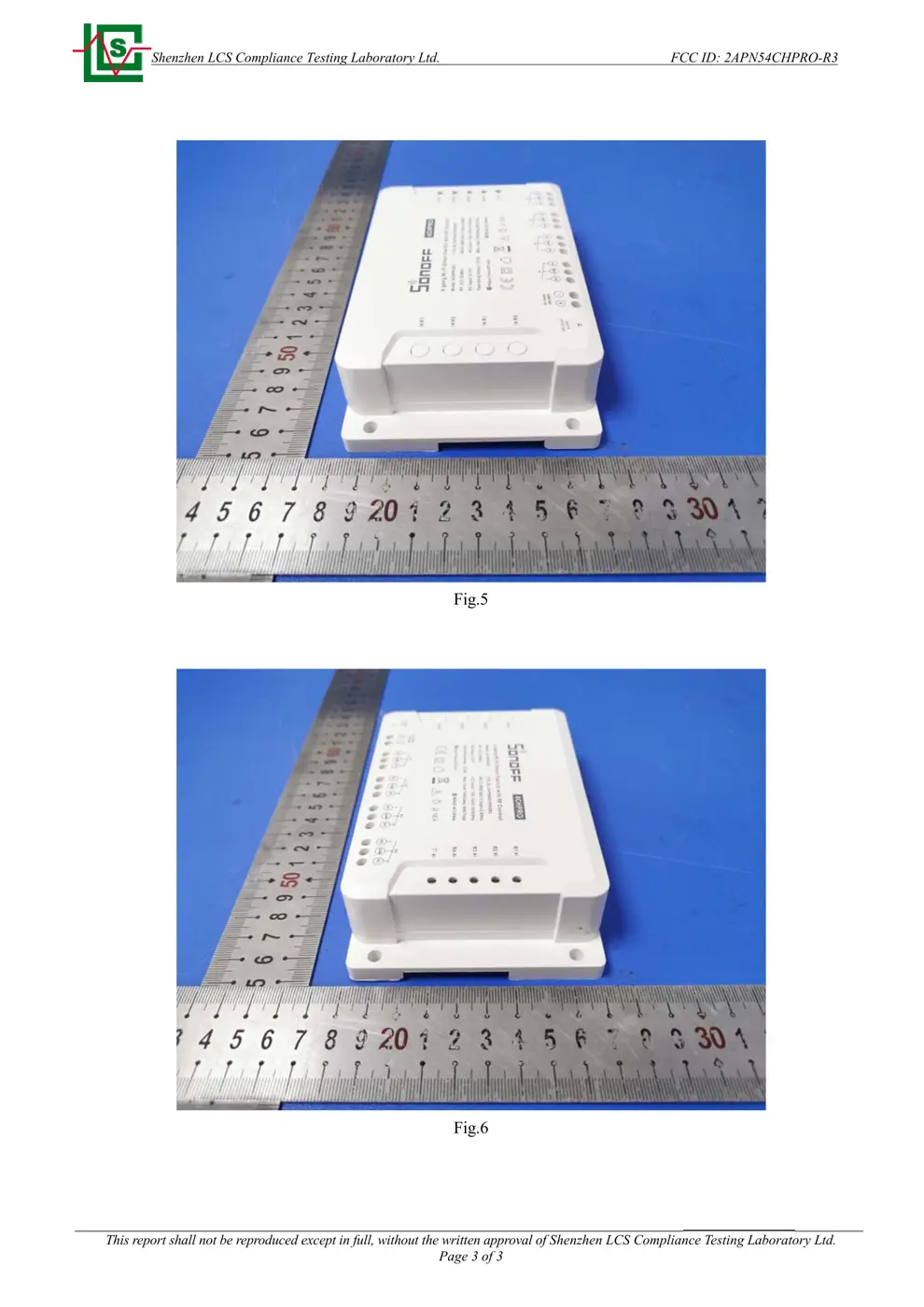
External Photos
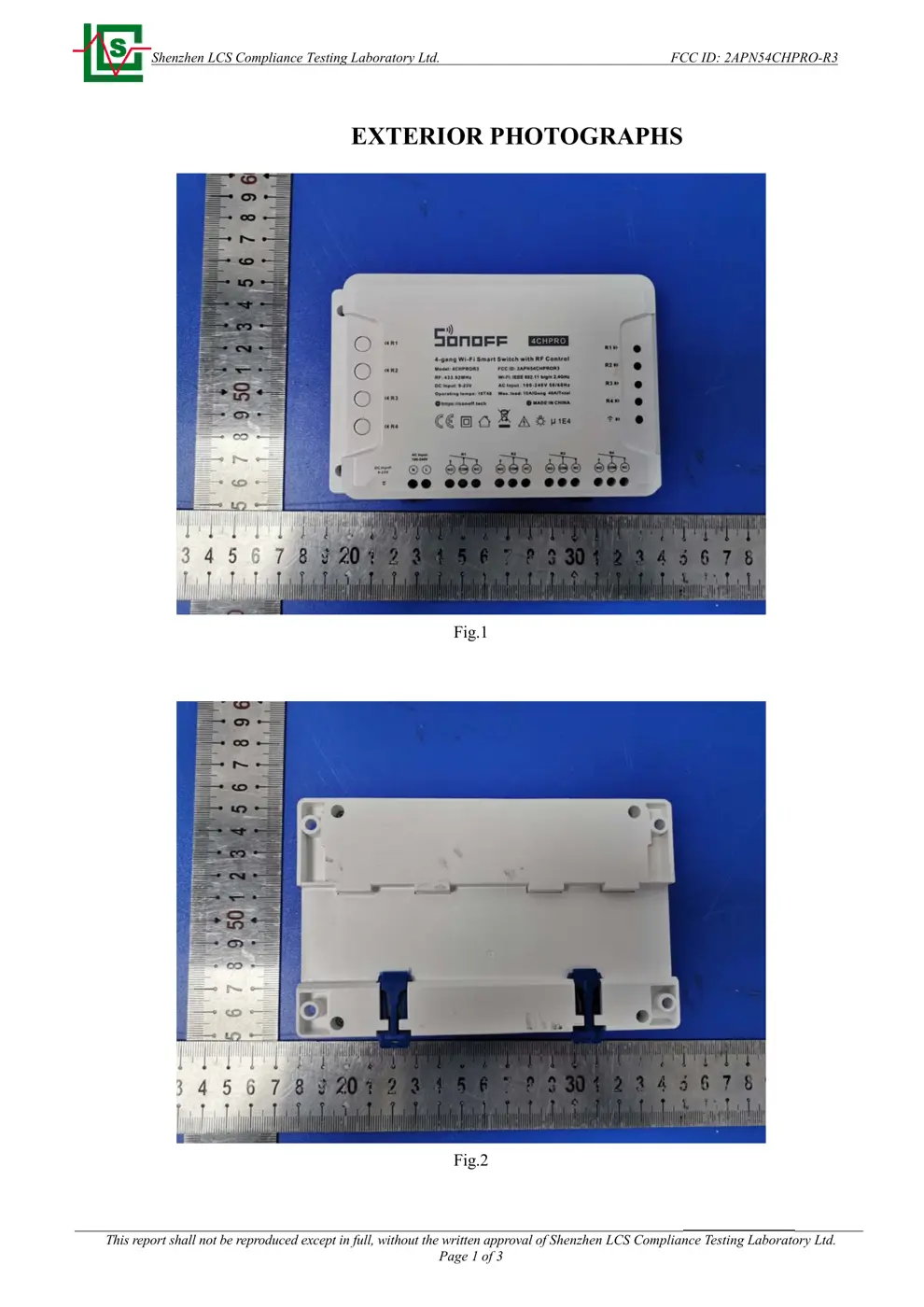
Photos of the device exterior:
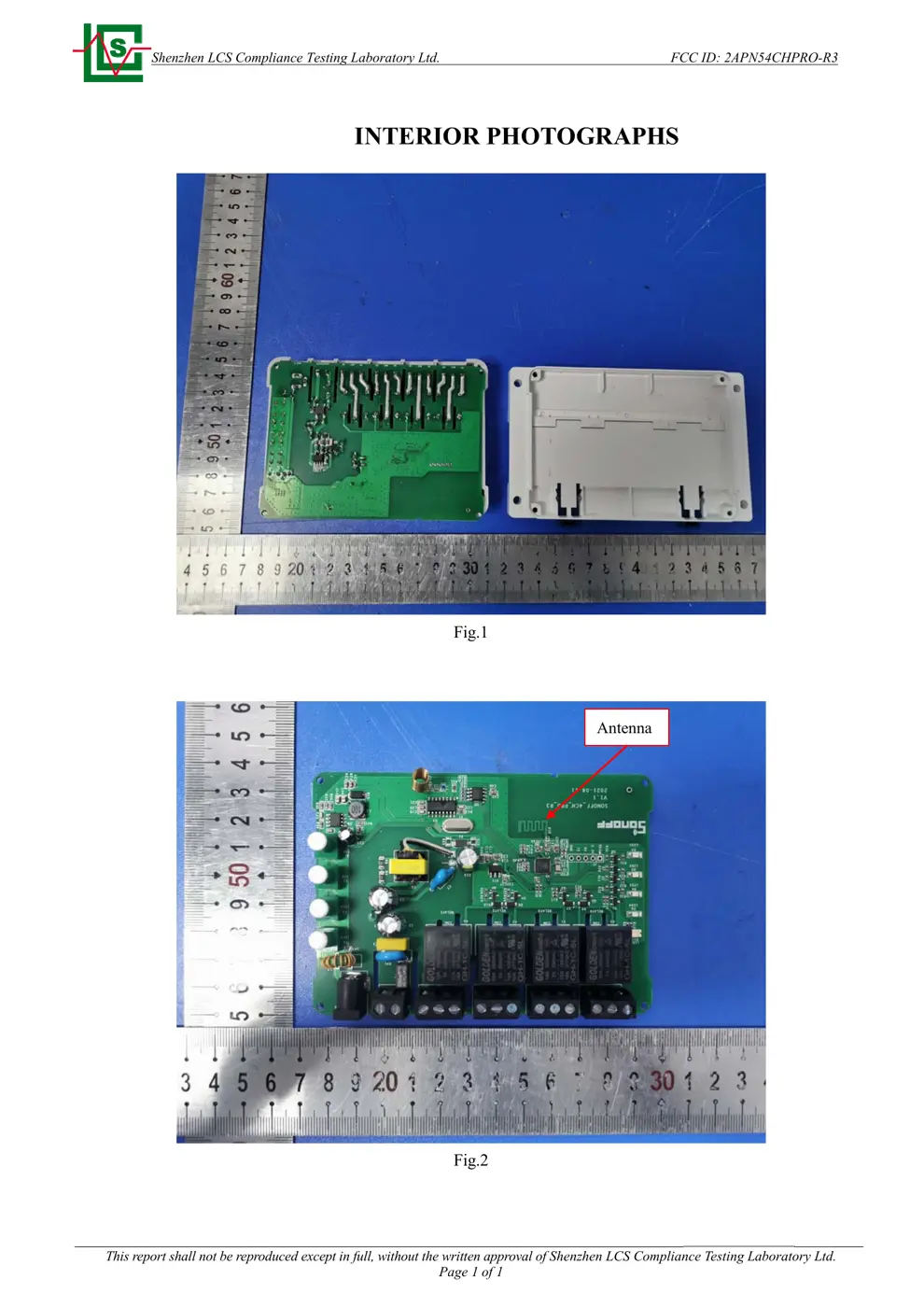
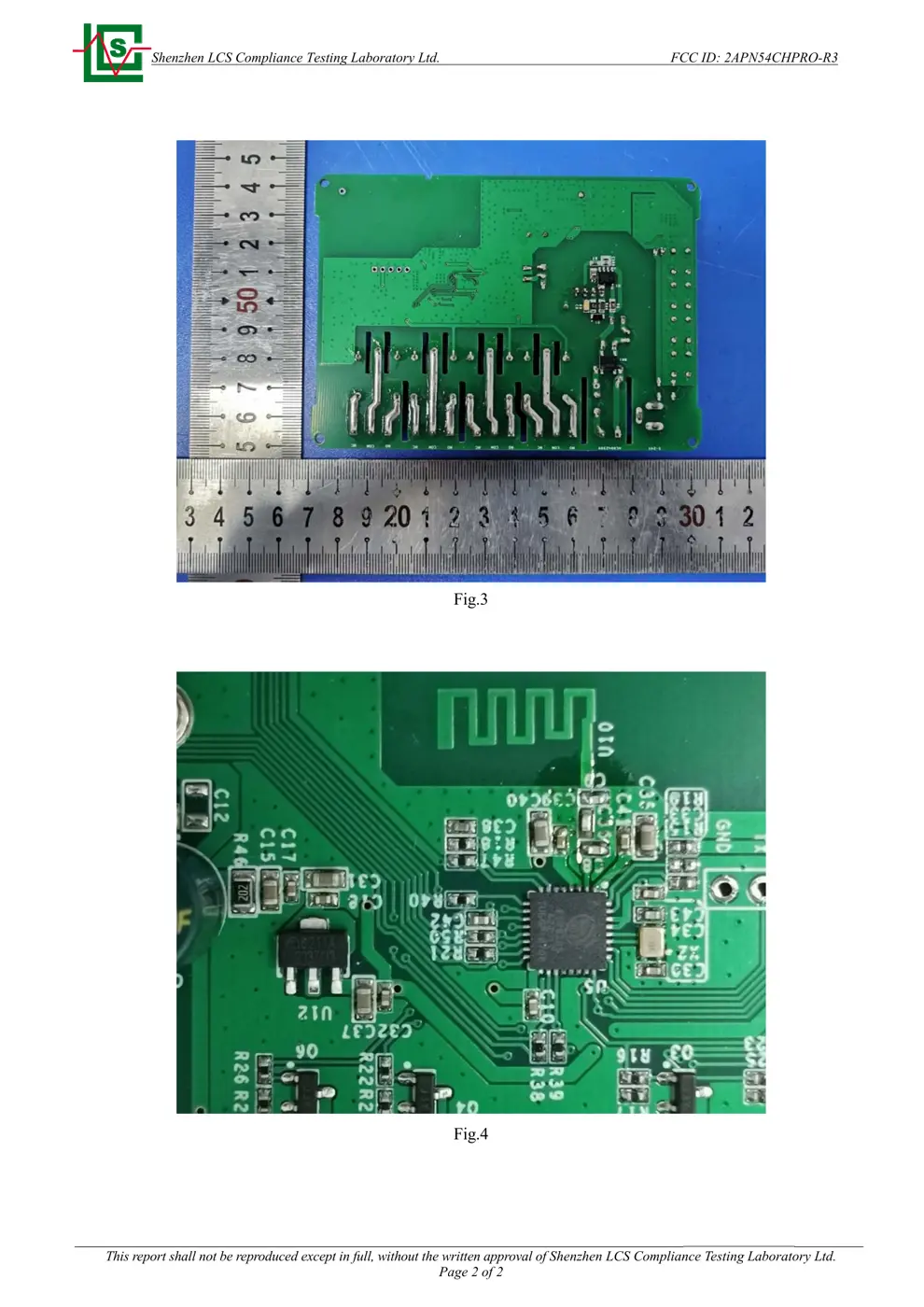
Internal Photos
Teardown photos showing the PCB and components:
Verdict
The 4CHPROR3 is a WiFi device from the Sonoff ecosystem.
📄 Click to view full text manual (SEO)
User manual V1.1
4-gang Wi-Fi Smart Switch with RF Control
中文---------------- 1-4
Deutsch -----------9 -12
Français ----------17- 20
English -------------- 5-8
Español ----------- 13 -16
Italiano ------------ 21 -24

SONOFF TECHNOLOGIES CO., LTD. 中 文
DC输入
4CHPROR3
9-23V
AC输入 100 -240V 50/60Hz
10A /通道 40A/ 总负载:
IEEE 802.11 b/g/n 2.4GHz
Wi -Fi
(Android 4.1 & iOS 9.0) 或者更高版本
PC
145x90x34mm
1

SONOFF TECHNOLOGIES CO., LTD. 中 文
(R1/R2/R3/R4 ) (R1/R2/R3/R4 )
DC 输入
AC 输入
NO COM
NC
2

SONOFF TECHNOLOGIES CO., LTD. 中 文
3

SONOFF TECHNOLOGIES CO., LTD. 中 文
FAQ Pairing failed...
4

SONOFF TECHNOLOGIES CO., LTD. English
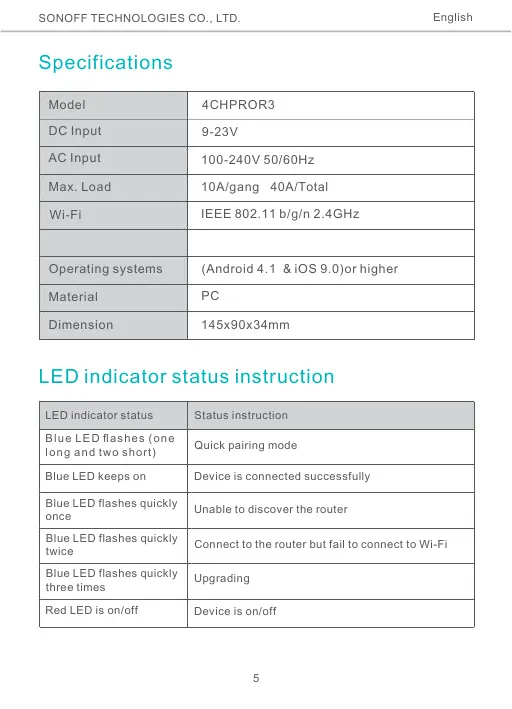
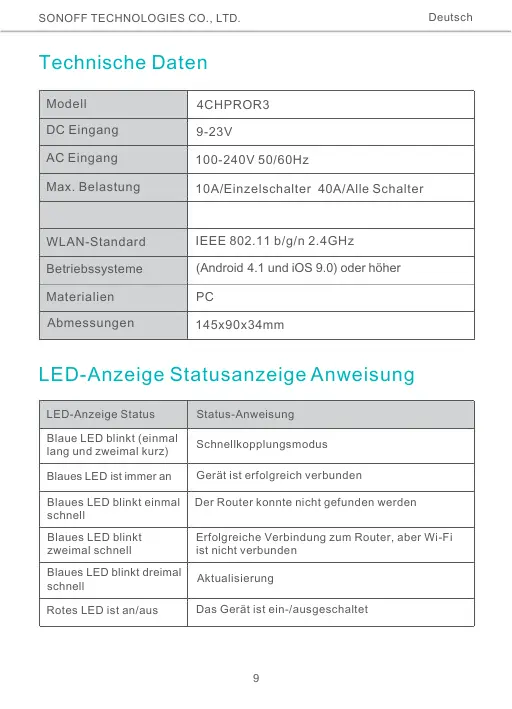
Specifications
Model 4CHPROR3
DC Input
AC Input
9-23V
100 -240V 50/60Hz
10A /gang 40A/Total
IEEE 802.11 b/g/n 2.4GHz
Max . Load
Wi-Fi
Operating systems (Android 4.1 & iOS 9.0)or hig her
Material PC
Dimension 145x90x34mm
LED indicator status instruction
LED indicator status Status instruction
Blue LED fl ashes (one
long and two short) Quick pairing mode
Blue LED keeps on Device is connected successfully
Blue LED flashes quickly
once Unab le to discover the router
Blue LED flashes quickly
twice Connect to the router but fail to connect to Wi-Fi
Blue LED flashes quickly
three times Upgrading
Red LED is on/off Device is on/off
5

SONOFF TECHNOLOGIES CO., LTD. English
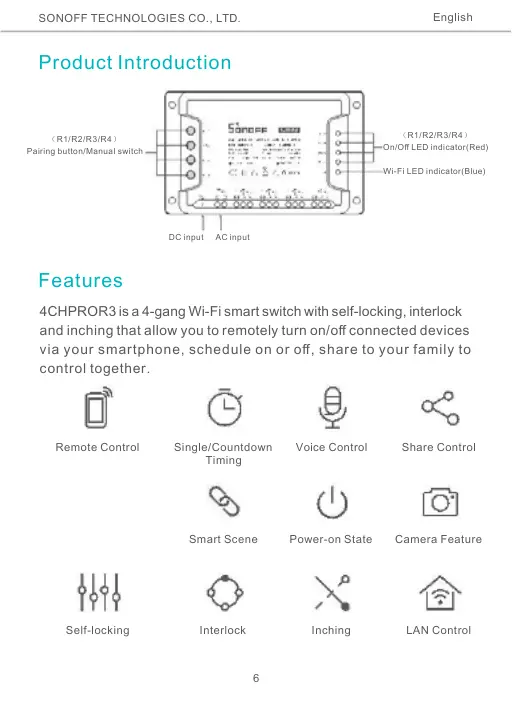
Product Introductio n
(R1/R2/R3/R4 )
Pairing button/Manual switch
(R1/R2/R3/R4 )
On/Off LED indicator(Red)
Wi-Fi LED indicator(Blue)
DC input AC input
Features
4CHPROR3 is a 4-gang Wi-Fi smart switch with self-locking, interlock
and inching that allow you to remotely turn on/off connected devices
via your smartphone, schedule on or off, share to your family to
control together.
Remote Control Single/Countdown
Timing
Voice Control Share Control
Smart Scene Power -on State Camera Feature
LAN Control Self -locking Interlock Inching
6

SONOFF TECHNOLOGIES CO., LTD. English
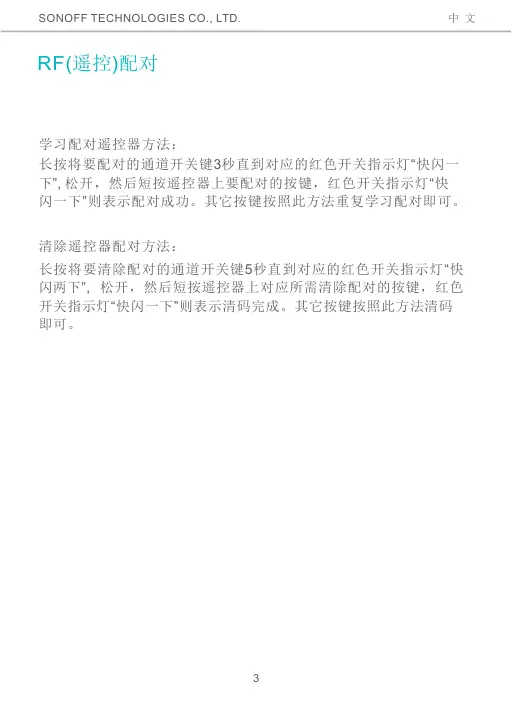
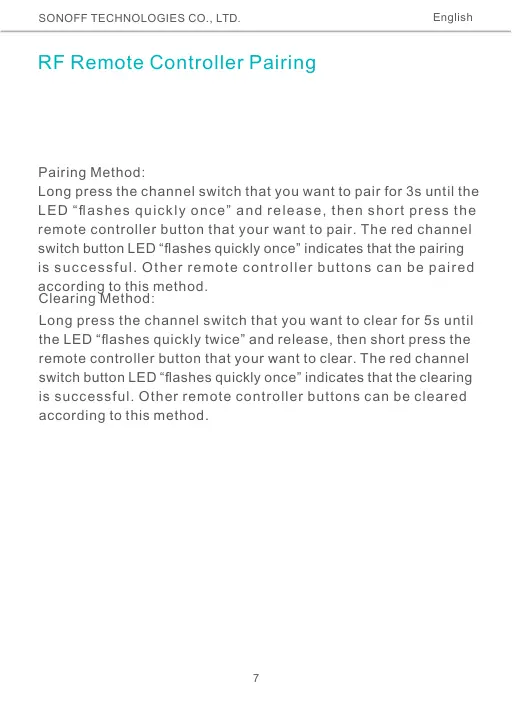
RF Remote Controller Pairing
Pairing Method:
Long press the channel switch that you want to pair for 3s until the
LED “flashes quickly once” and release, then short press the
remote controller button that your want to pair. The red channel
switch button LED “flashes quickly once” indicates that the pairing
is successful. Other remote controller buttons can be paired
according to this method.
Clearing Method:
Long press the channel switch that you want to clear for 5s until
the LED “flashes quickly twice” and release, then short press the
remote controller button that your want to clear. The red channel
switch button LED “flashes quickly once” indicates that the clearing
is successful. Other remote controller buttons can be cleared
according to this method.
7

SONOFF TECHNOLOGIES CO., LTD. English
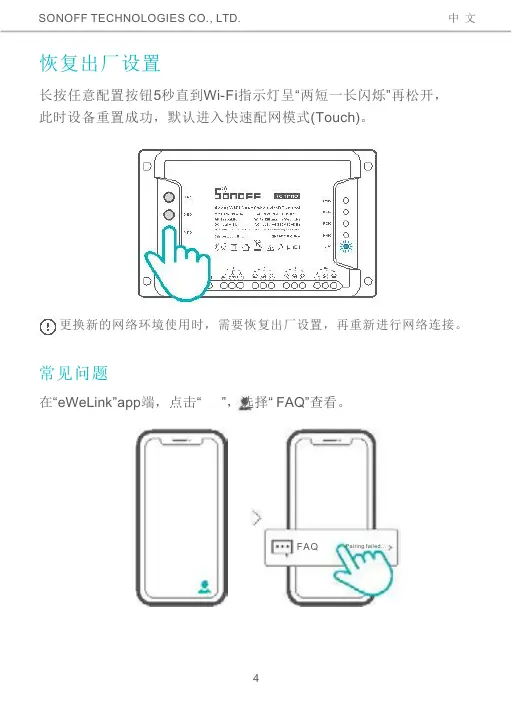
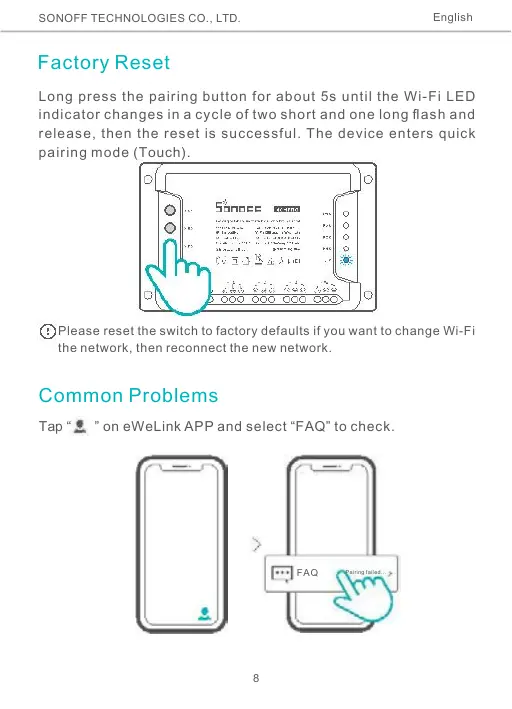
Factory Reset
Long press the pairing button for about 5s until the Wi -Fi LED
indicator changes in a cycle of two short and one long flash and
release, then the rese t is successful. The device enters quick
pairing mode (Touch).
Please ...