
CF2003RMN Reset & Teardown (FCC ID 2AB2Q-CF2003RMN)
Factory reset and internal photos for Broadlink CF2003RMN. Broadlink smart plug.
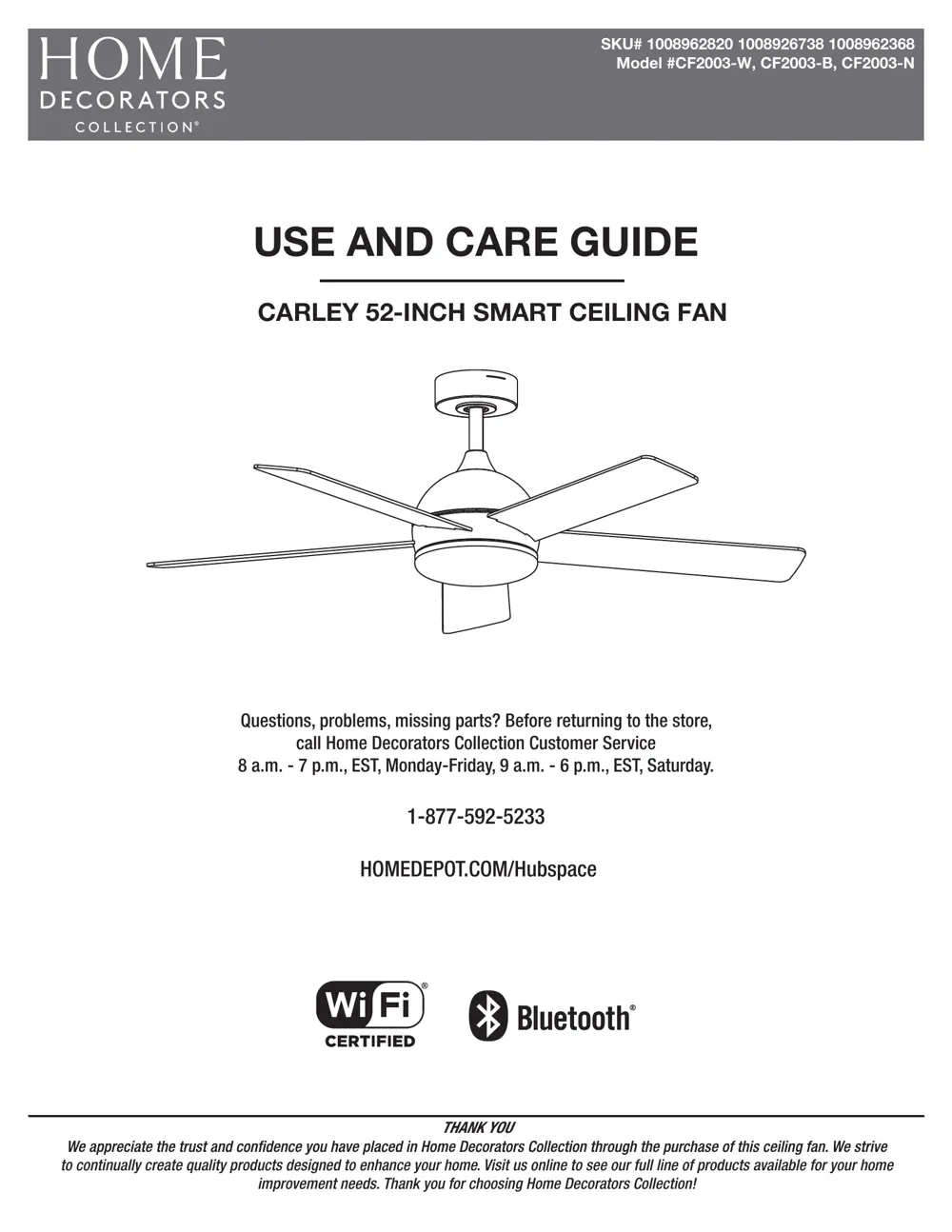
Before you buy the Broadlink CF2003RMN, check what's inside.
This device is a Broadlink CF2003RMN, a 52-inch smart ceiling fan designed to be controlled via RF 433MHz, integrating with the Broadlink and Hubspace ecosystems. It requires mains power for operation and installation.
⚠️ NOTE: Disconnect Mains power before installation or servicing. Ensure all wiring complies with local and national electrical codes. Qualified electricians should perform installation.
Quick Specs
- Manufacturer: Broadlink
- Model: CF2003RMN
- Protocol: WiFi
- Chipset: Broadlink WiFi
- Ecosystem: Broadlink
- App: Broadlink App
🔧 Geek Corner (Flashing Info)
- Chipset: Broadlink proprietary RF chipset
- Flashable: ❌ No
- Info: Proprietary RF chipset, not a microcontroller commonly flashed with custom firmware like Tasmota or ESPHome.
Reset Guide
Press and hold the light on/off button for 5 seconds and release.
User Manual
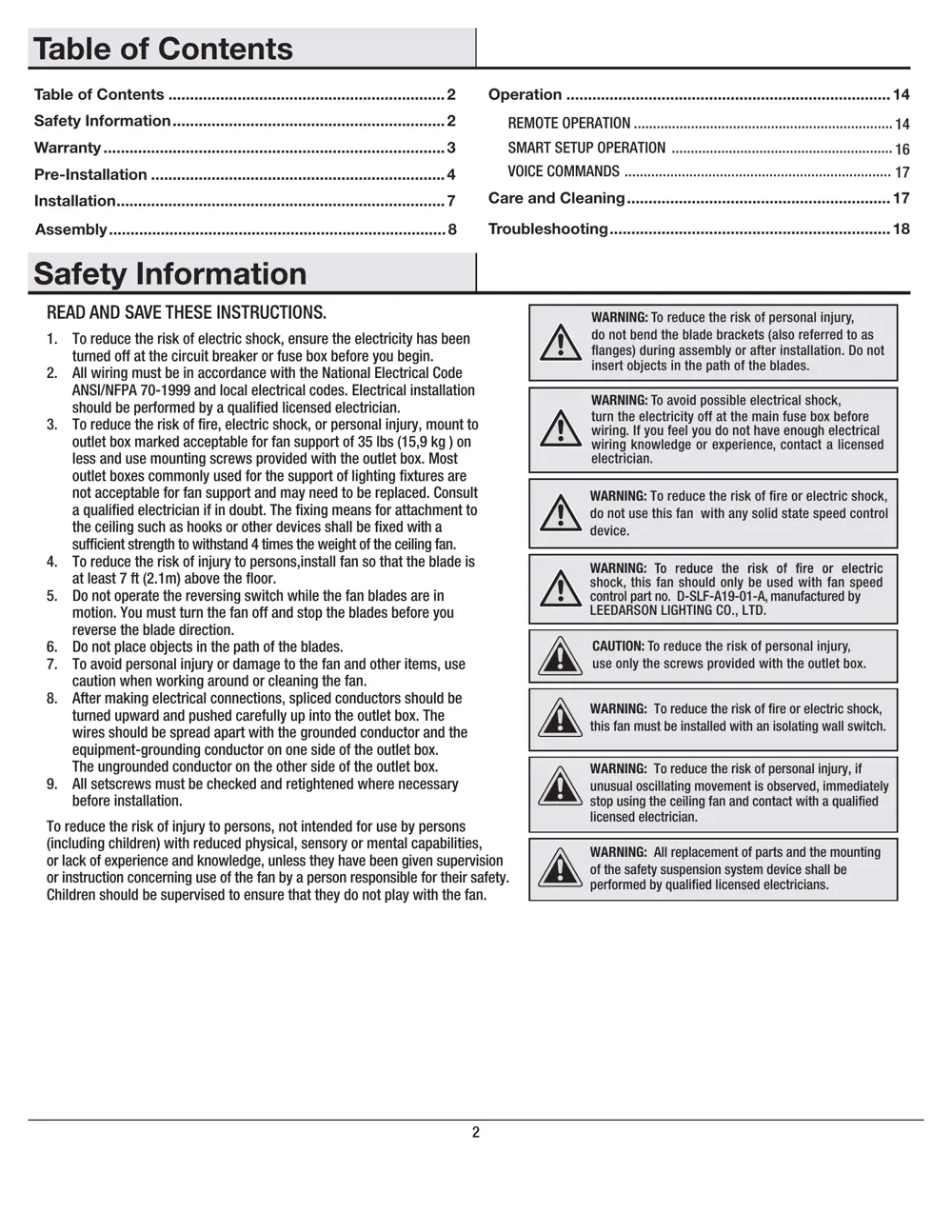
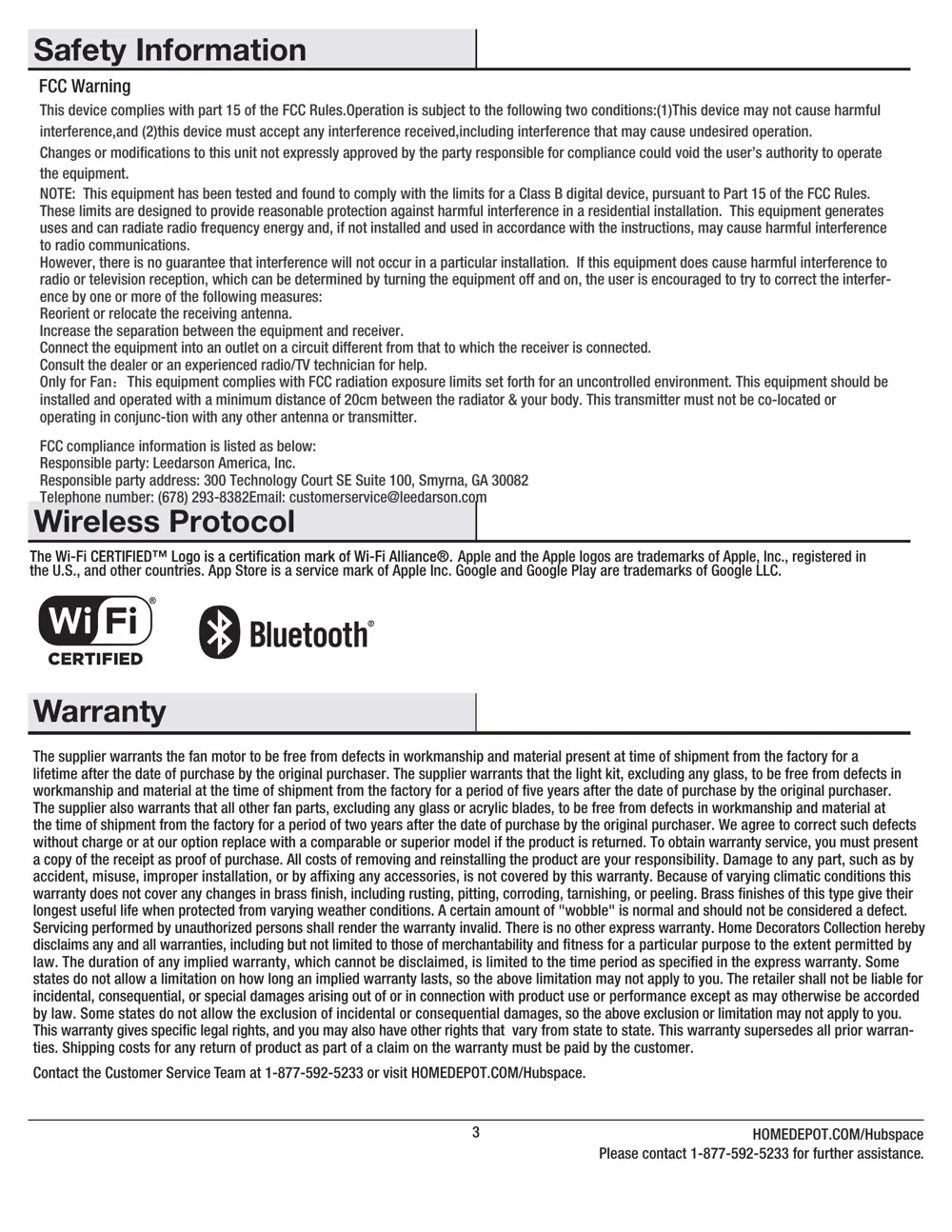
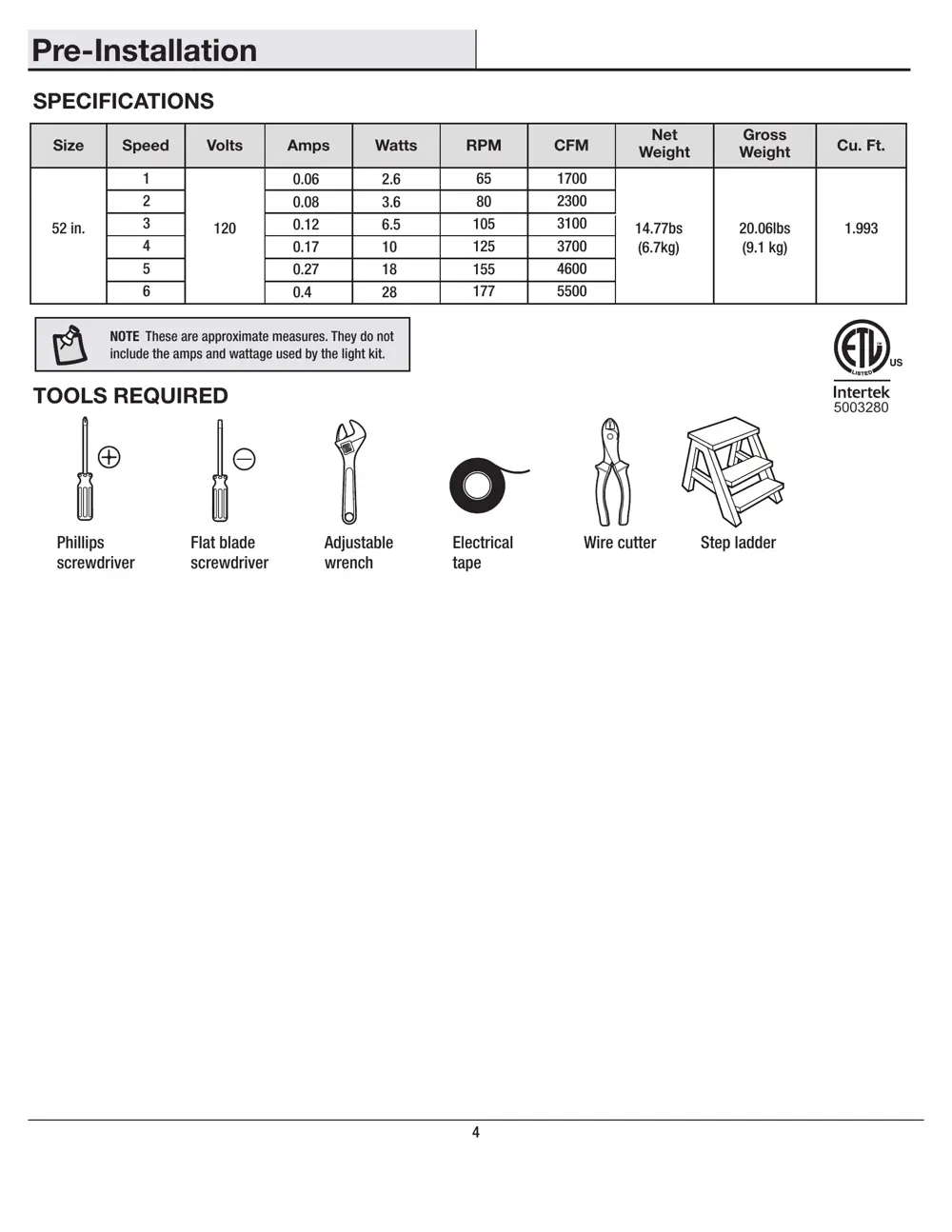
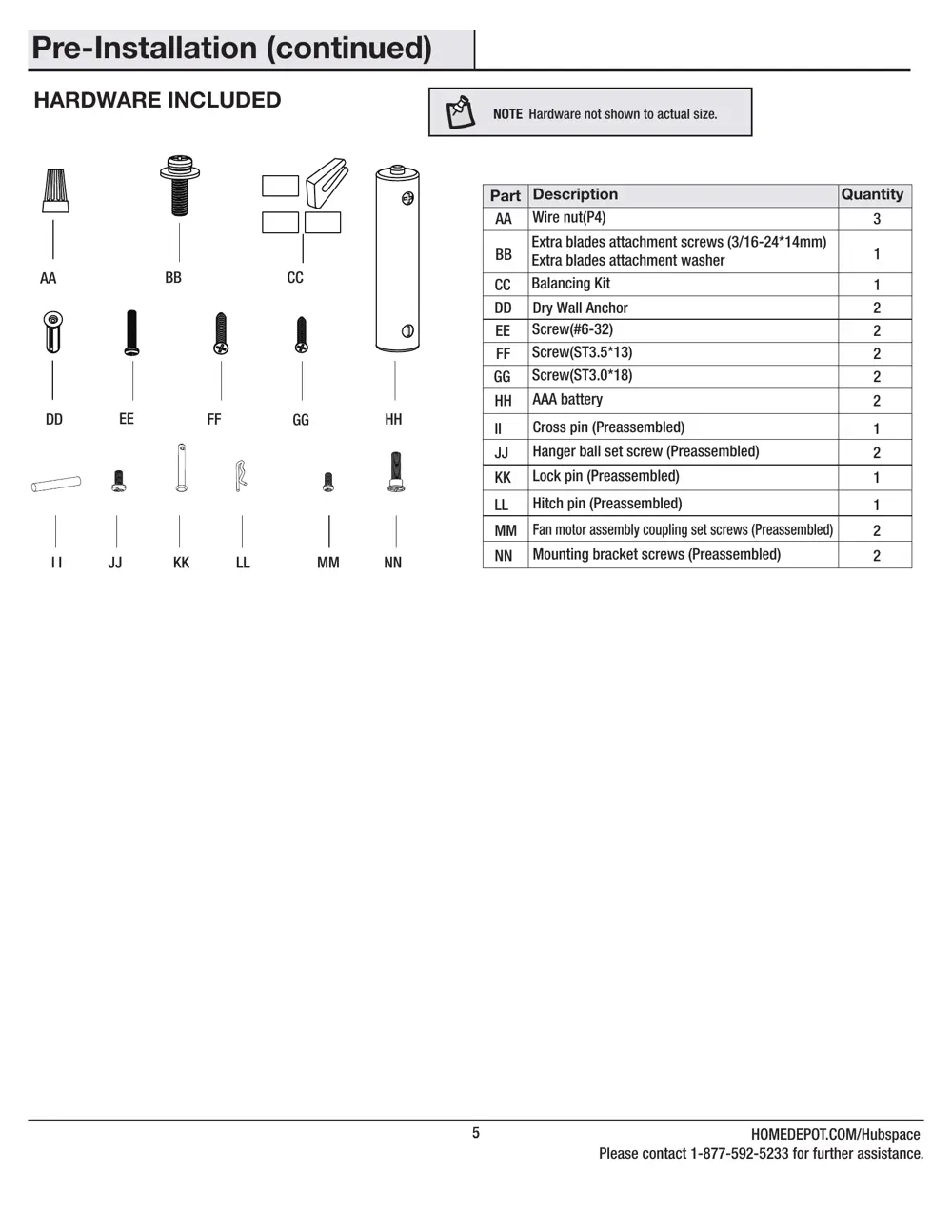
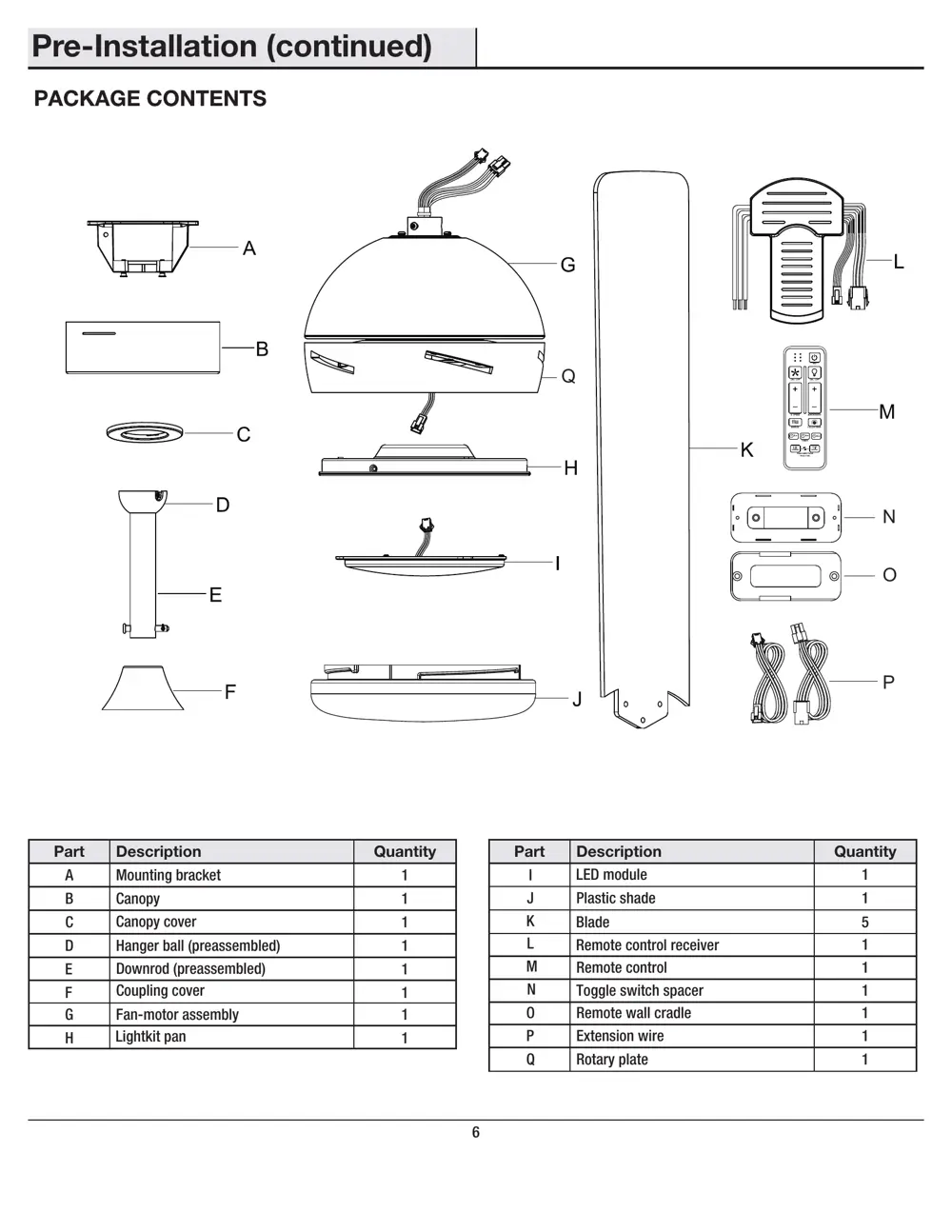
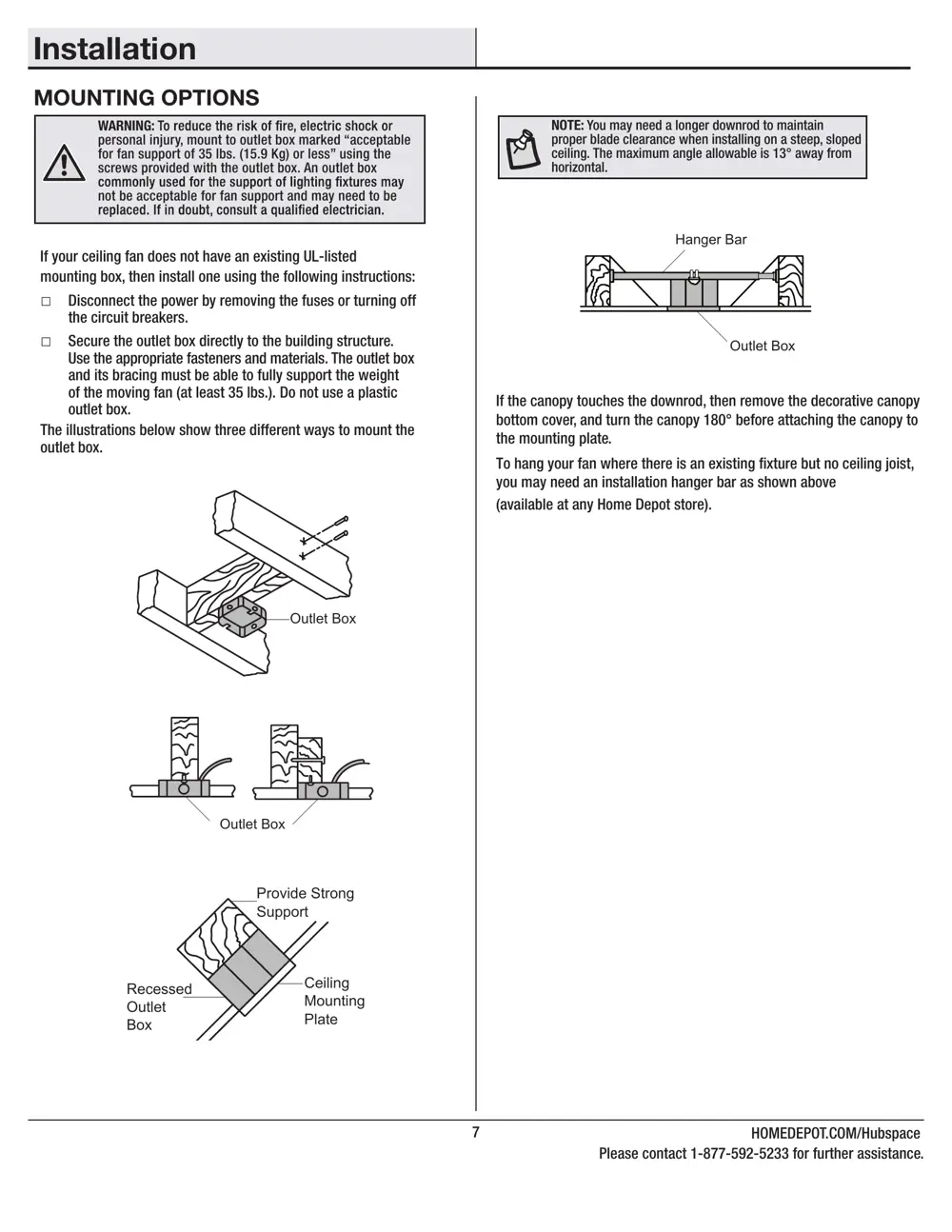
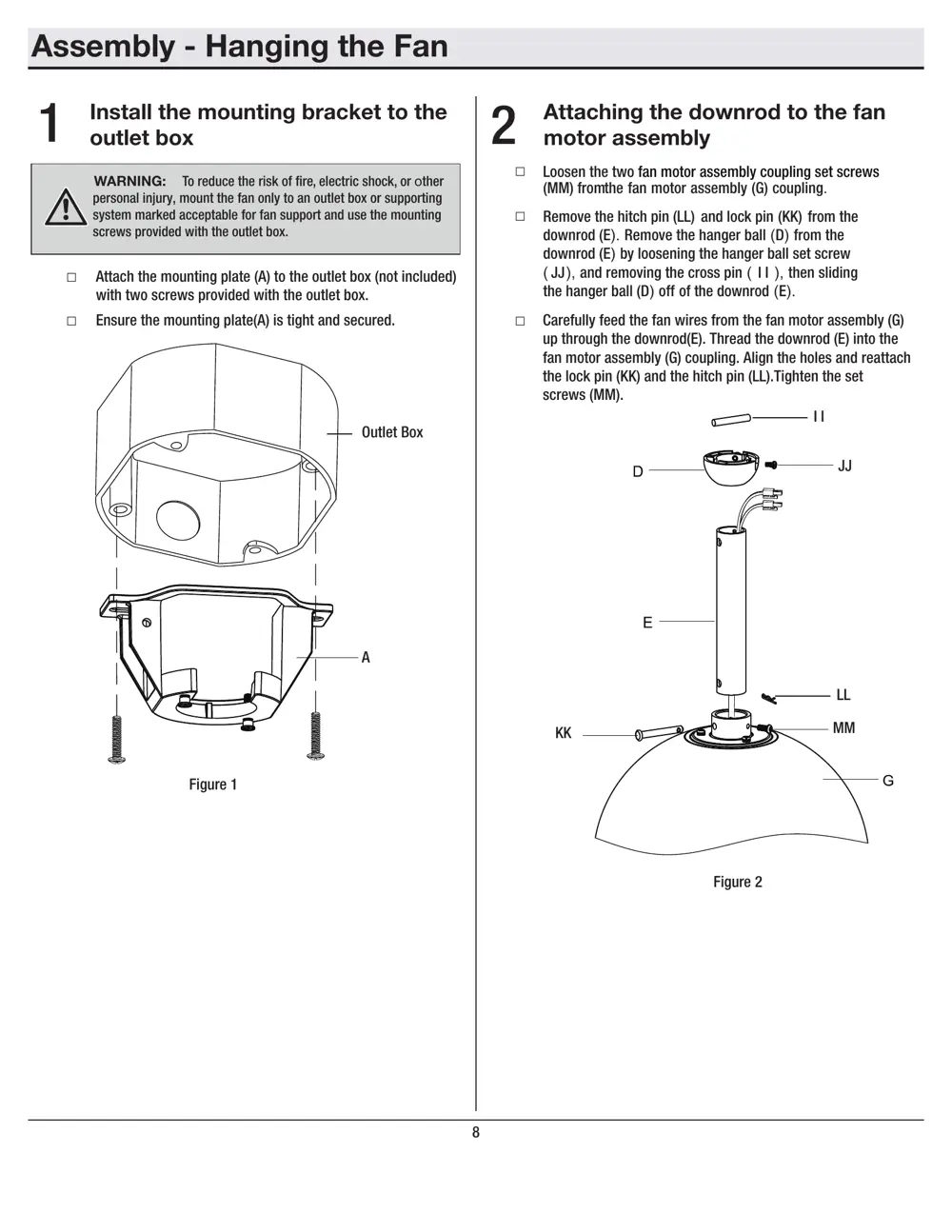
Scanned pages from the official user manual:
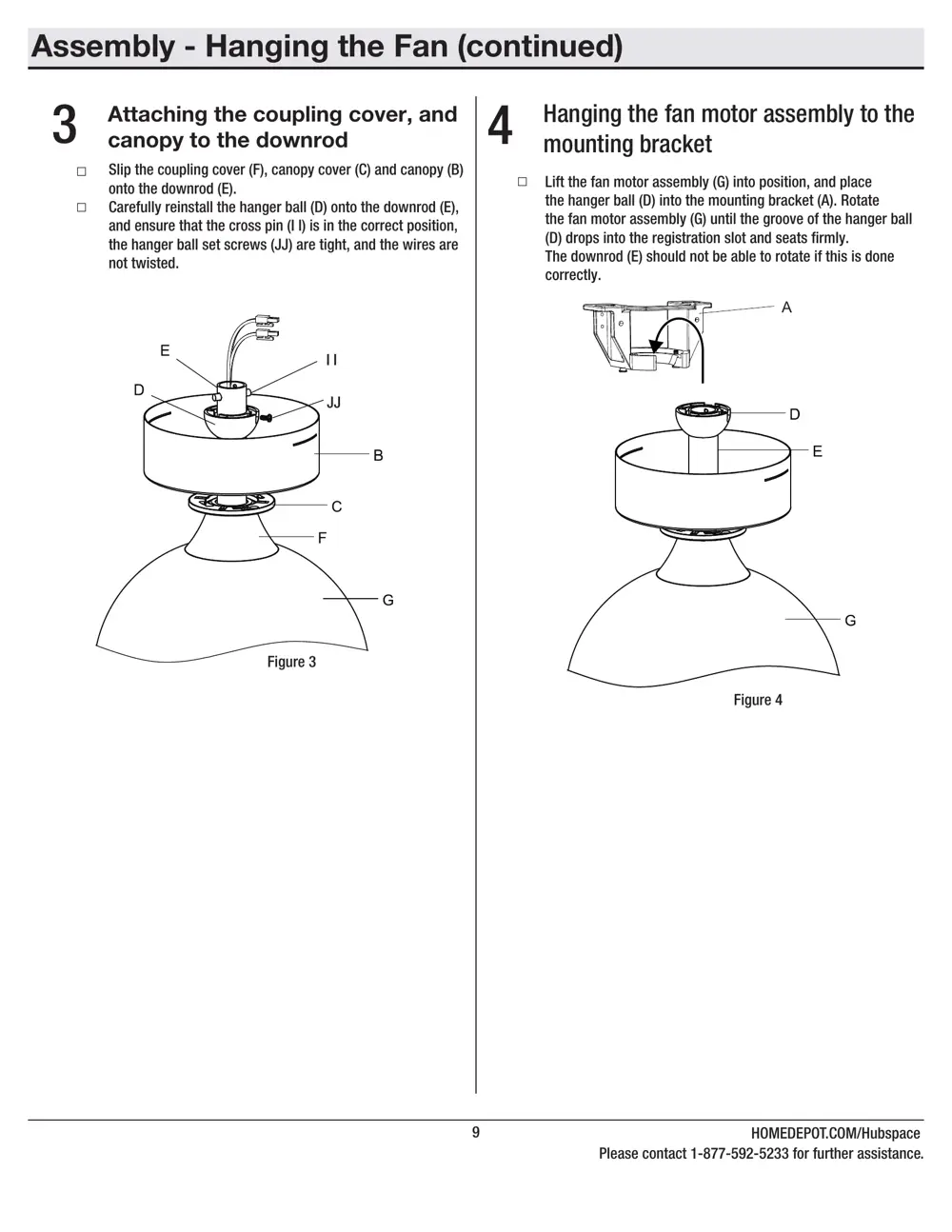
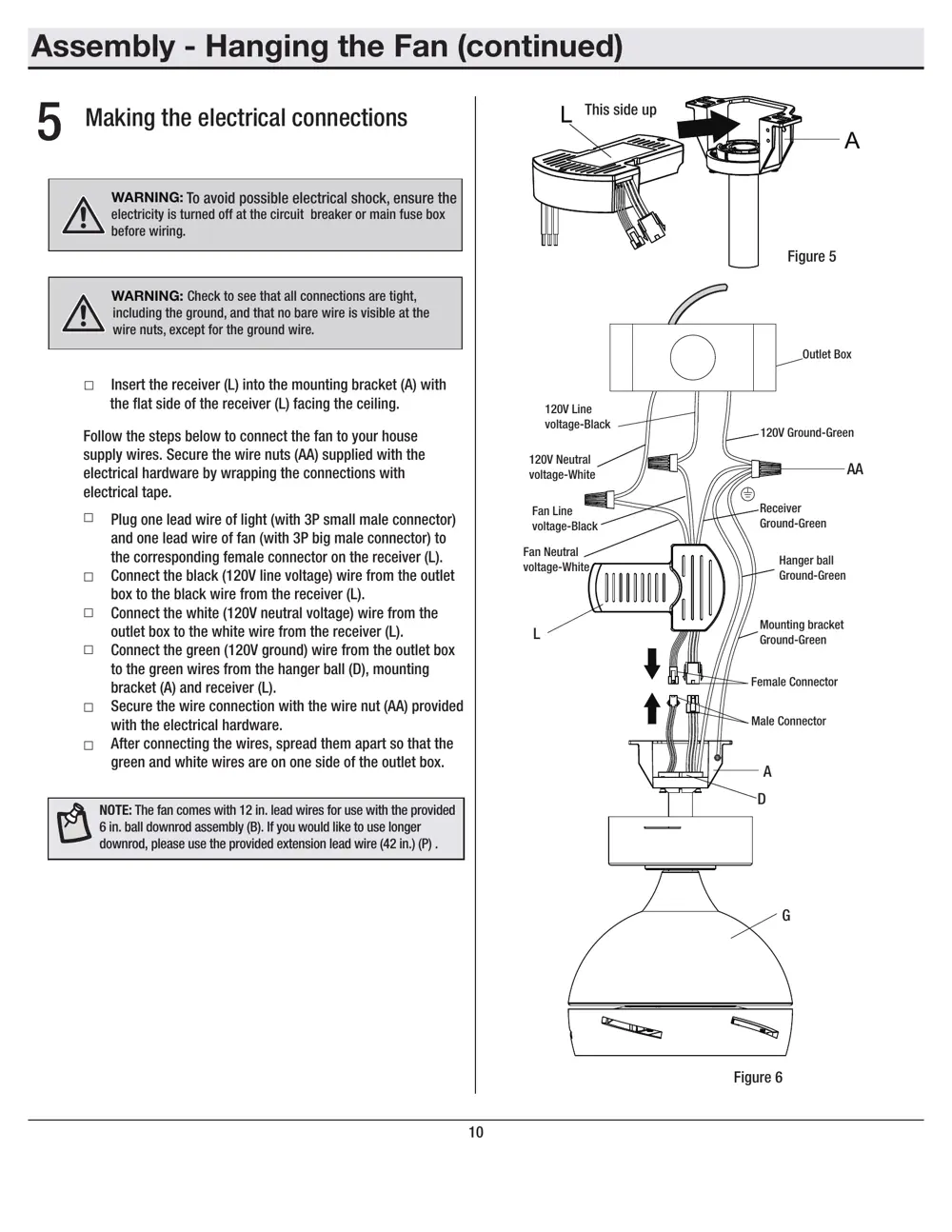
Verdict
The CF2003RMN is a WiFi device from the Broadlink ecosystem.
📄 Click to view full text manual (SEO)
USE AND CARE GUIDE
CARLEY 52-INCH SMART CEILING FAN
Questions, problems, missing parts? Before returning to the store,
call Home Decorators Collection Customer Service
8 a.m. - 7 p.m., EST, Monday-Friday, 9 a.m. - 6 p.m., EST, Saturday.
1-877-592-5233
HOMEDEPOT.COM/Hubspace
SKU# 1008962820 1008926738 1008962368
Model #CF2003-W, CF2003-B, CF2003-N
THANK YOU
to continually create quality products designed to enhance your home. Visit us online to see our full line of products available for your home
improvement needs. Thank you for choosing Home Decorators Collection!
2
1. To reduce the risk of electric shock, ensure the electricity has been
 turned off at the circuit breaker or fuse box before you begin.
2. All wiring must be in accordance with the National Electrical Code
 ANSI/NFPA 70-1999 and local electrical codes. Electrical installation
 should be performed by a quali/f_ied licensed electrician.
3. To reduce the risk of /f_ire, electric shock, or personal injury, mount to
 outlet box marked acceptable for fan support of 35 lbs (15,9 kg ) on
 less and use mounting screws provided with the outlet box. Most
 outlet boxes commonly used for the support of lighting /f_ixtures are
 not acceptable for fan support and may need to be replaced. Consult
 a quali/f_ied electrician if in doubt. The /f_ixing means for attachment to
 the ceiling such as hooks or other devices shall be /f_ixed with a
 suf/f_icient strength to withstand 4 times the weight of the ceiling fan.
4. To reduce the risk of injury to persons,install fan so that the blade is
 at least 7 ft (2.1m) above the /f_loor.
5. Do not operate the reversing switch while the fan blades are in
 motion. You must turn the fan off and stop the blades before you
 reverse the blade direction.
6. Do not place objects in the path of the blades.
7. To avoid personal injury or damage to the fan and other items, use
 caution when working around or cleaning the fan.
8. After making electrical connections, spliced conductors should be
 turned upward and pushed carefully up into the outlet box. The
 wires should be spread apart with the grounded conductor and the
 equipment-grounding conductor on one side of the outlet box.
 The ungrounded conductor on the other side of the outlet box.
9. All setscrews must be checked and retightened where necessary
 before installation.
To reduce the risk of injury to persons, not intended for use by persons
(including children) with reduced physical, sensory or mental capabilities,
or lack of experience and knowledge, unless they have been given supervision
or instruction concerning use of the fan by a person responsible for their safety.
Children should be supervised to ensure that they do not play with the fan.
WARNING: To reduce the risk of personal injury,
do not bend the blade brackets (also ref erred to as
/f_langes) during assembly or after installation. Do not
insert objects in the path of the blades.
WARNING: To avoid poss ible electrical shock,
turn the...