
DUALR3 Reset & Teardown (FCC ID 2APN5DUALR3)
Factory reset and internal photos for Sonoff (Itead) DUALR3. Sonoff smart plug.
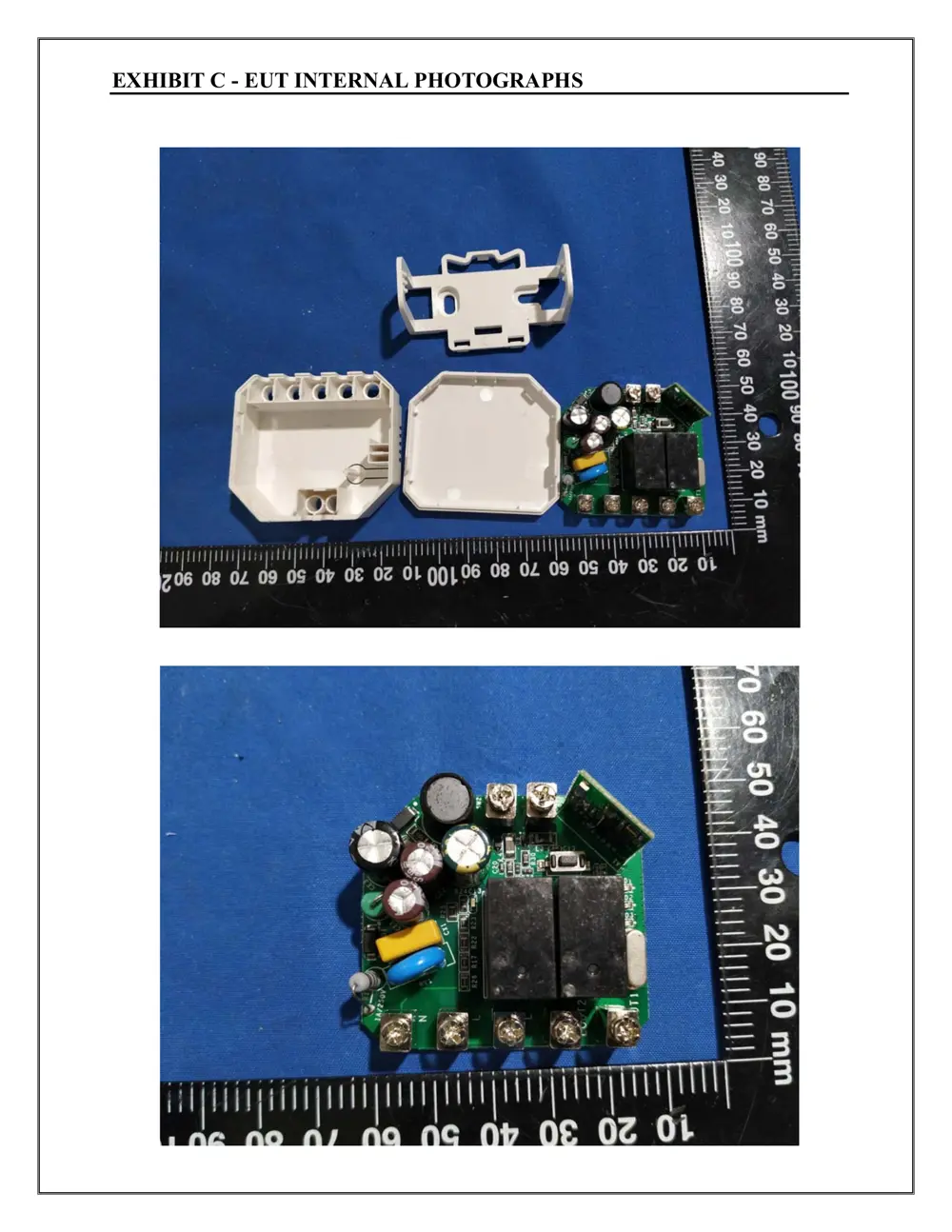
Before you buy the Sonoff (Itead) DUALR3, check what's inside.
The SONOFF DUALR3 is a dual-gang Wi-Fi smart switch designed to control two separate circuits or appliances. It integrates seamlessly with the eWeLink app for remote control and automation, offering flexible wiring options for various switch types.
⚠️ NOTE: Disconnect Mains power before installation or maintenance. Consult a qualified professional if unsure about wiring.
Quick Specs
- Manufacturer: Sonoff (Itead)
- Model: DUALR3
- Protocol: WiFi
- Chipset: ESP/CK Chip
- Ecosystem: Sonoff
- App: eWeLink
🔧 Geek Corner (Flashing Info)
- Chipset: ESP8285
- Flashable: ✅ Yes
- Info: Uses ESP8285 chip, known to be flashable with Tasmota/ESPHome.
Reset Guide
Factory reset 12 13 sonoff technologies co.
User Manual
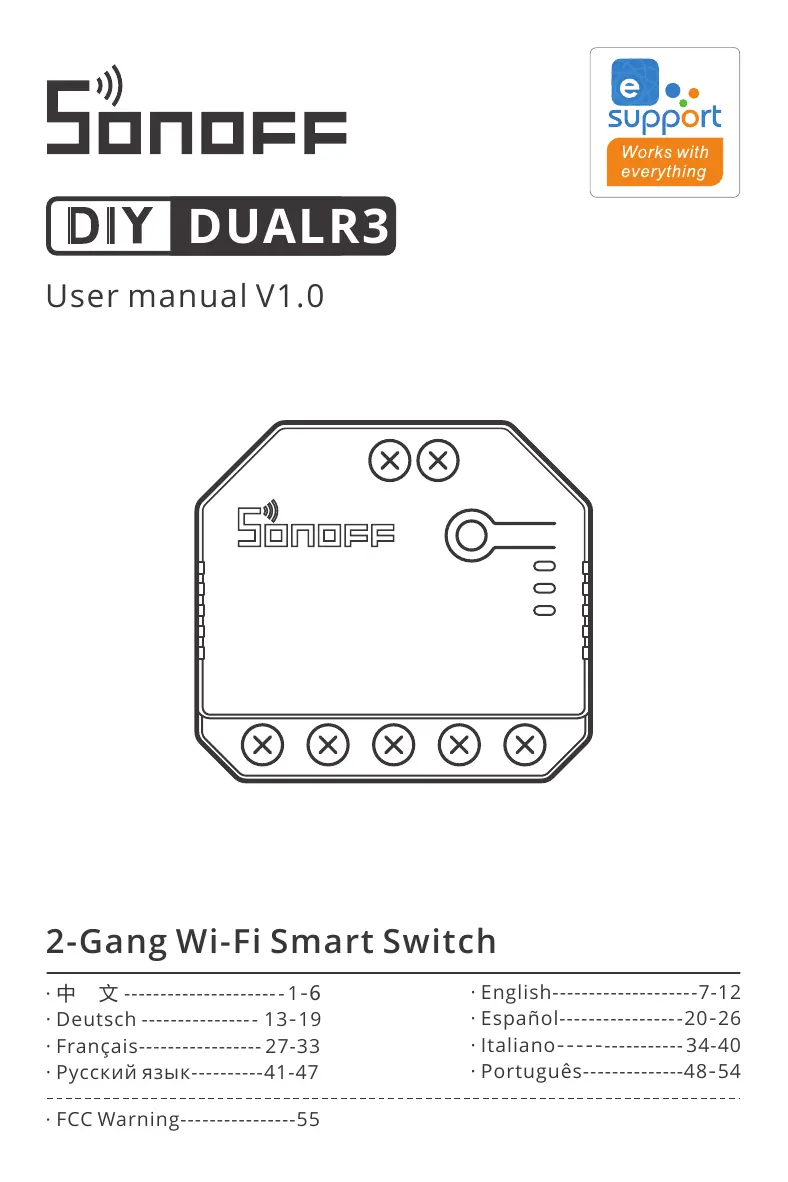
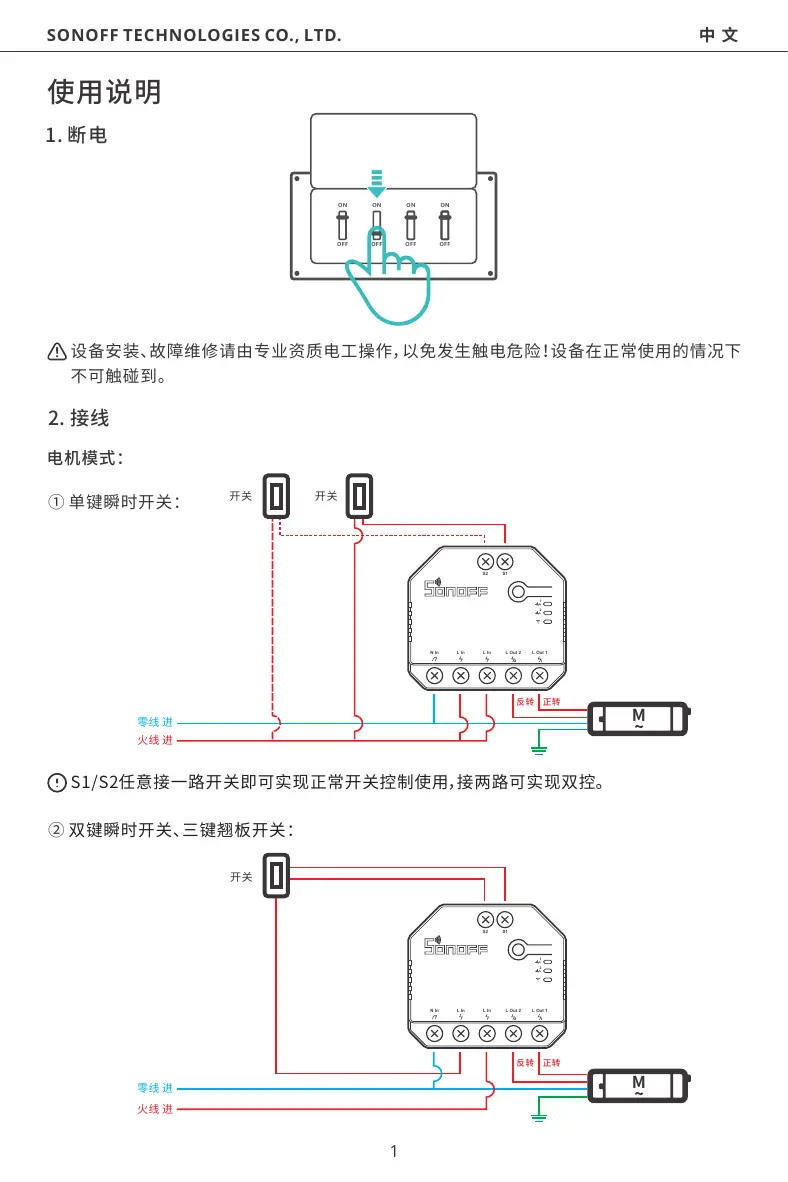
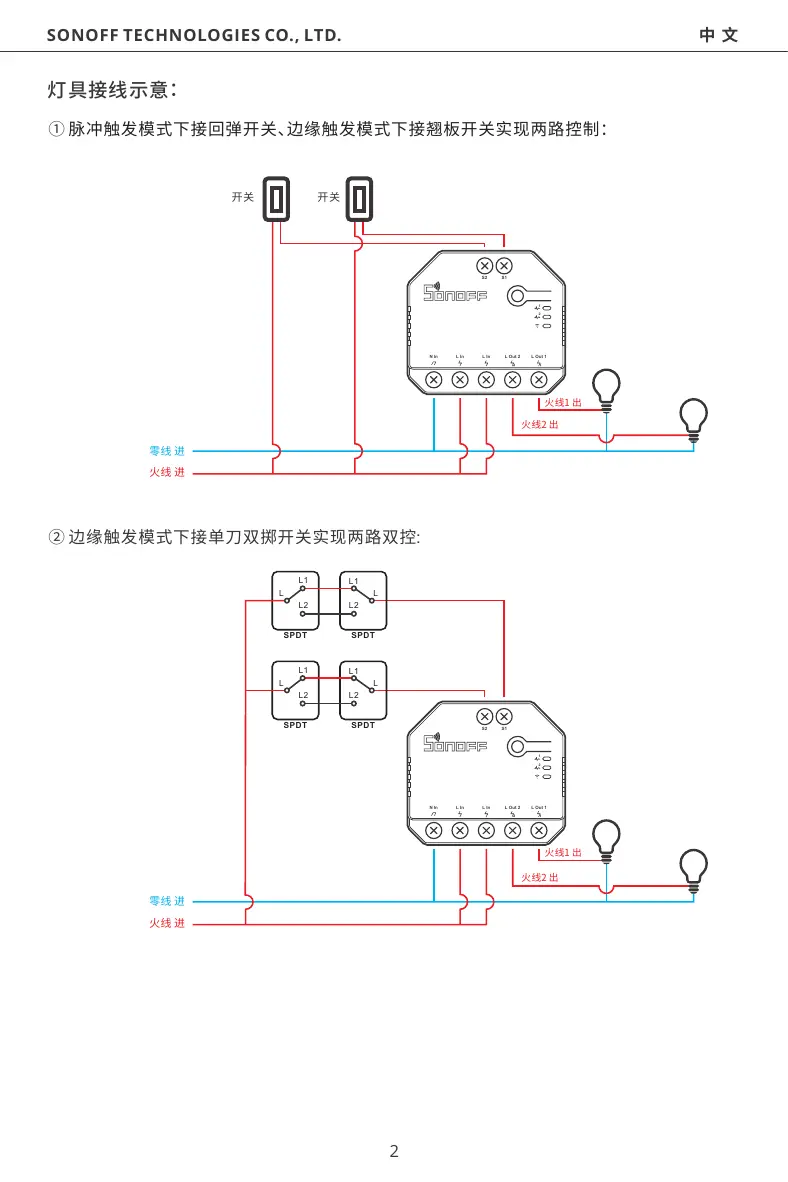
Scanned pages from the official user manual:
External Photos
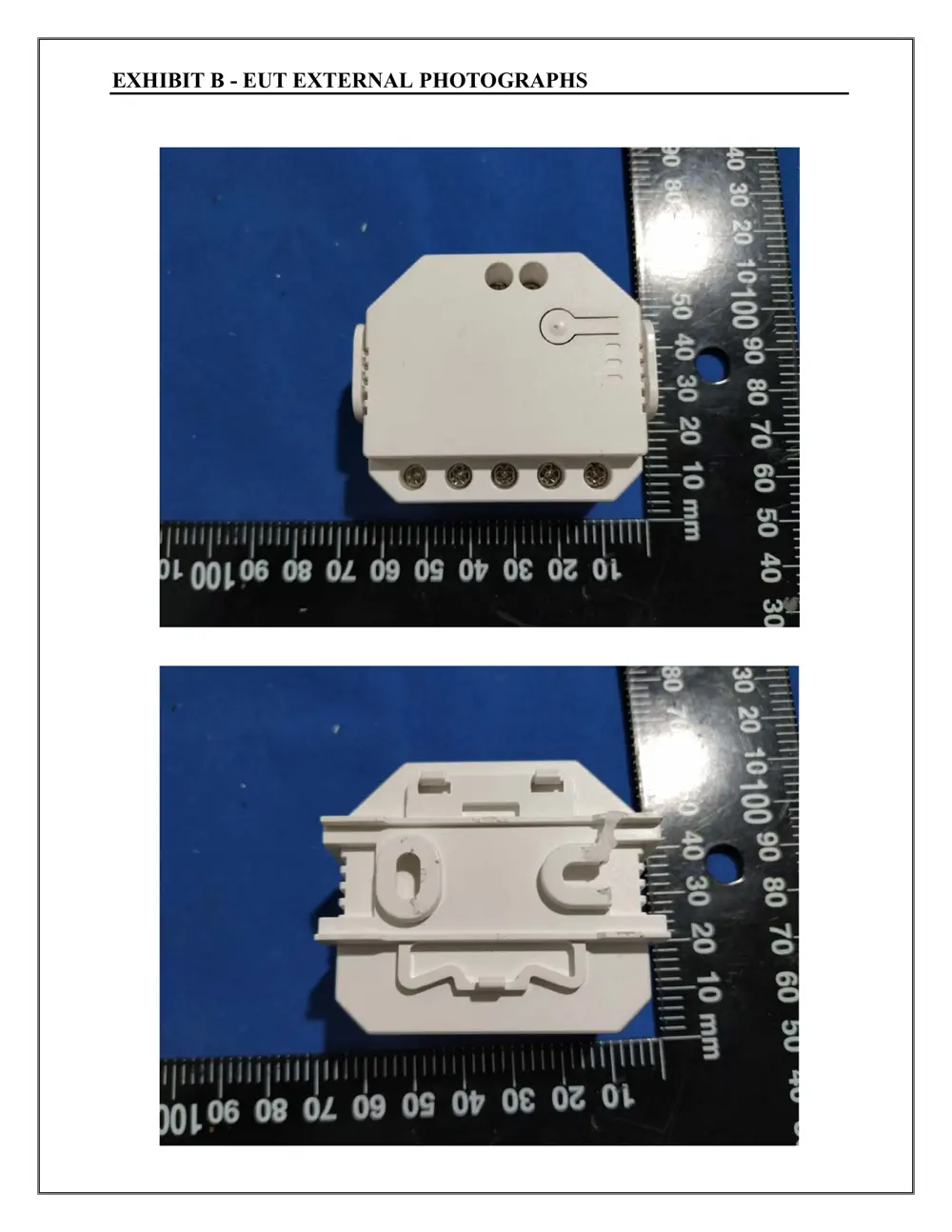
Photos of the device exterior:
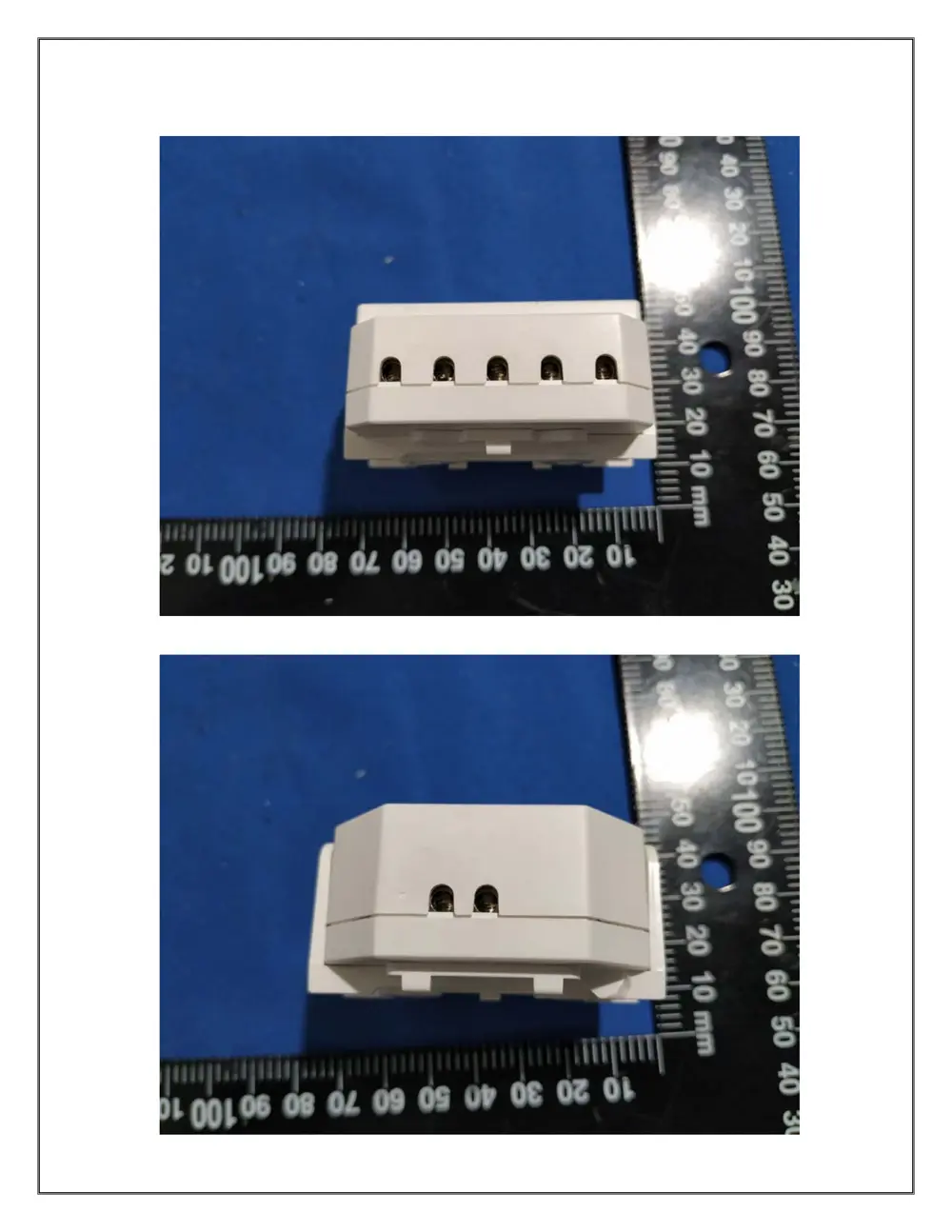
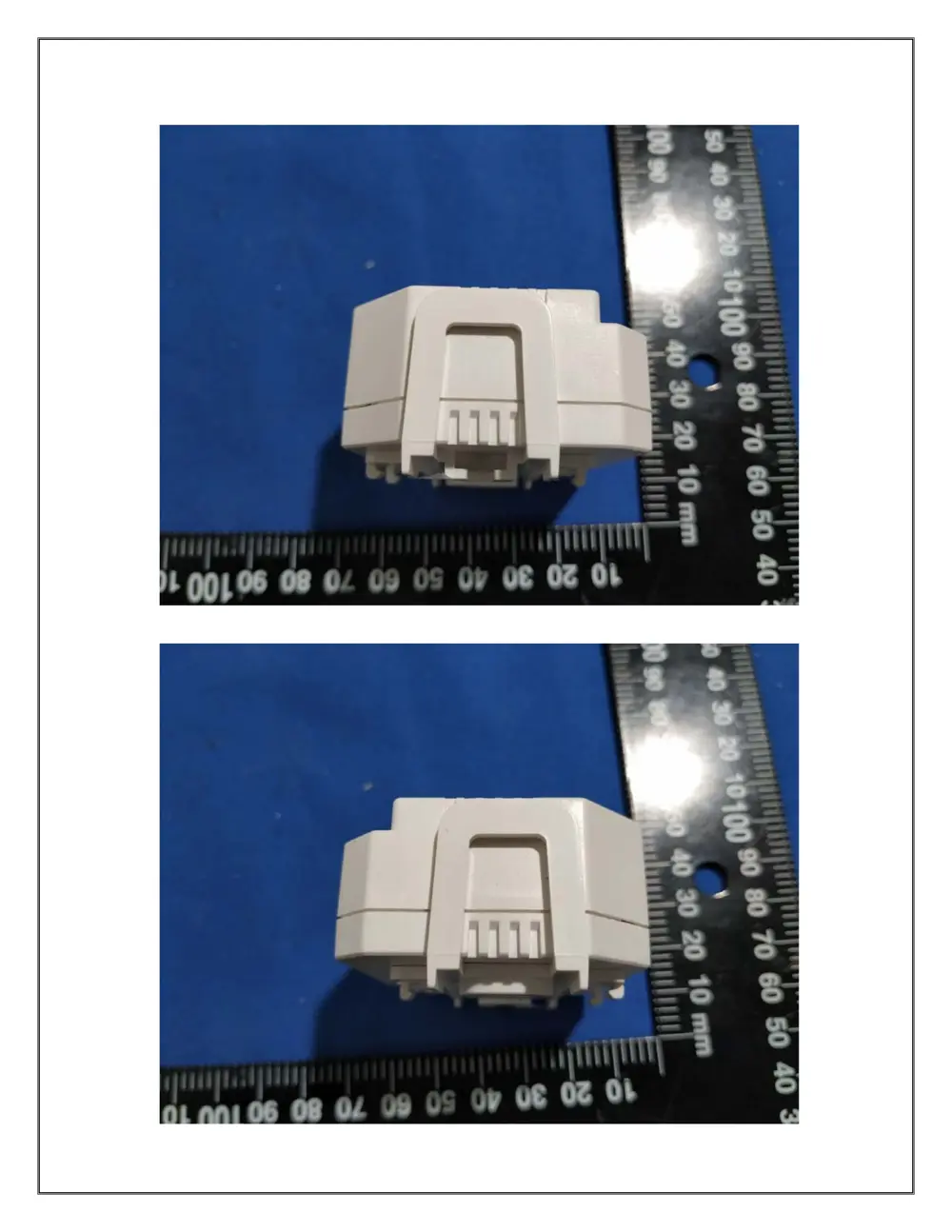
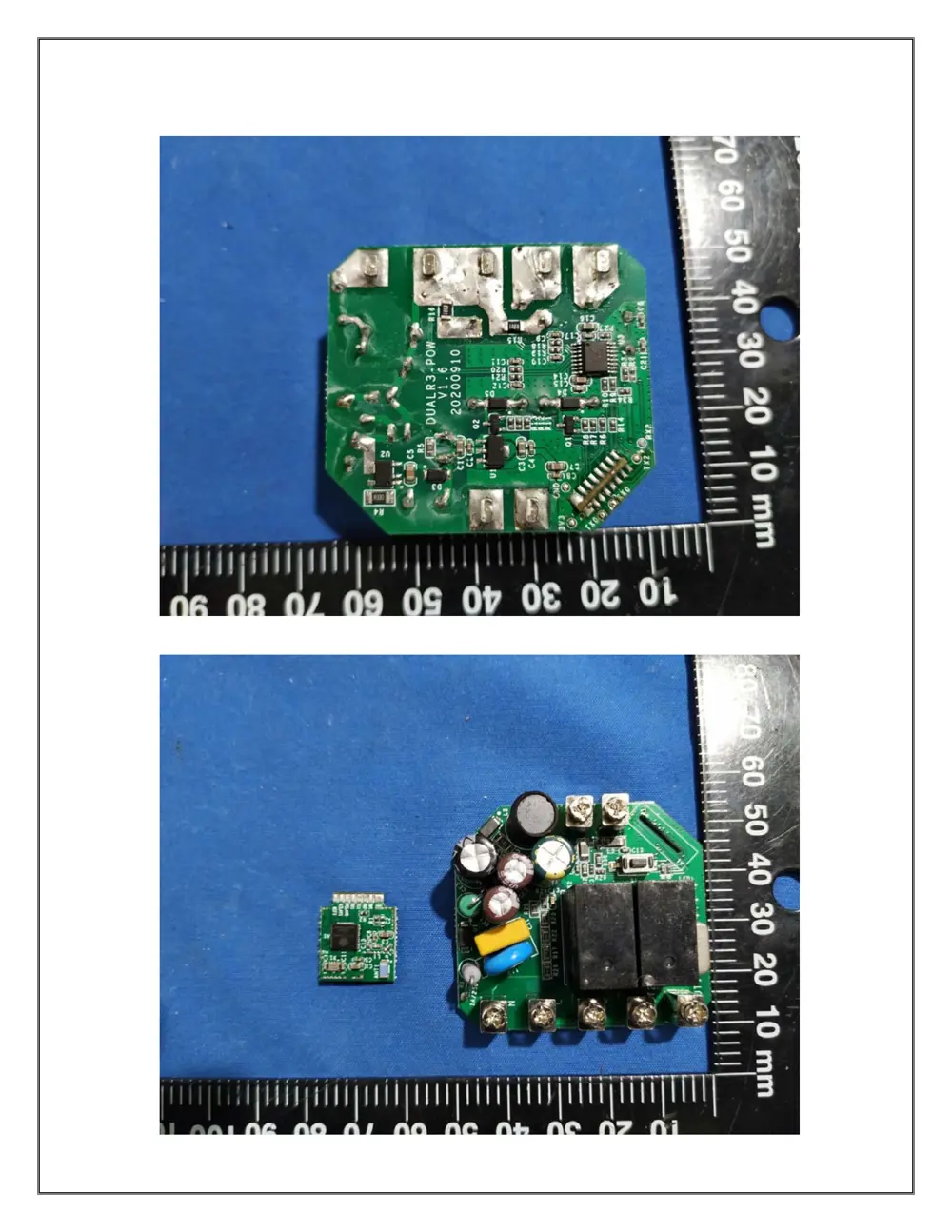
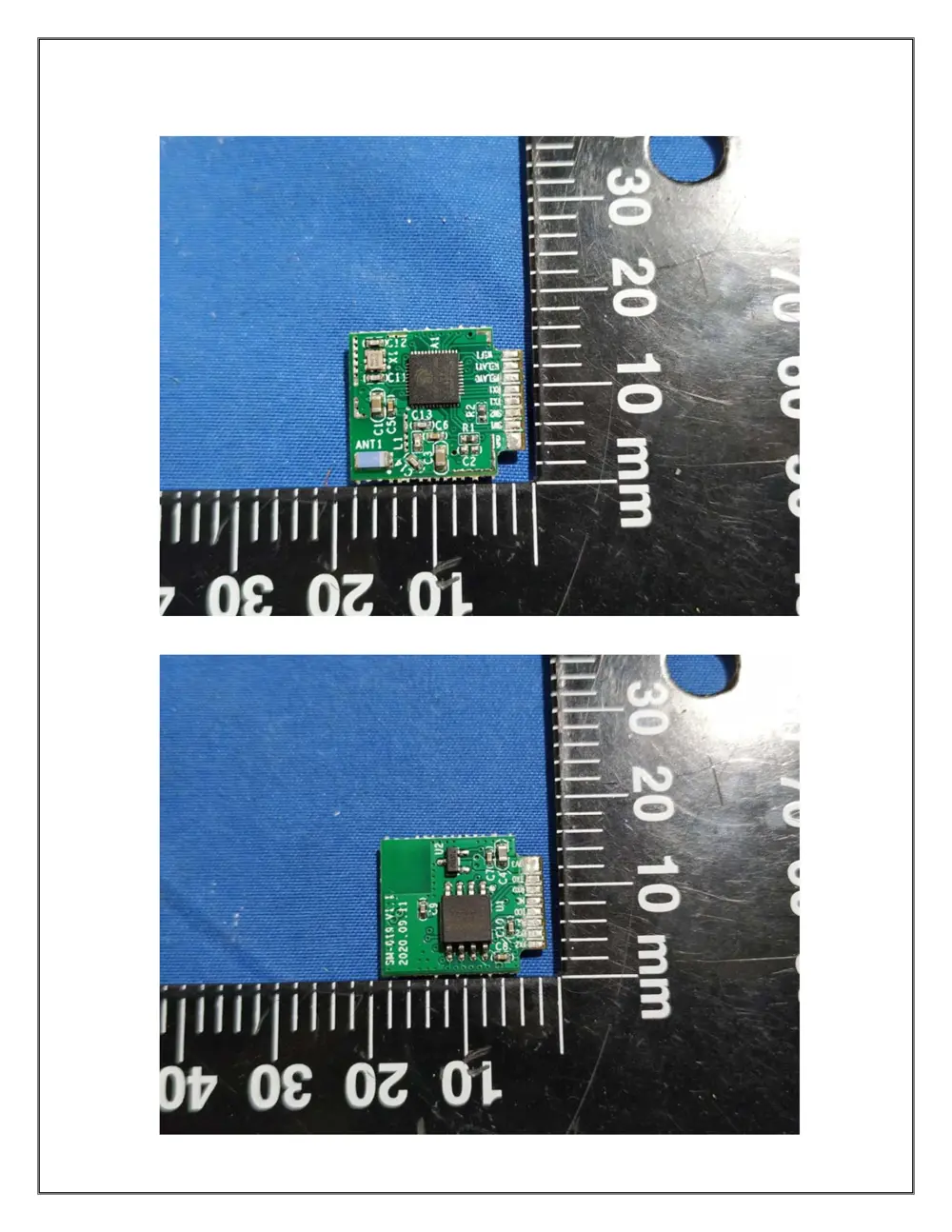
Internal Photos
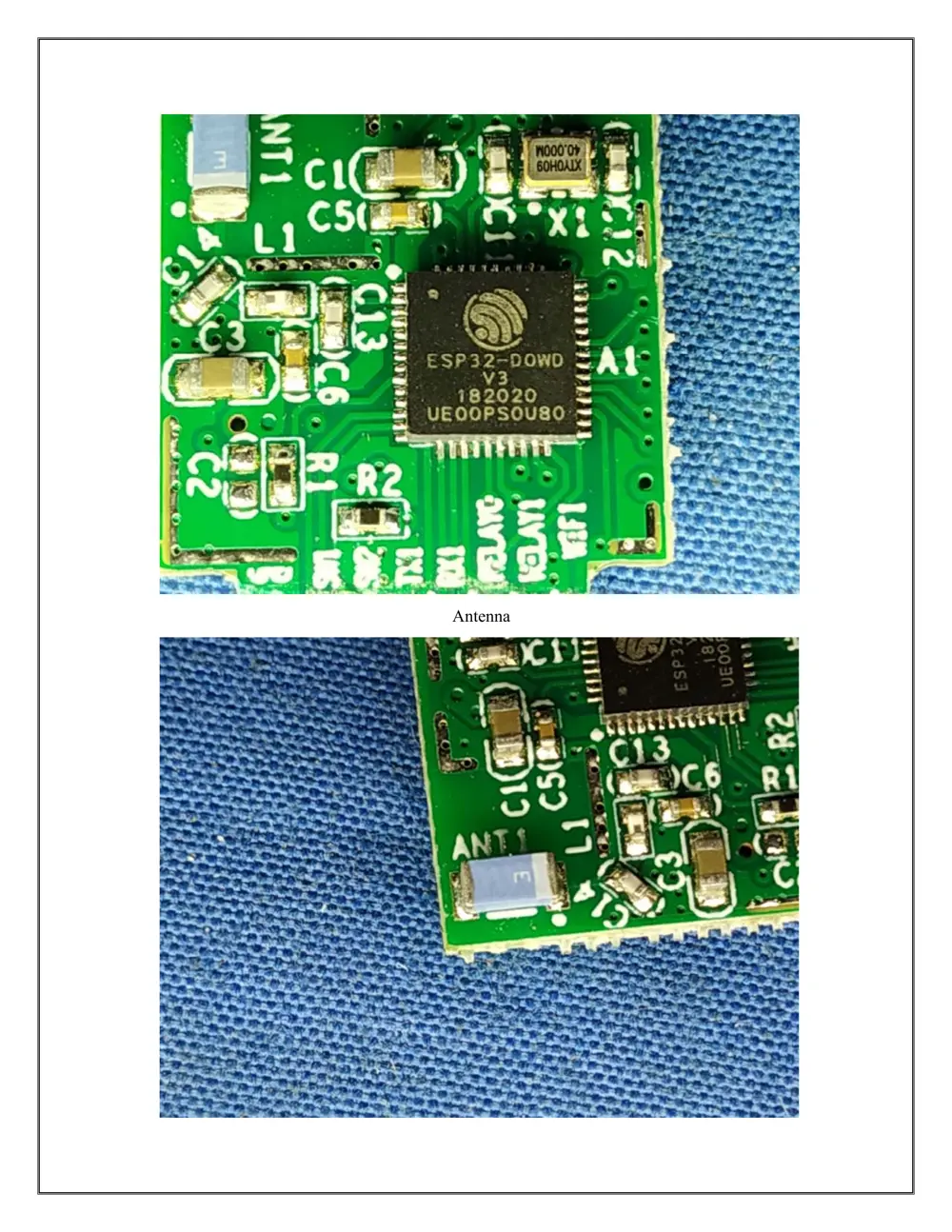
Teardown photos showing the PCB and components:
Verdict
The DUALR3 is a WiFi device from the Sonoff ecosystem.
📄 Click to view full text manual (SEO)
User manual V1.0
DUALR3
2-Gang Wi-Fi Smart Switch
· 中 文 --------------------- - 1-6
· Deutsch ---------------- 13-19
· Français----------------- 27-33
· English--------------------7-12
· Español-----------------20-26
· Italiano---------------- 34-40
· Português--------------48-54
· FCC Warning----------------55
1.断电
2.接线
1
SONOFF TECHNOLOGIES CO., LTD.
1
2
S2 S1
N In L In L In LOut1LOut2
M
1
2
S2 S1
N In L In L In LOut1LOut2
M
ON
OFF OFF OFF
ON ONON
OFF
2
SONOFF TECHNOLOGIES CO., LTD.
1
2
S2 S1
N In L In L In LOut1LOut2
1
2
S2 S1
N In L In L In LOut1LOut2
L
L1
L2
SPDT
L
L1
L2
SPDT
L
L1
L2
SPDT
L
L1
L2
SPDT
3
SONOFF TECHNOLOGIES CO., LTD.
1
2
S2 S1
N In L In L In LOut1LOut2
+-
+-
 电
 电
eWeLink
Android™ & iOS
中⽂SONOFF TECHNOLOGIES CO., LTD.
4.上电
1
2
S2 S1
N In L In L In LOut1LOut2
4
Wi-Fi
DUALR3
100-240VAC50/60Hz15AMax
100-240VAC50/60Hz
IEEE802.11b/g/n2.4GHz
PCV0
54x49x24mm
Android&iOS
阻性负载 2200W/10A/ 3300W/15A/总负载
 量 双
电机负载 10-240W/1A
中⽂SONOFF TECHNOLOGIES CO., LTD.
1
2
S2 S1
N In L In L In LOut1LOut2
5
中⽂SONOFF TECHNOLOGIES CO., LTD.
1
2
S2 S1
N In L In L In LOut1LOut2
6
SONOFF TECHNOLOGIES CO., LTD. English
7
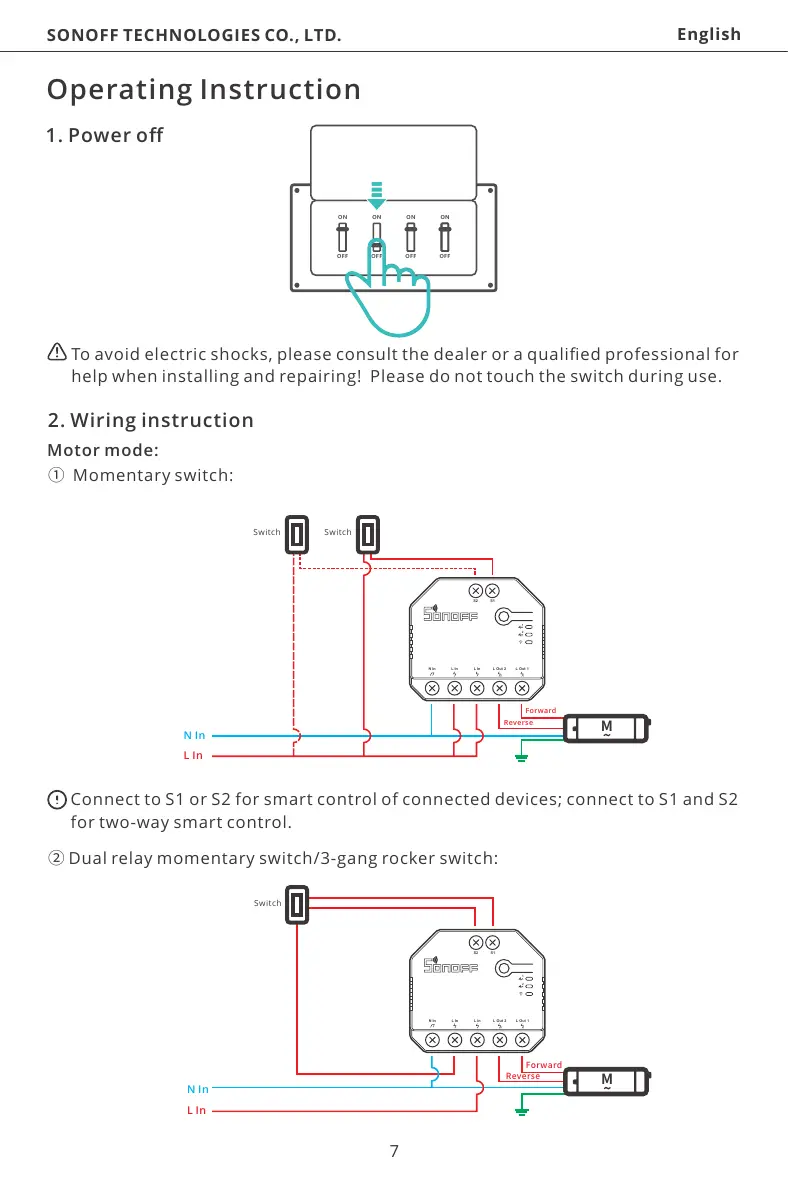
To avoid electric shocks, please consult the dealer or a qualified professional for
help when installing and repairing! Please do not touch the switch during use.
1. Power off
Operating Instruction
1
2
S2 S1
N In L In L In LOut1LOut2
M
1
2
S2 S1
N In L In L In LOut1LOut2
M
②Dual relay momentary switch/3-gang rocker switch:
Connect to S1 or S2 for smart control of connected devices; connect to S1 and S2
for two-way smart control.
Switch Switch
① Momentary switch:
2. Wiring instruction
Motor mode:
Forward
Reverse
N In
L In
Switch
Forward
Reverse
N In
L In
ON
OFF OFF OFF
ON ONON
OFF
SONOFF TECHNOLOGIES CO., LTD. English
8
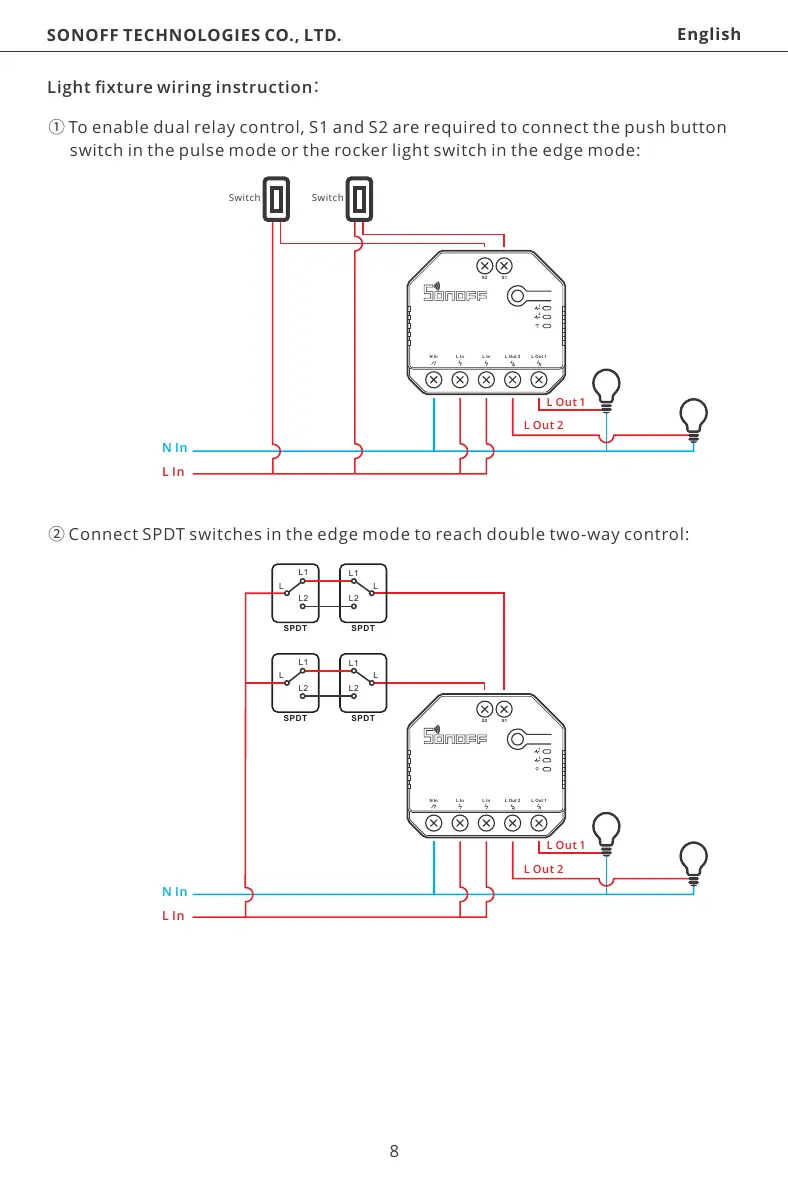
①To enable dual relay control, S1 and S2 are required to connect the push button
 switch in the pulse mode or the rocker light switch in the edge mode:
1
2
S2 S1
N In L In L In LOut1LOut2
1
2
S2 S1
N In L In L In LOut1LOut2
②Connect SPDT switches in the edge mode to reach double two-way control:
L
L1
L2
SPDT
L
L1
L2
SPDT
L
L1
L2
SPDT
L
L1
L2
SPDT
Light fixture wiring instruction
Switch Switch
N In
L In
L Out1
L Out 2
N In
L In
L Out1
L Out 2
SONOFF TECHNOLOGIES CO., LTD. English
9
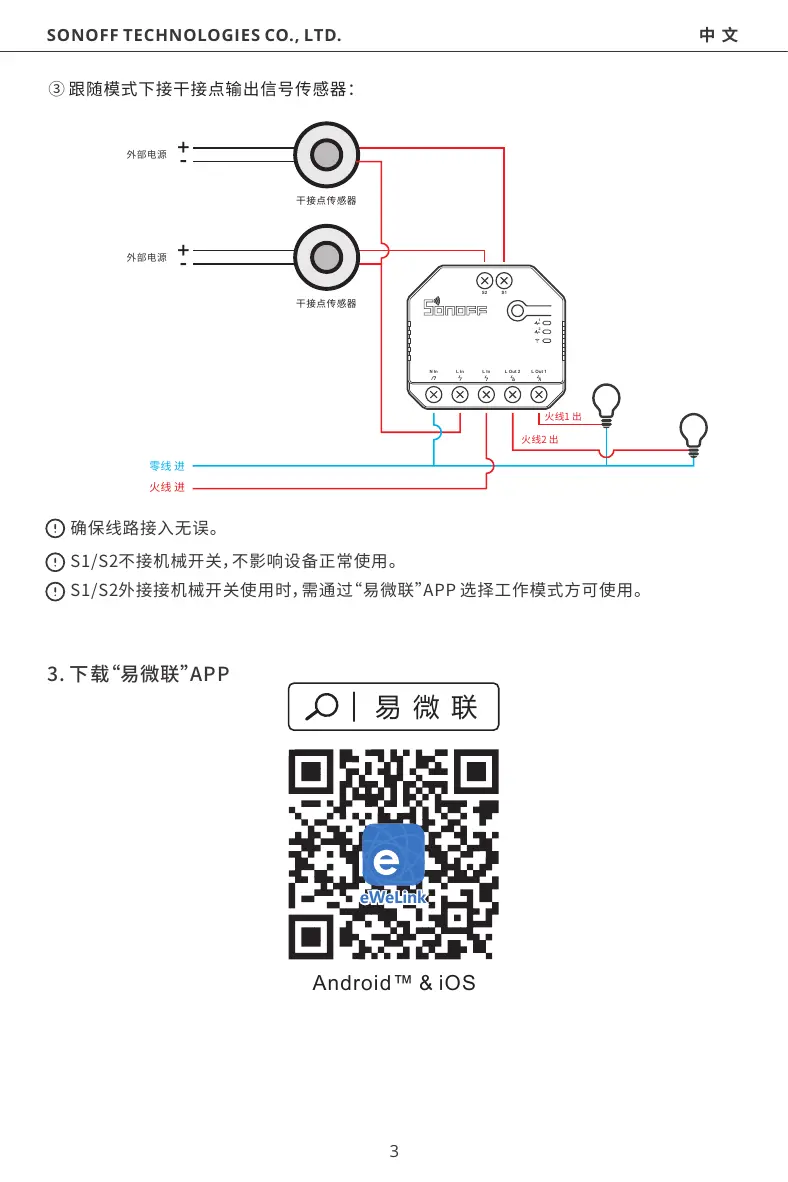
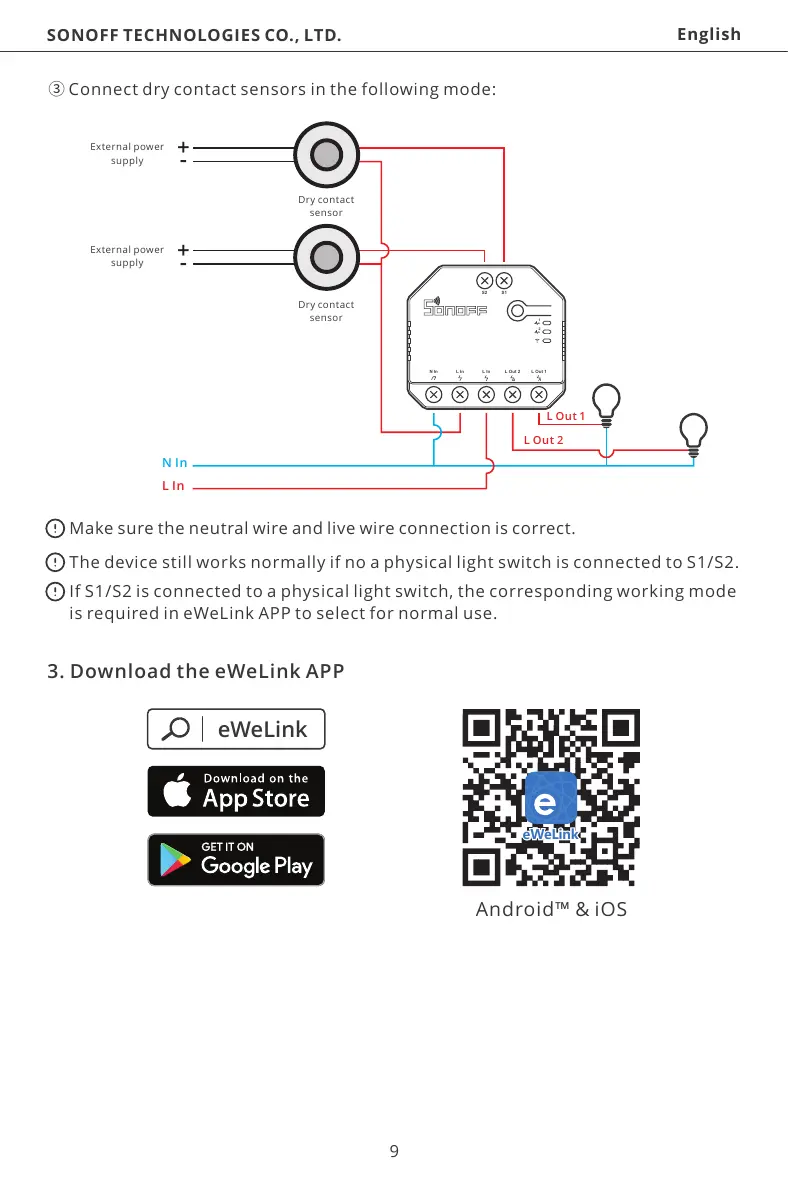
③Connect dry contact sensors in the following mode:
1
2
S2 S1
N In L In L In LOut1LOut2
+-
+-
Make sure the neutral wire and live wire connection is correct.
The device still works normally if no a physical light switch is connected to S1/S2.
If S1/S2 is connected to a physical light switch, the corresponding working mode
is required in eWeLink APP to select for normal use.
External power
supply
External power
supply
N In
L In
L Out1
L Out 2
eWeLink
eWeLink
Android™ & iOS
3. Download the eWeLink APP
Dry contact
sensor
Dry contact
sensor
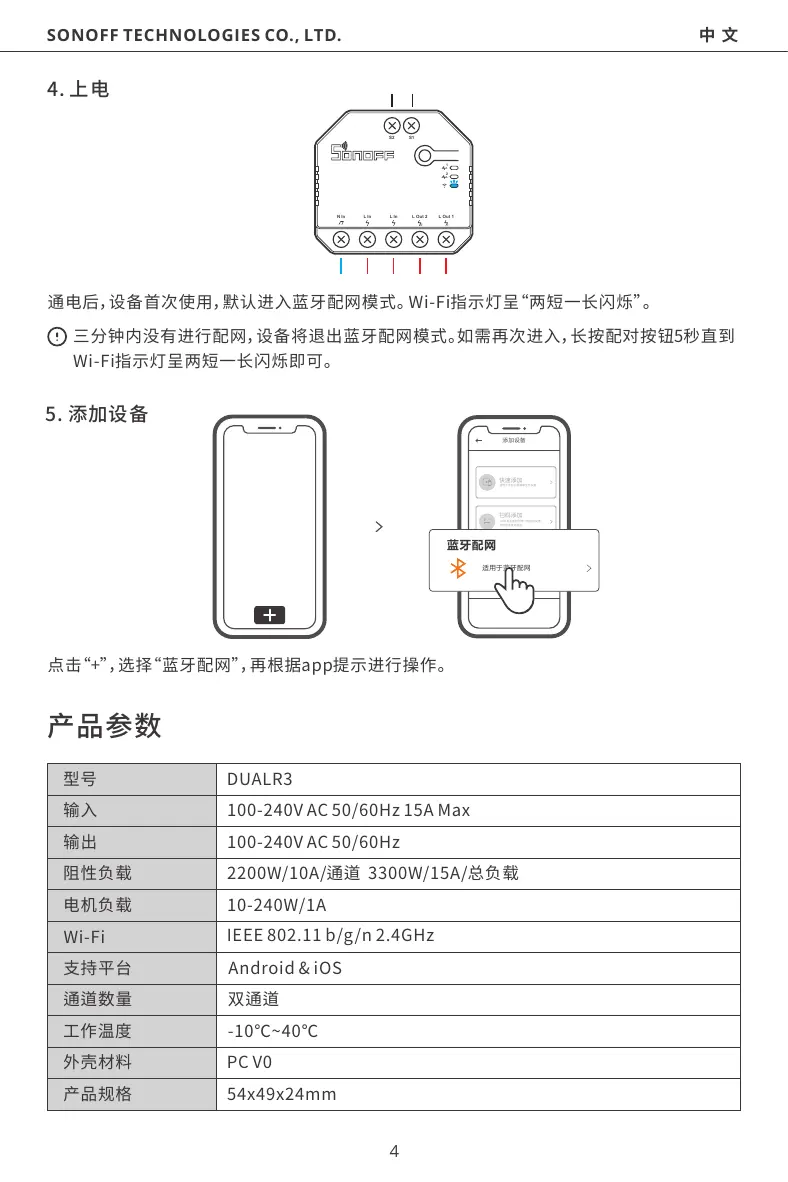
After powering on, the device will enter the bluetooth pairing mode during the first use.
The Wi-Fi LED indicator changes in a cycle of two short and one long flash and release.
The device will exit the bl...