
ESP07S Reset & Teardown (FCC ID 2AHMR-ESP07S)
Factory reset and internal photos for Tuya OEM ESP07S. Tuya / Smart Life smart plug.
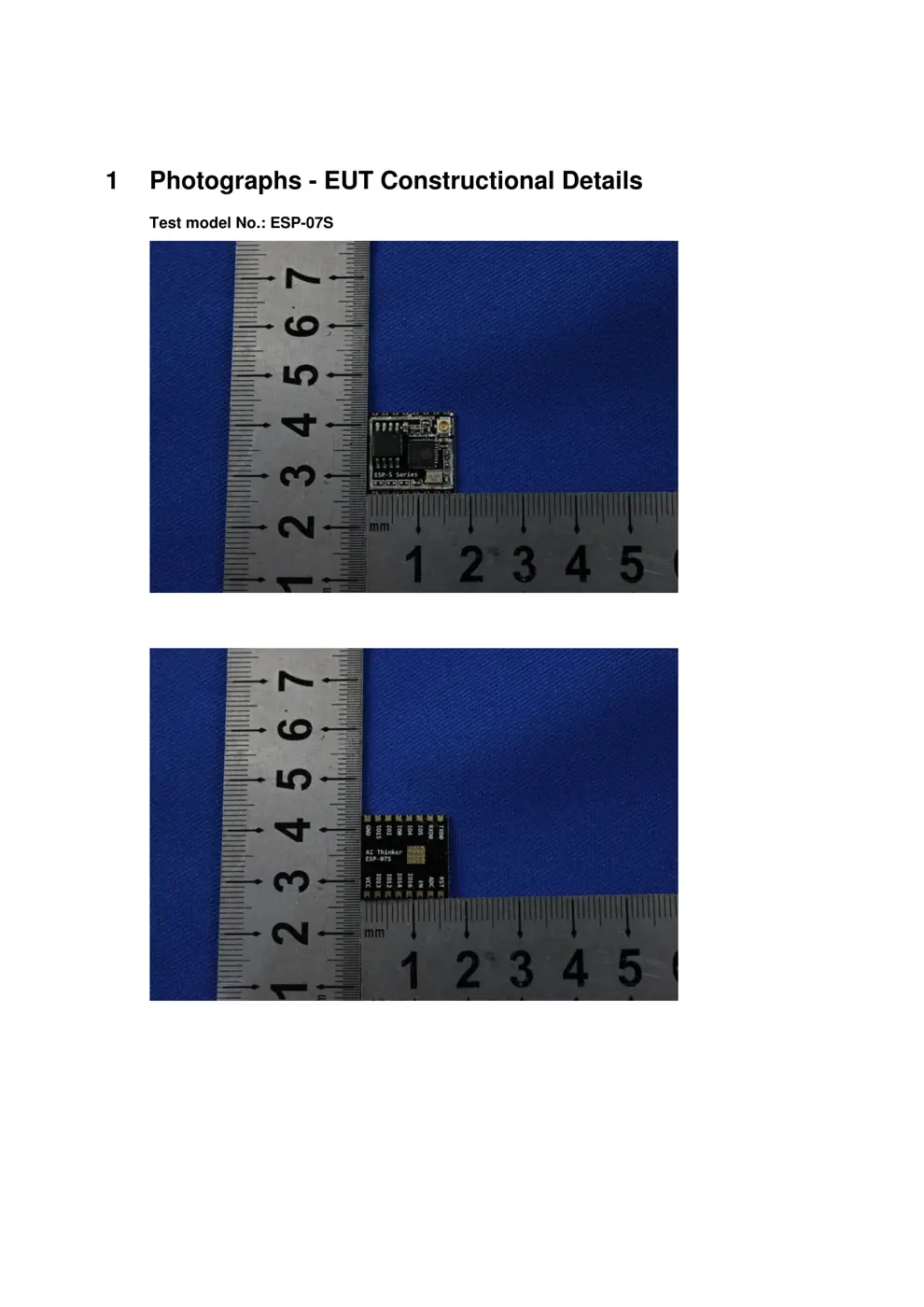
Before you buy the Tuya OEM ESP07S, check what's inside.
This device is a WiFi-enabled microcontroller module based on the ESP8285 chip, commonly used in Tuya OEM products. It is designed for integration into larger electronic devices requiring network connectivity.
⚠️ NOTE: This module requires integration by an OEM into a host device. Ensure proper electrical insulation and safety precautions are taken during installation, especially when connecting to mains voltage.
Quick Specs
- Manufacturer: Tuya OEM
- Model: ESP07S
- Protocol: WiFi
- Chipset: ESP8266
- Ecosystem: Tuya / Smart Life
- App: Smart Life
🔧 Geek Corner (Flashing Info)
- Chipset: ESP8285
- Flashable: ✅ Yes
- Info: Uses ESP8285 chip, which is known to be flashable with custom firmware like Tasmota or ESPHome.
User Manual
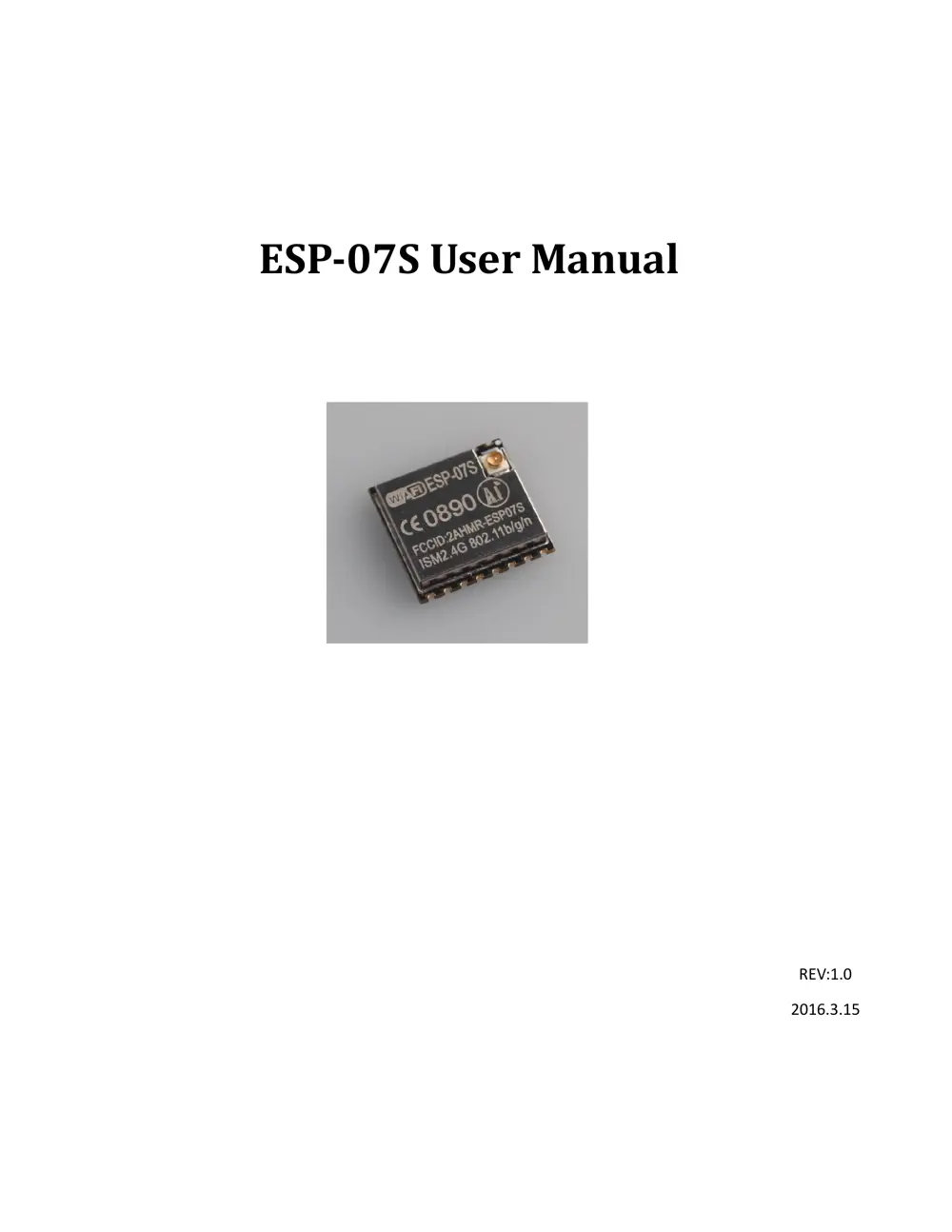
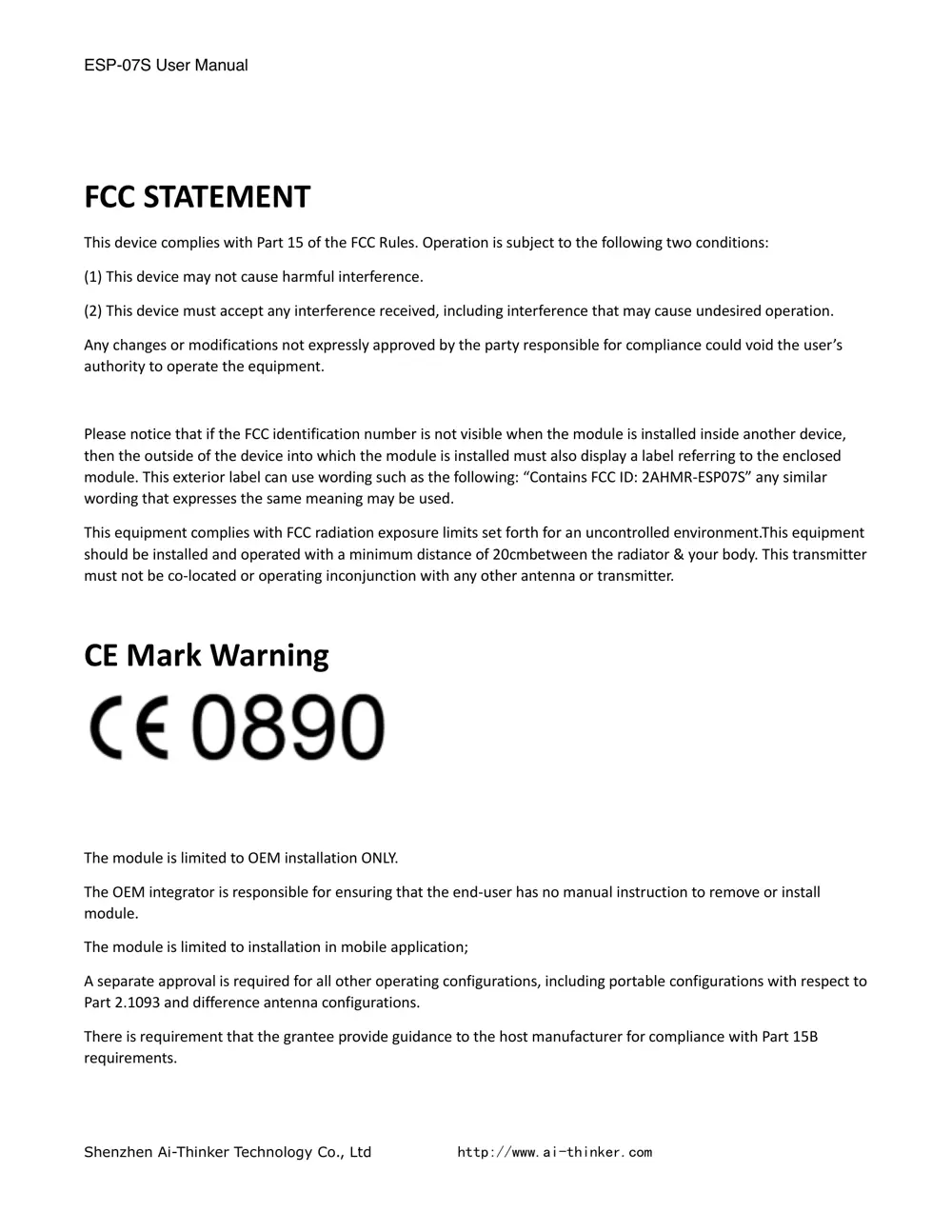
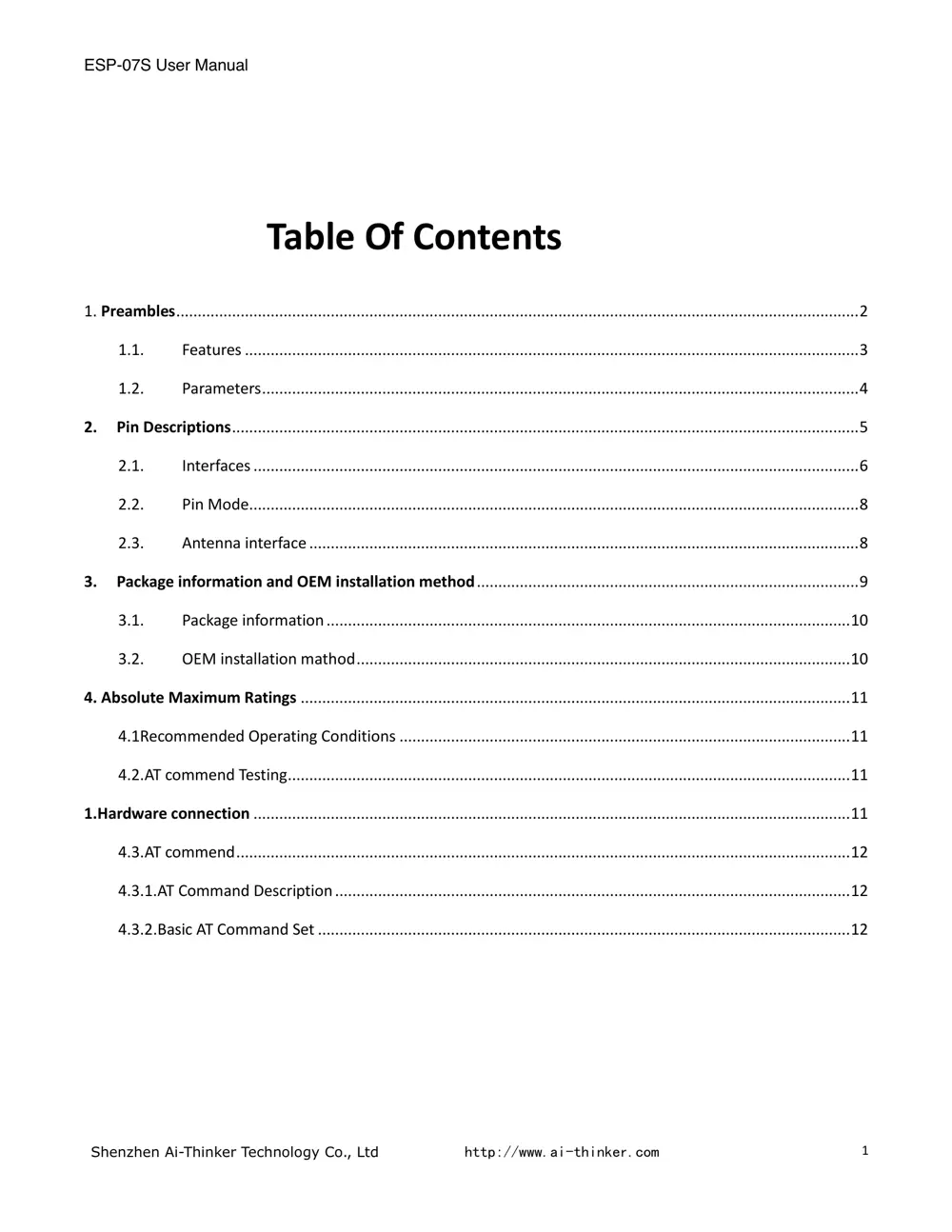
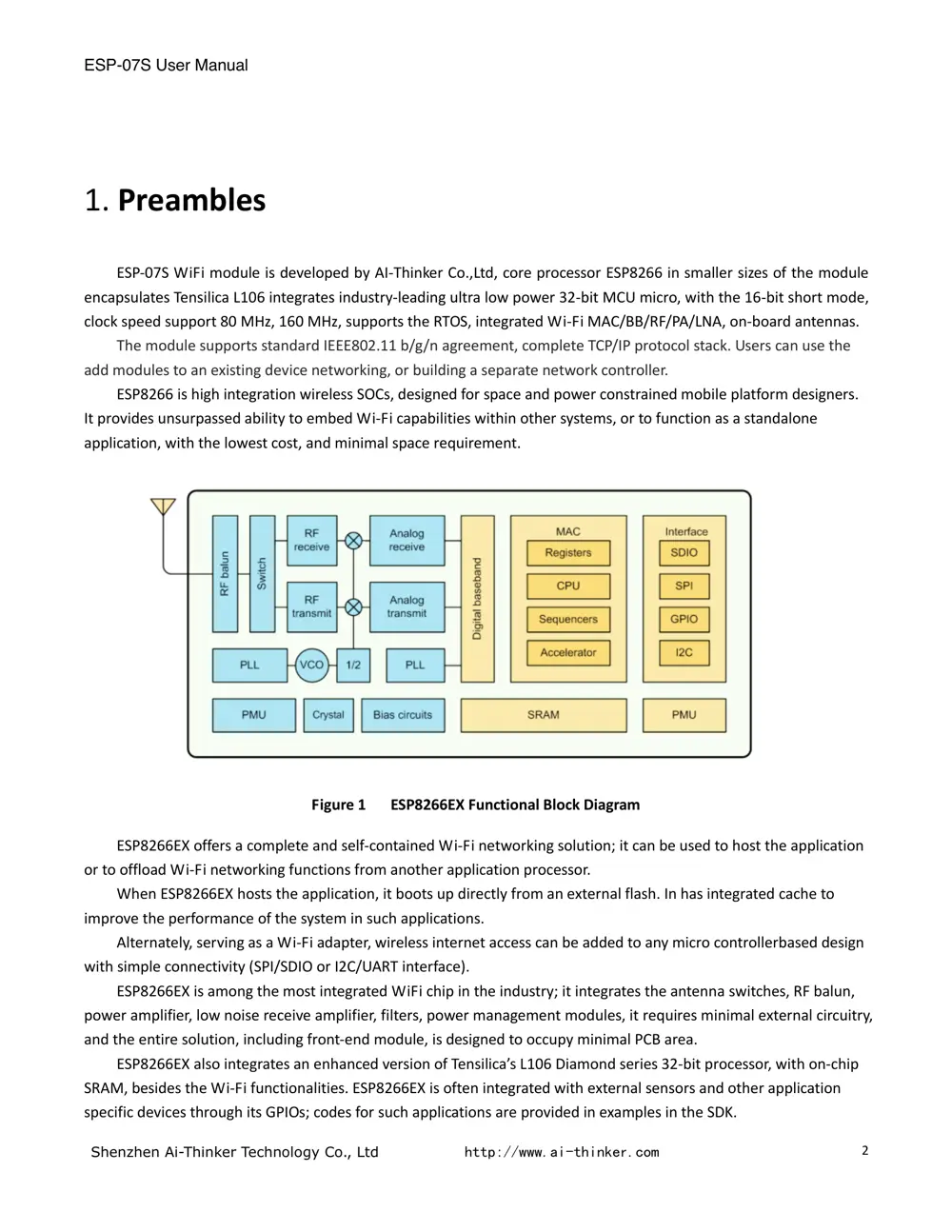
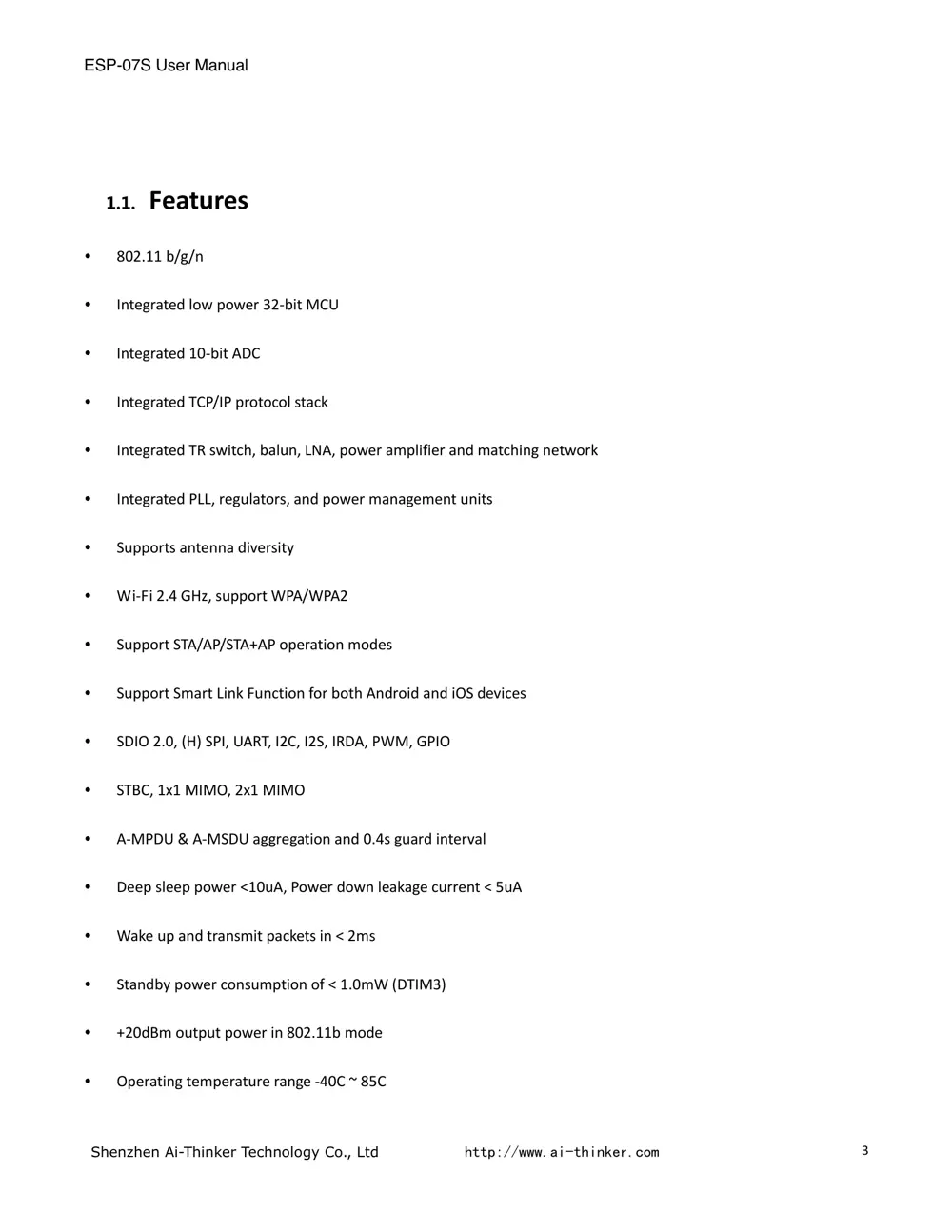
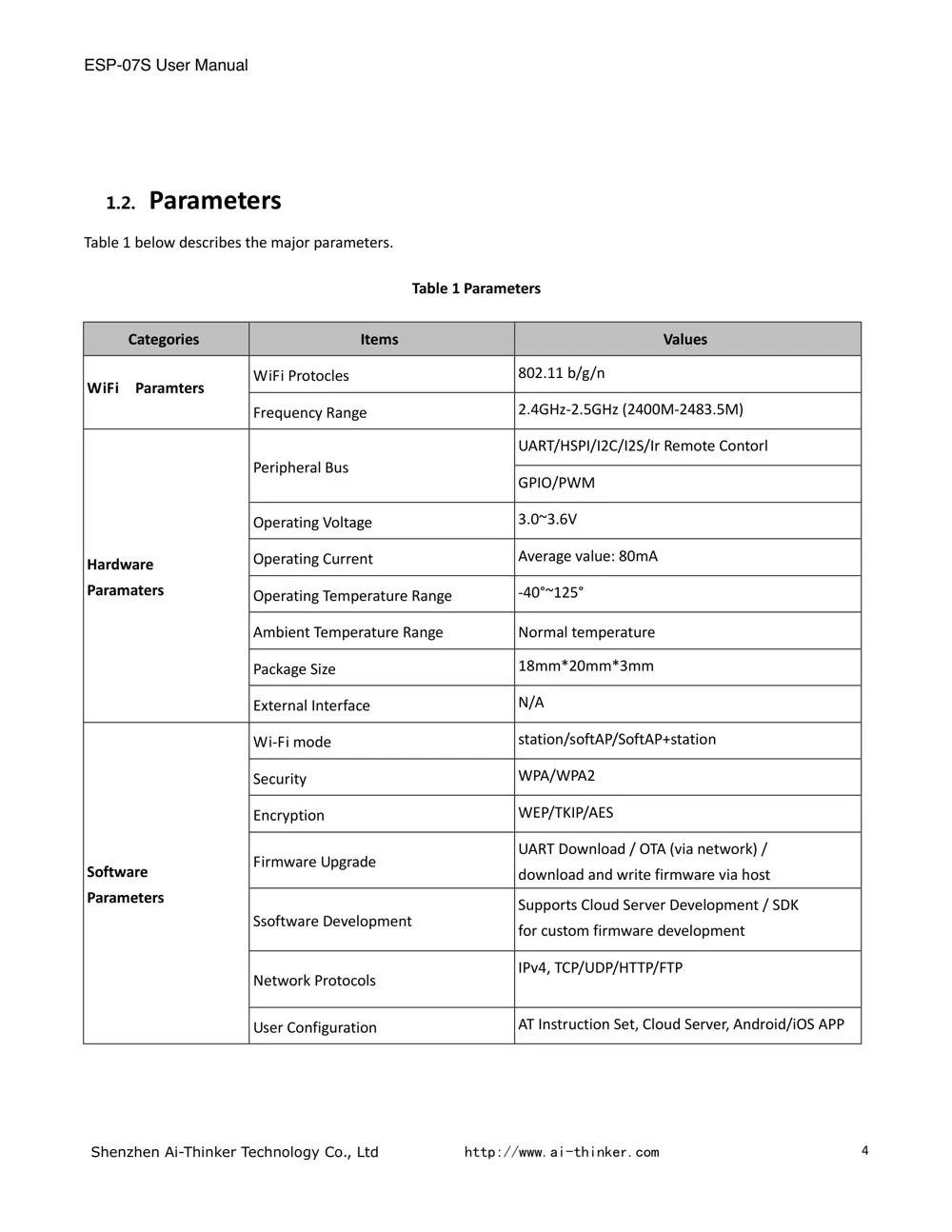
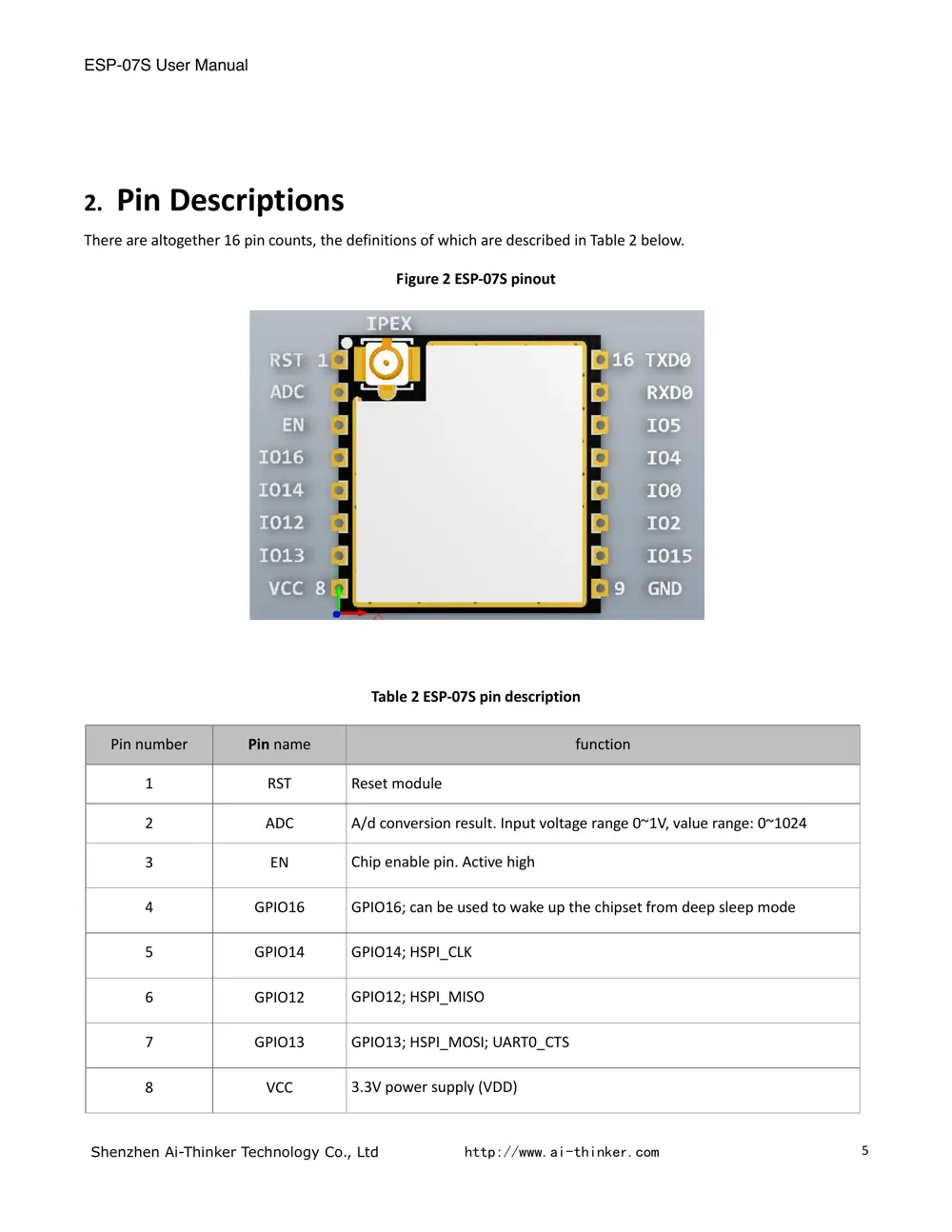
Scanned pages from the official user manual:
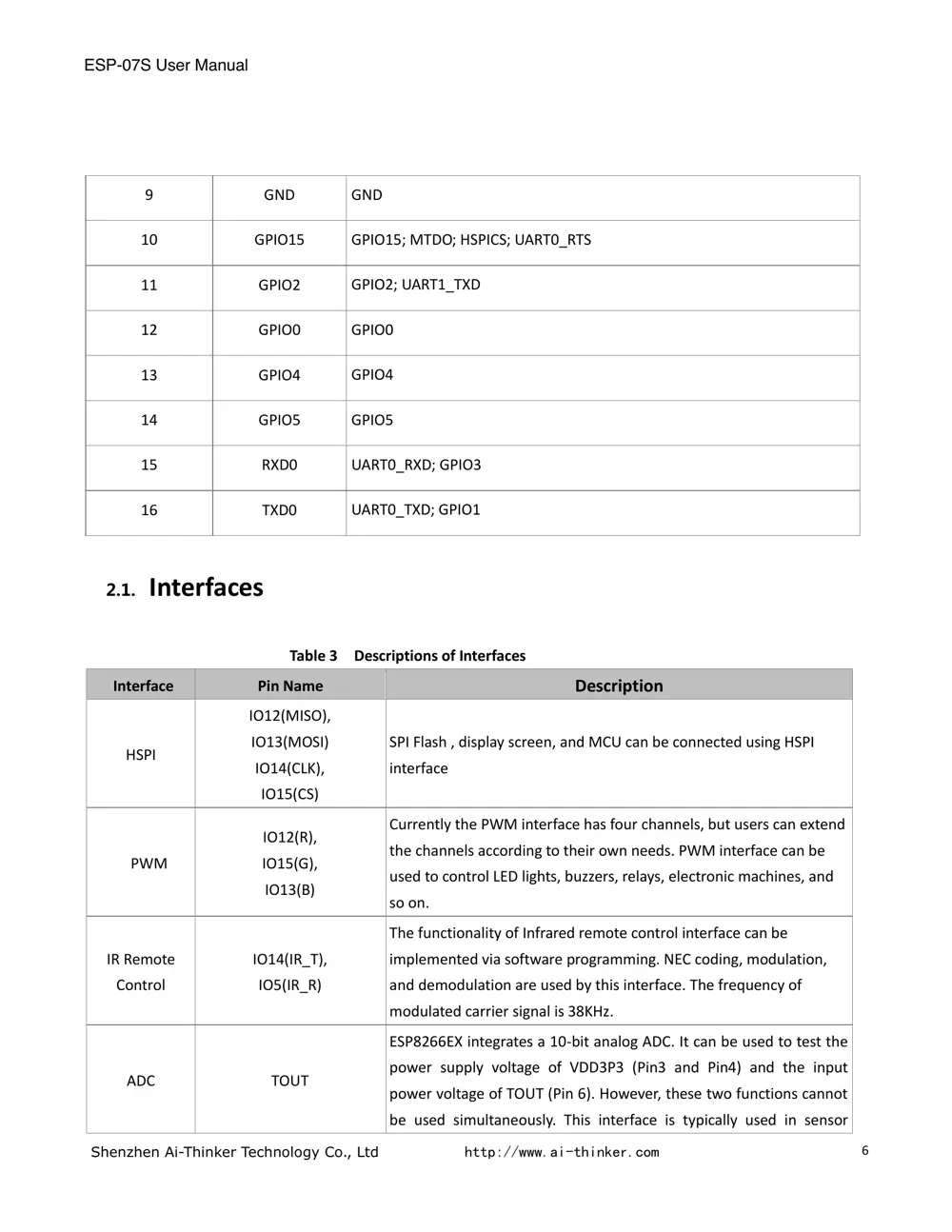
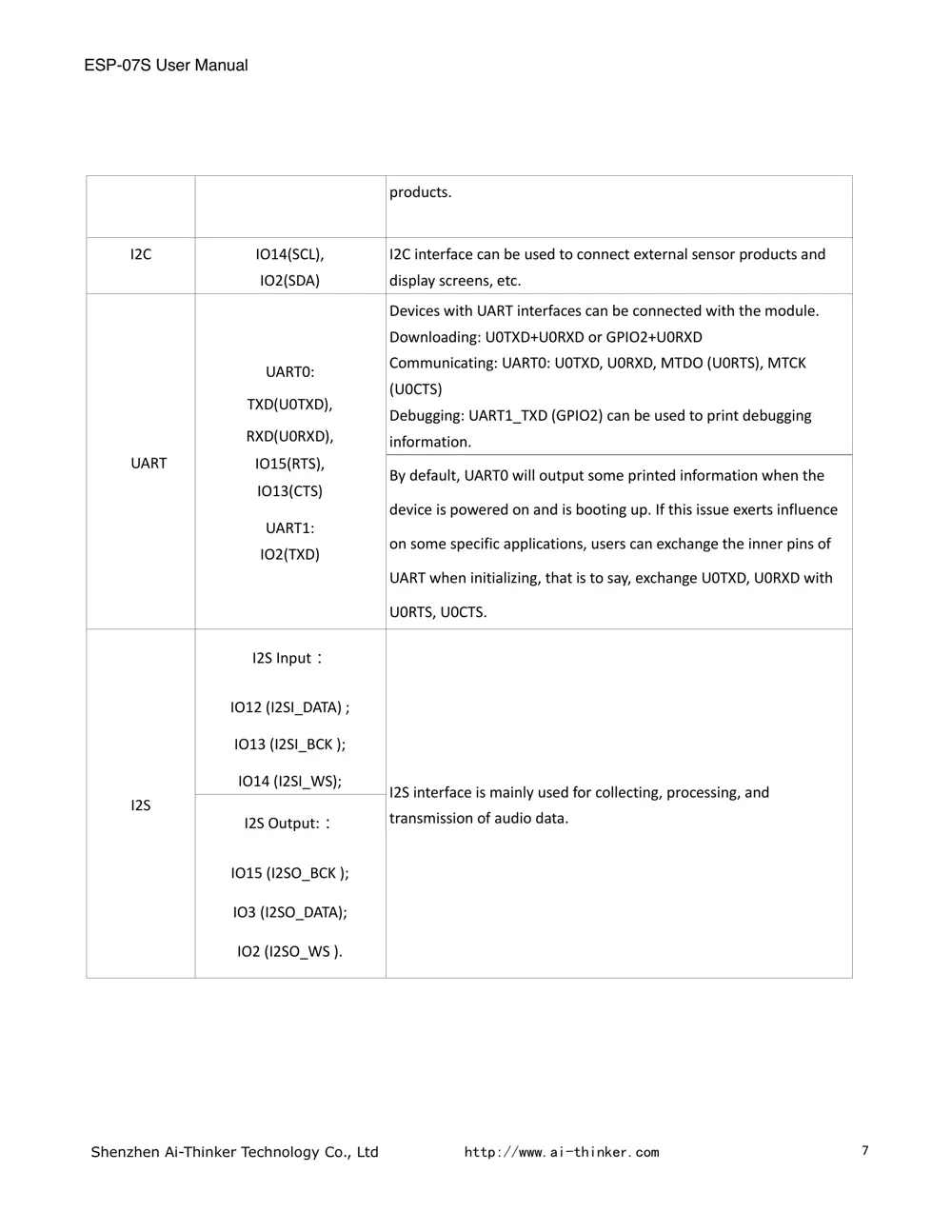
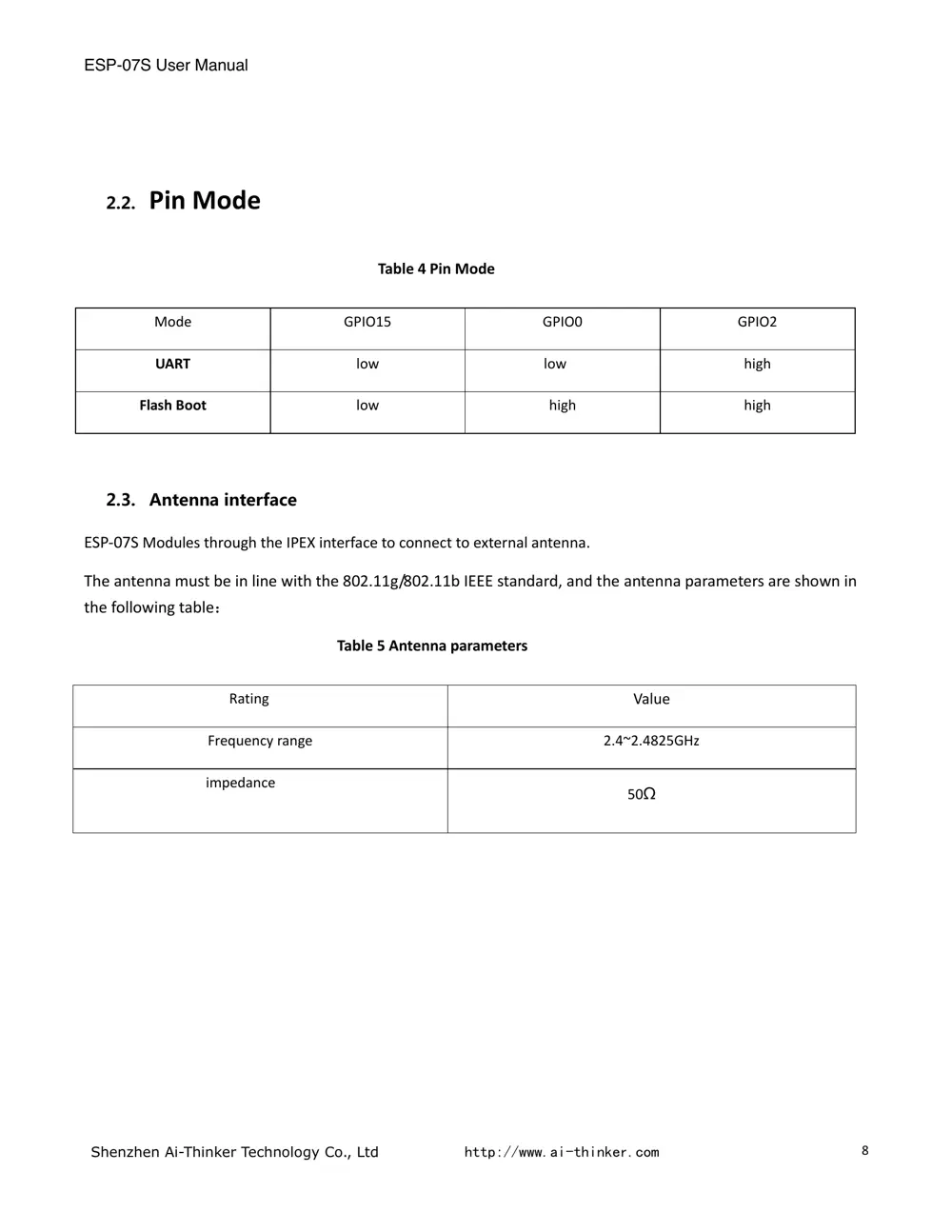
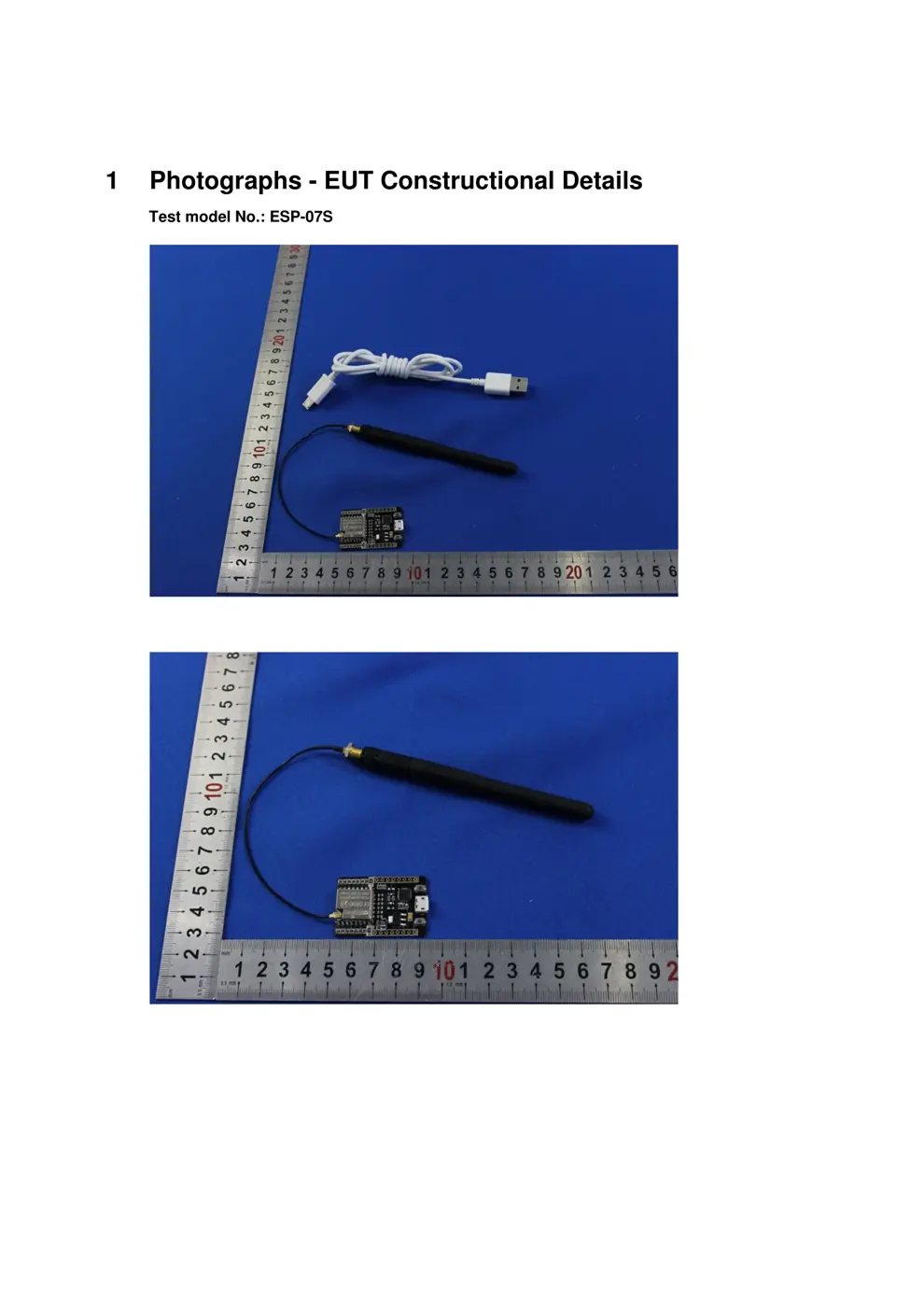
External Photos
Photos of the device exterior:
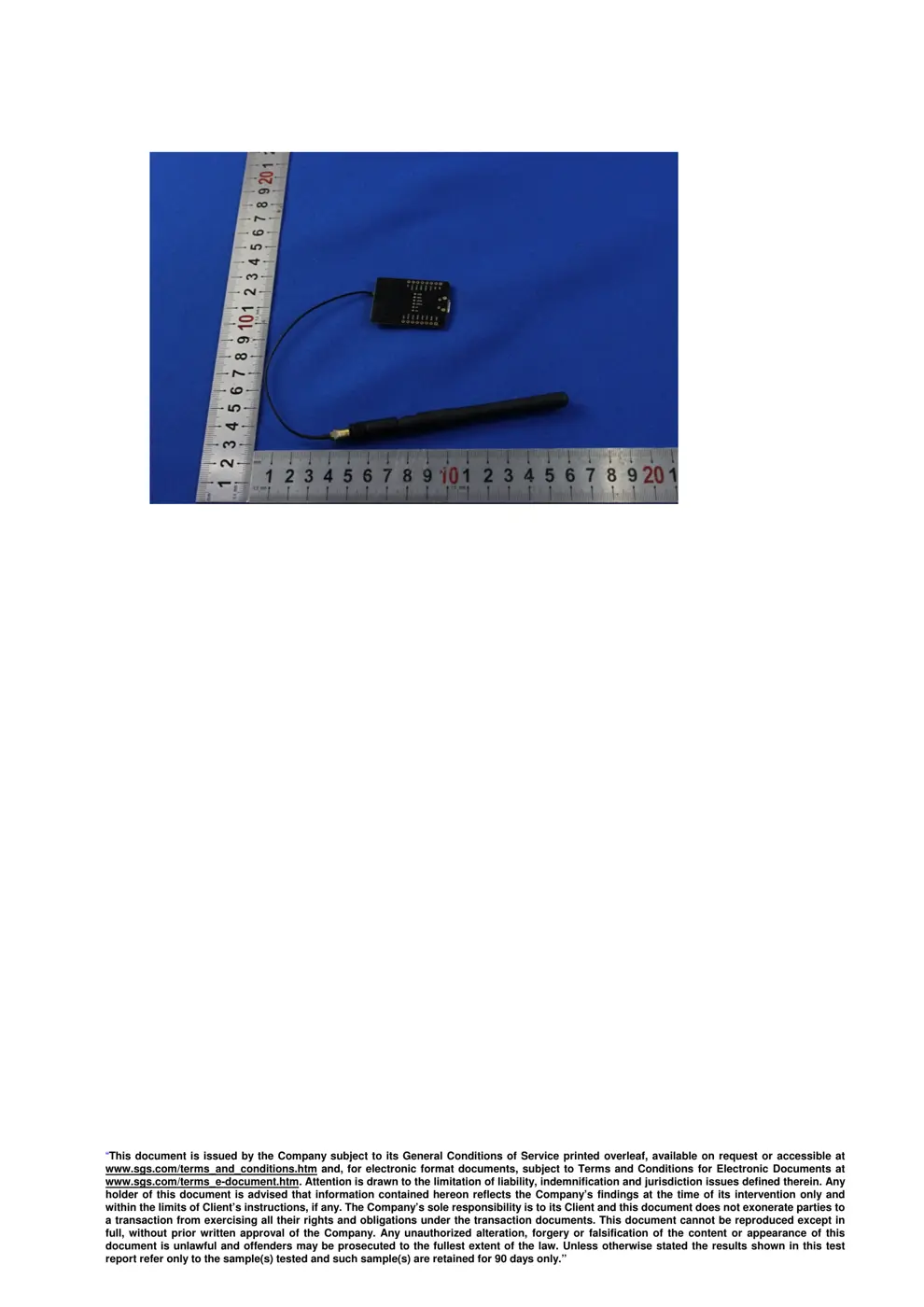
Internal Photos
Teardown photos showing the PCB and components:
Verdict
The ESP07S is a WiFi device from the Tuya / Smart Life ecosystem.
📄 Click to view full text manual (SEO)
ESP-07S User Manual

REV:1.0
2016.3.15

ESP-07S User Manual
Shenzhen Ai-Thinker Technology Co., Ltd http://www.ai-thinker.com
FCC STATEMENT
This device complies with Part 15 of the FCC Rules. Operation is subject to the following two conditions:
(1) This device may not cause harmful interference.
(2) This device must accept any interference received, including interference that may cause undesired operation.
Any changes or modifications not expressly approved by the party responsible for compliance could void the user’s
authority to operate the equipment.

Please notice that if the FCC identification number is not visible when the module is installed inside another device,
then the outside of the device into which the module is installed must also display a label referring to the enclosed
module. This exterior label can use wording such as the following: “Contains FCC ID: 2AHMR-ESP07S” any similar
wording that expresses the same meaning may be used.
This equipment complies with FCC radiation exposure limits set forth for an uncontrolled environment.This equipment
should be installed and operated with a minimum distance of 20cmbetween the radiator & your body. This transmitter
must not be co-located or operating inconjunction with any other antenna or transmitter.

CE Mark Warning

The module is limited to OEM installation ONLY .
The OEM integrator is responsible for ensuring that the end-user has no manual instruction to remove or install
module.
The module is limited to installation in mobile application;
A separate approval is required for all other operating configurations, including portable configurations with respect to
Part 2.1093 and difference antenna configurations.
There is requirement that the grantee provide guidance to the host manufacturer for compliance with Part 15B
requirements.

ESP-07S User Manual
 Shenzhen Ai-Thinker Technology Co., Ltd http://www.ai-thinker.com 1
Table Of Contents
1. Preambles ............................................................................................................................................................... 2
1.1. Features ............................................................................................................................................... 3
1.2. Parameters ........................................................................................................................................... 4
2. Pin Descriptions .................................................................................................................................................. 5
2.1. Interfaces ............................................................................................................................................. 6
2.2. Pin Mode .............................................................................................................................................. 8
2.3. Antenna interface ...........................