
RTCGQ11LM Reset & Teardown (FCC ID 2AKIT-RTCGQ11LM)
Factory reset and internal photos for Aqara (Lumi United) RTCGQ11LM. Aqara Zigbee smart plug.
January 15, 2026
•
8 read
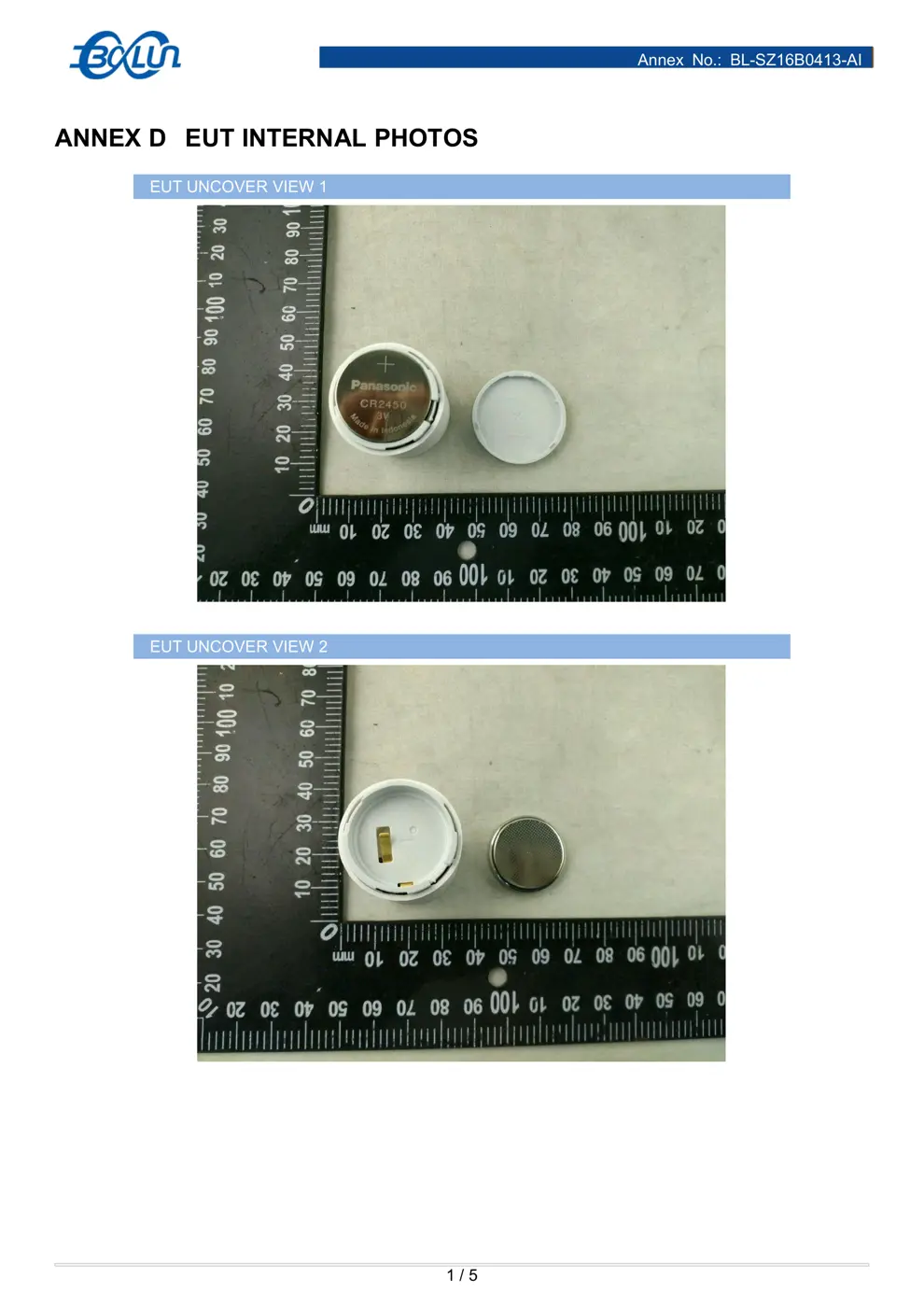
Before you buy the Aqara (Lumi United) RTCGQ11LM, check what's inside.
The Aqara RTCGQ11LM is a low-power Zigbee occupancy sensor designed for home automation. It detects motion using PIR technology and communicates wirelessly with an Aqara hub.
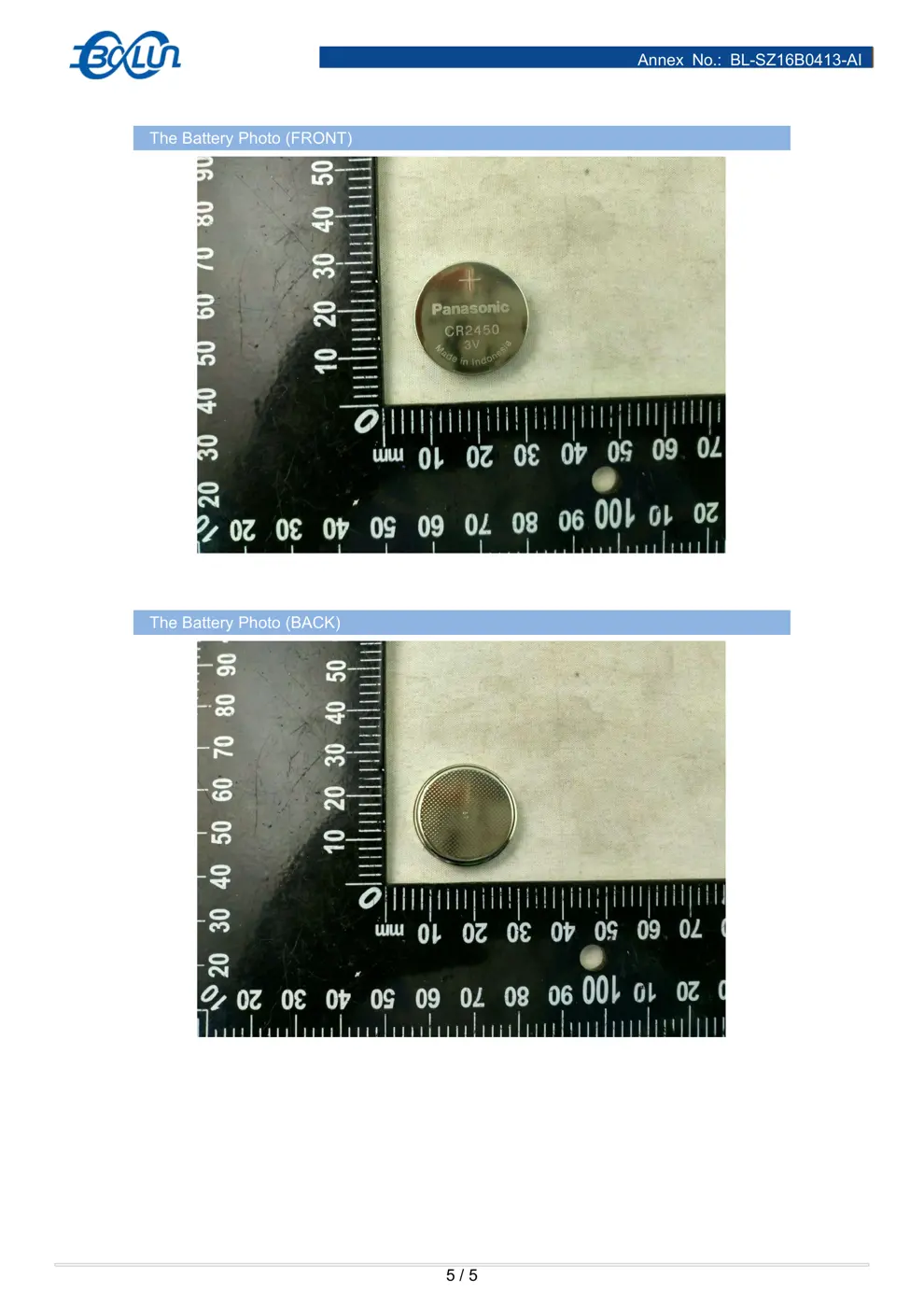
⚠️ NOTE: Ensure correct battery polarity when replacing the CR2450 battery.
Quick Specs
- Manufacturer: Aqara (Lumi United)
- Model: RTCGQ11LM
- Protocol: Zigbee
- Chipset: Zigbee SoC
- Ecosystem: Aqara Zigbee
- App: Aqara Home
🔧 Geek Corner (Flashing Info)
- Chipset: Unknown
- Flashable: ❌ No
- Info: Proprietary Zigbee SoC, not designed for flashing custom firmware.
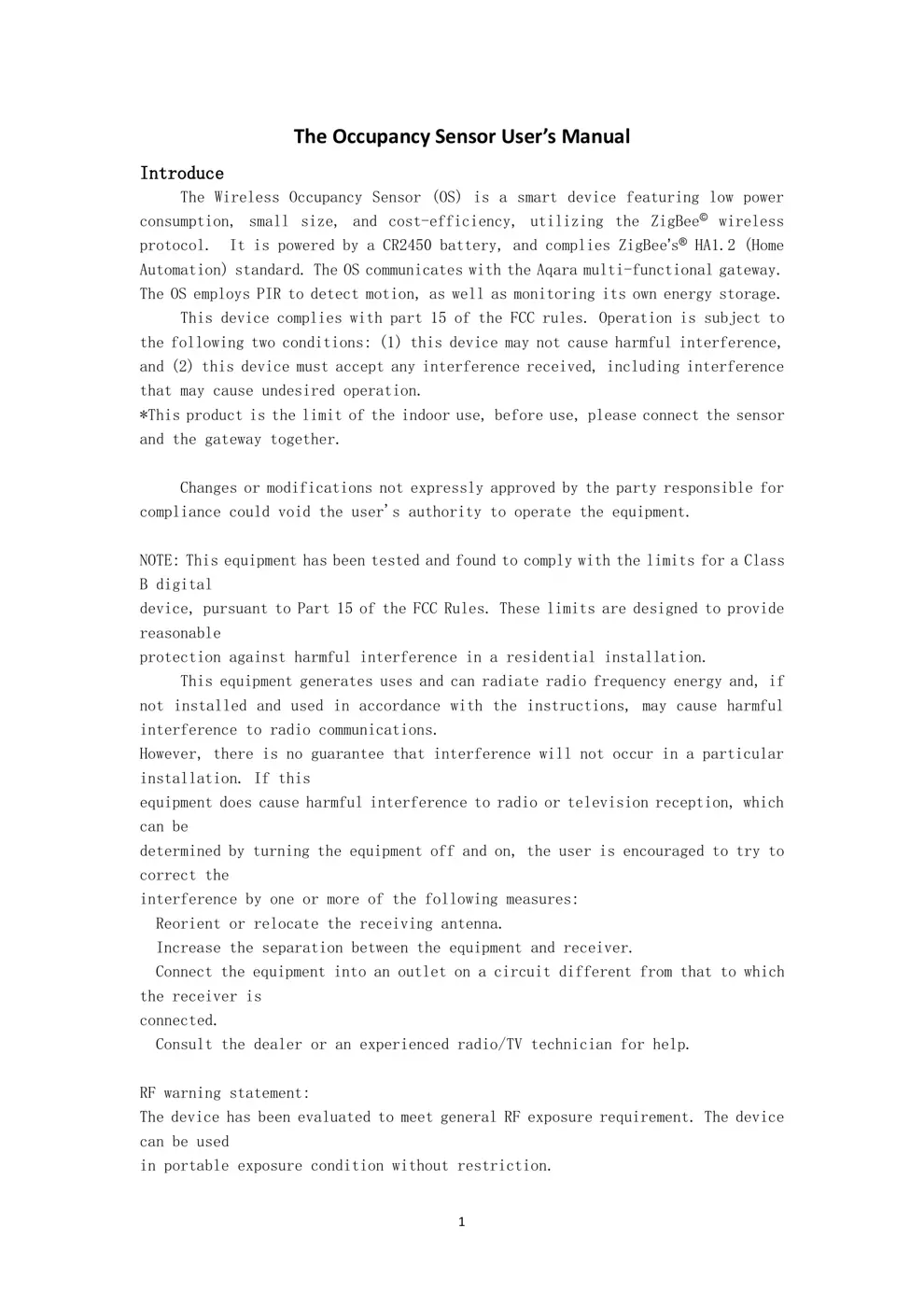
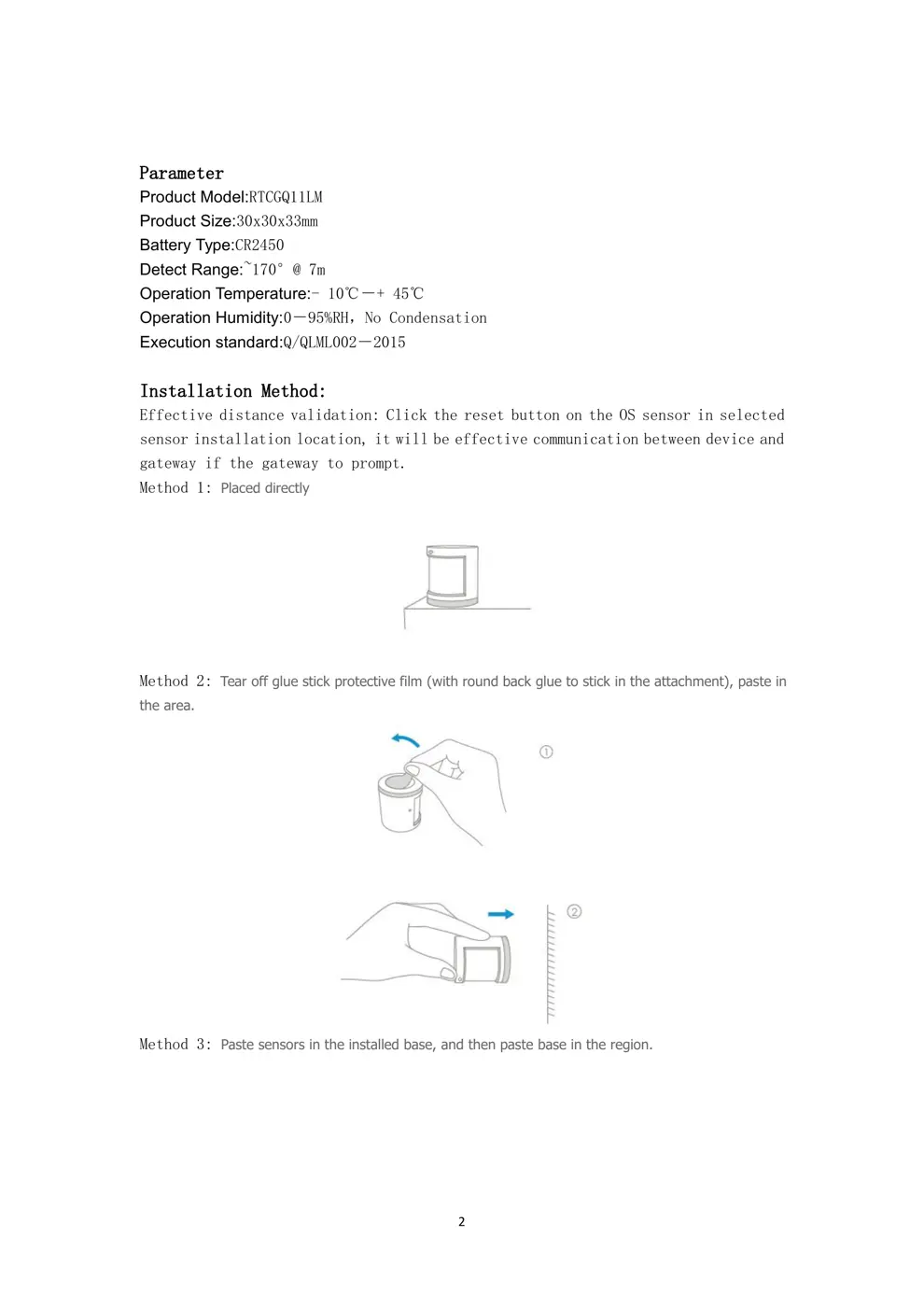
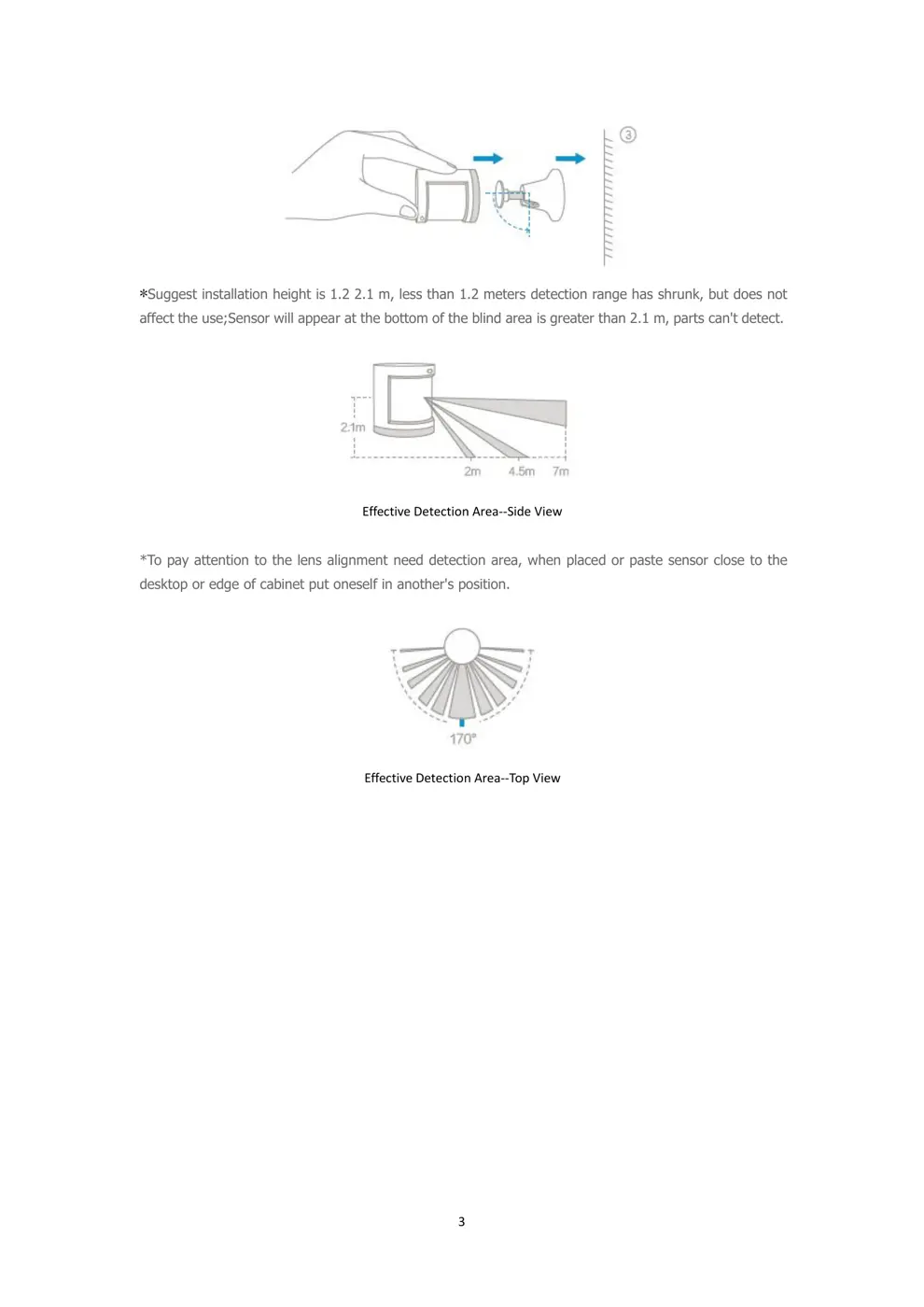
User Manual
Scanned pages from the official user manual:
External Photos
Photos of the device exterior:
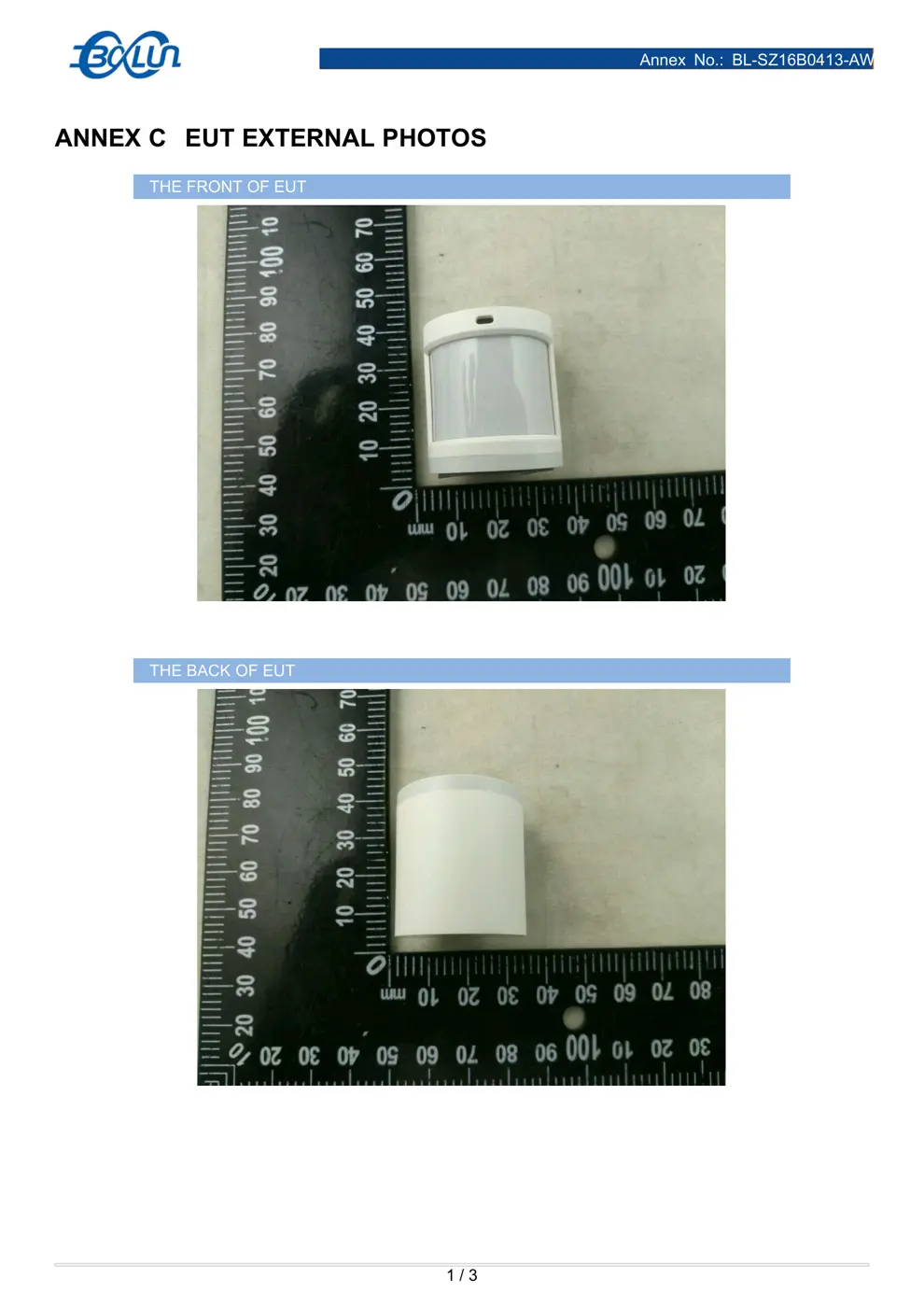
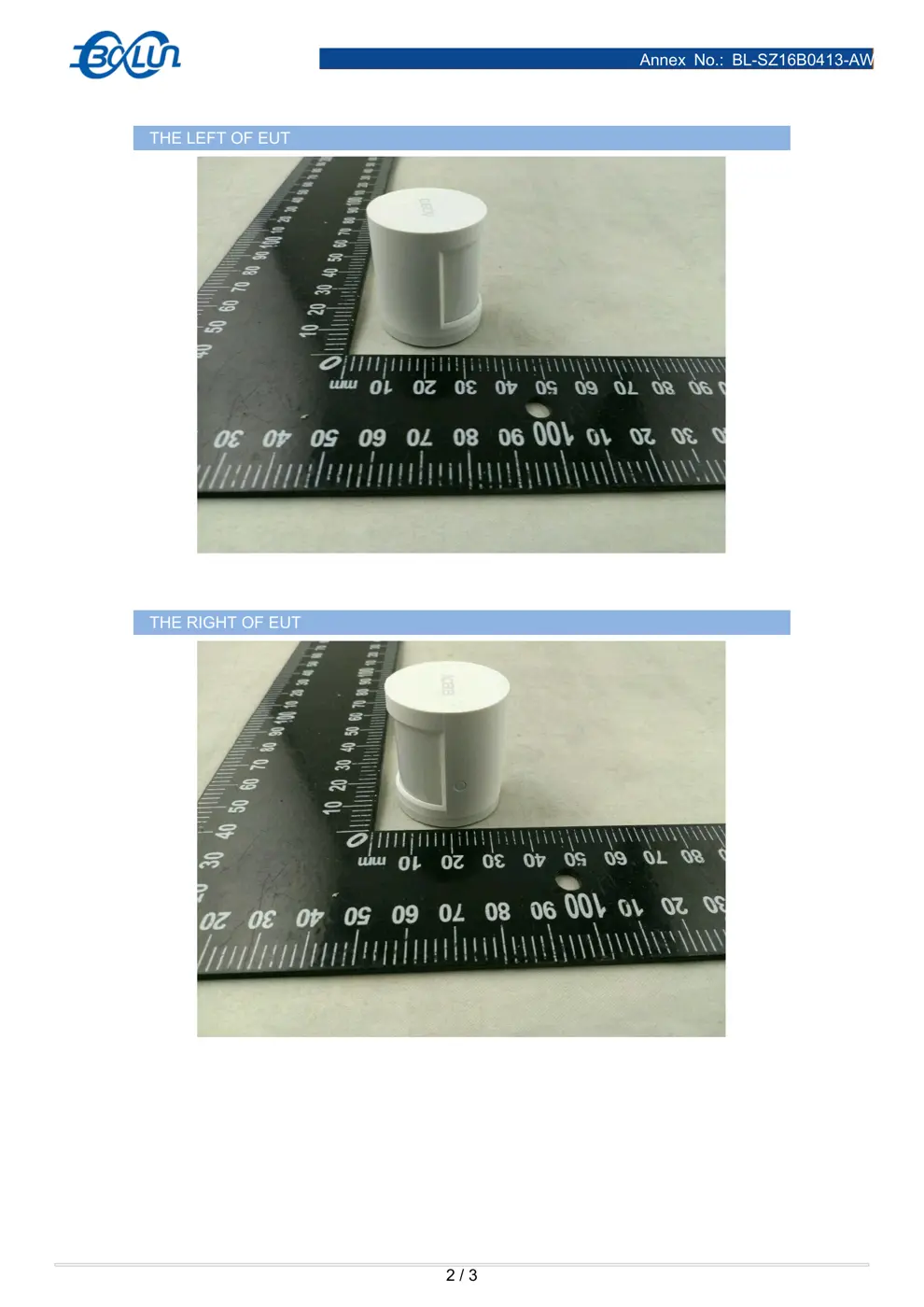
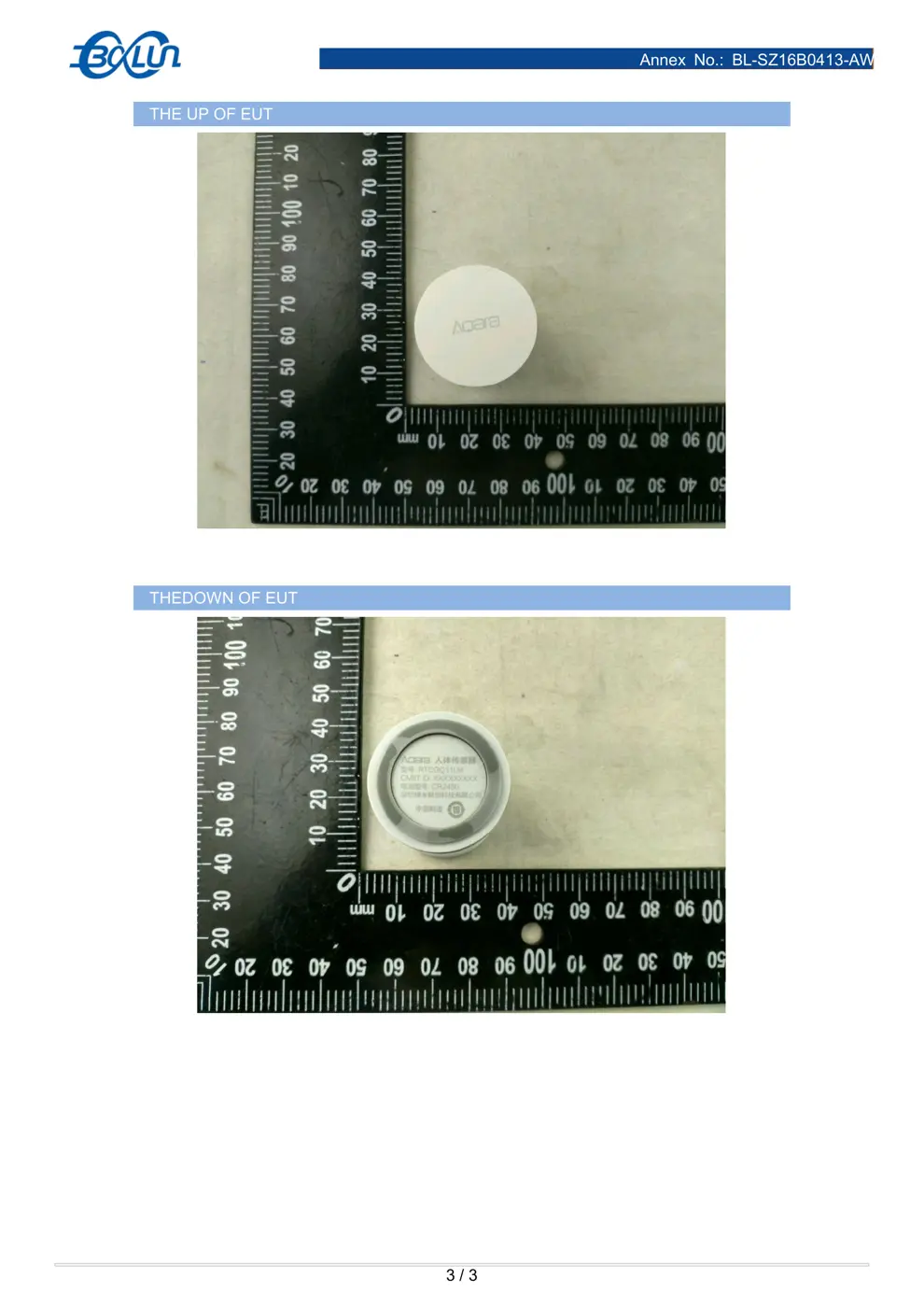
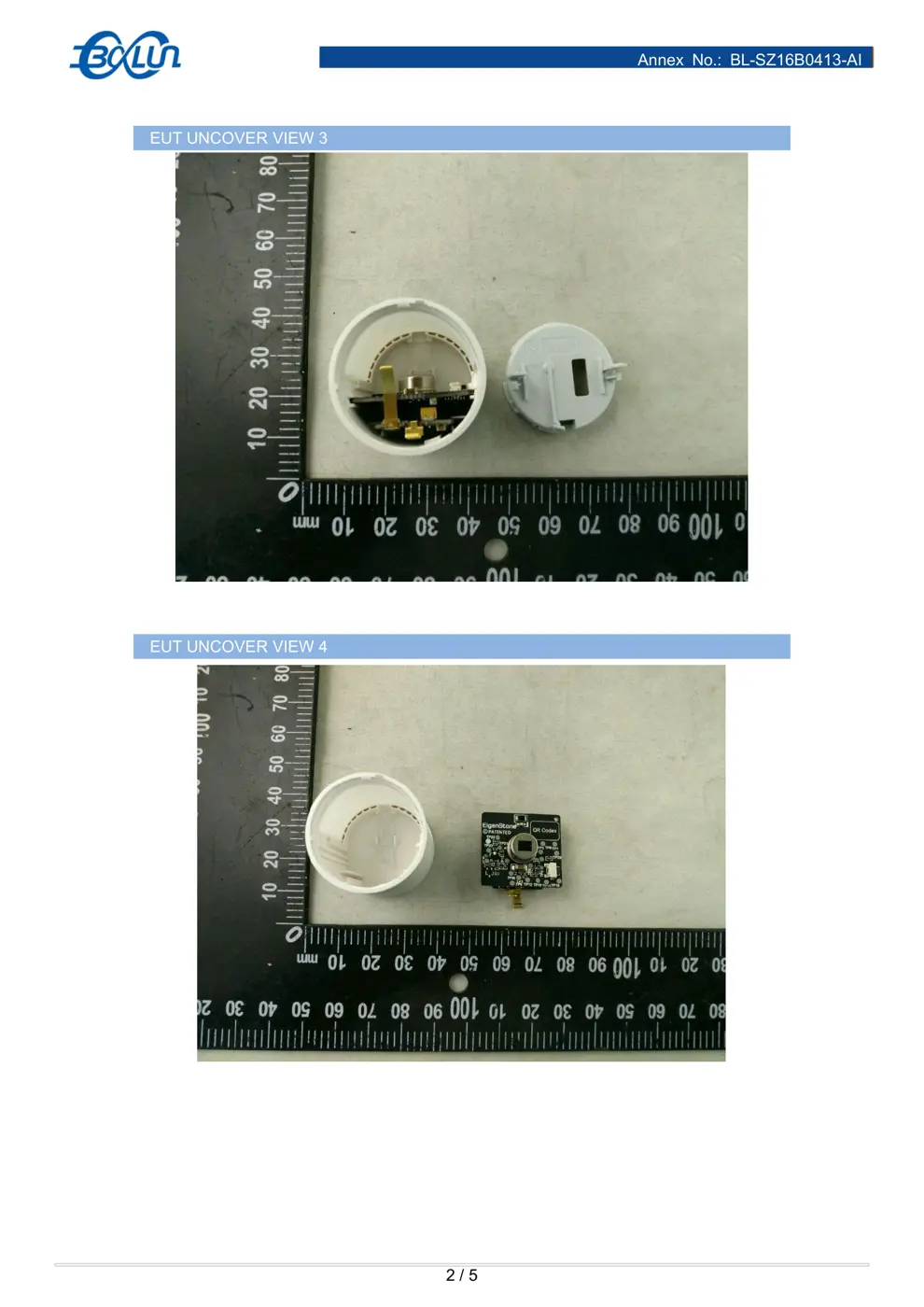
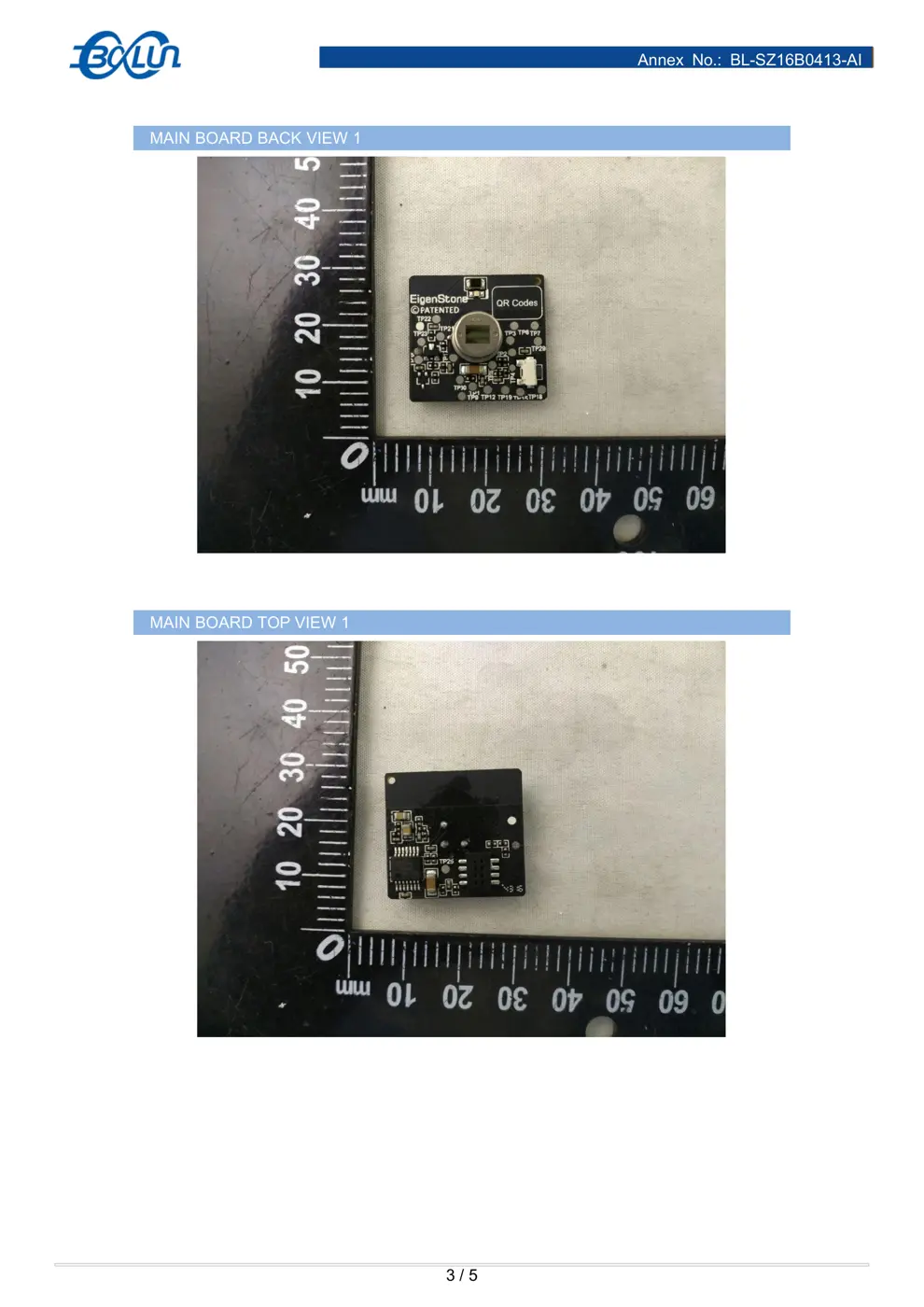
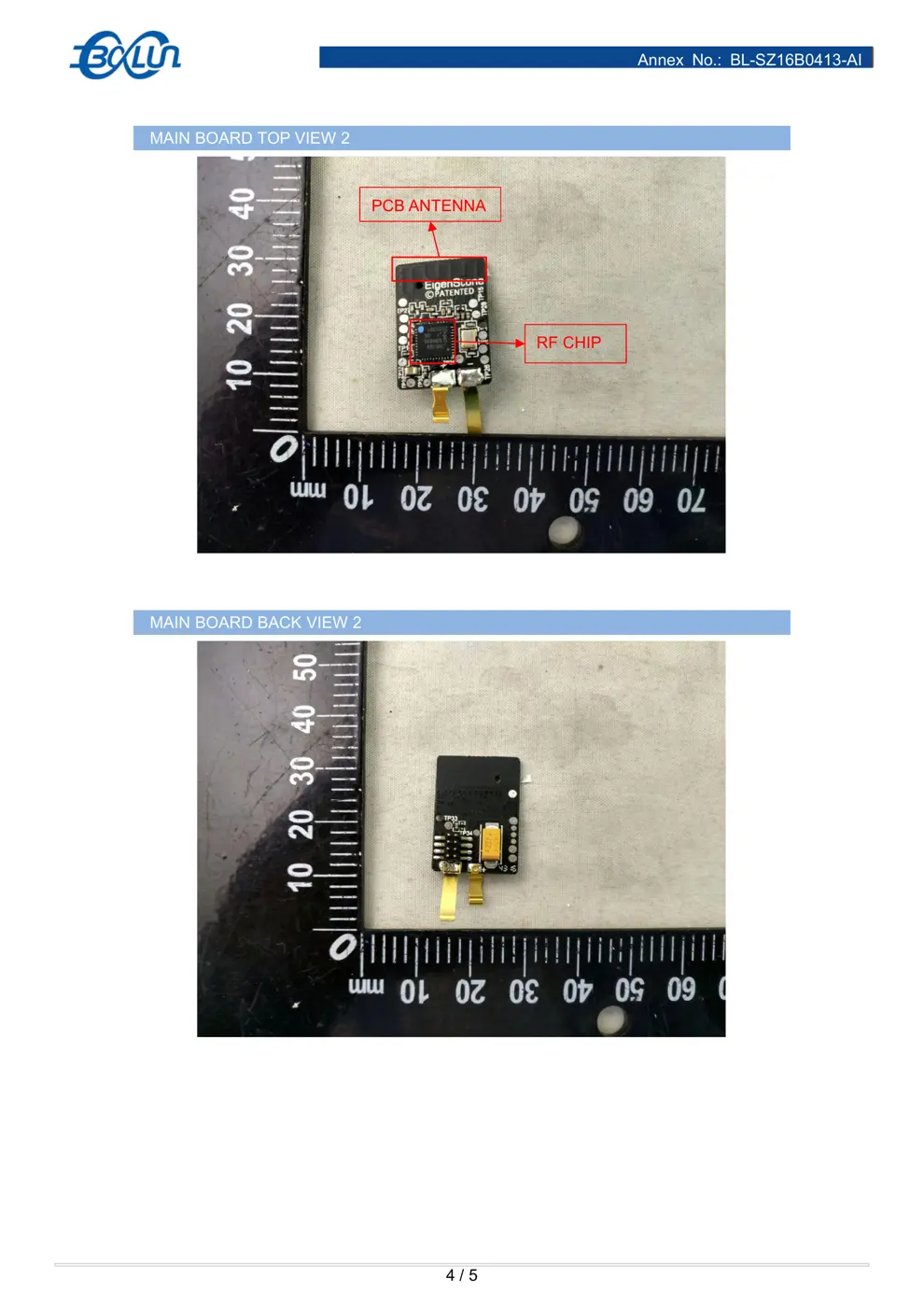
Internal Photos
Teardown photos showing the PCB and components:
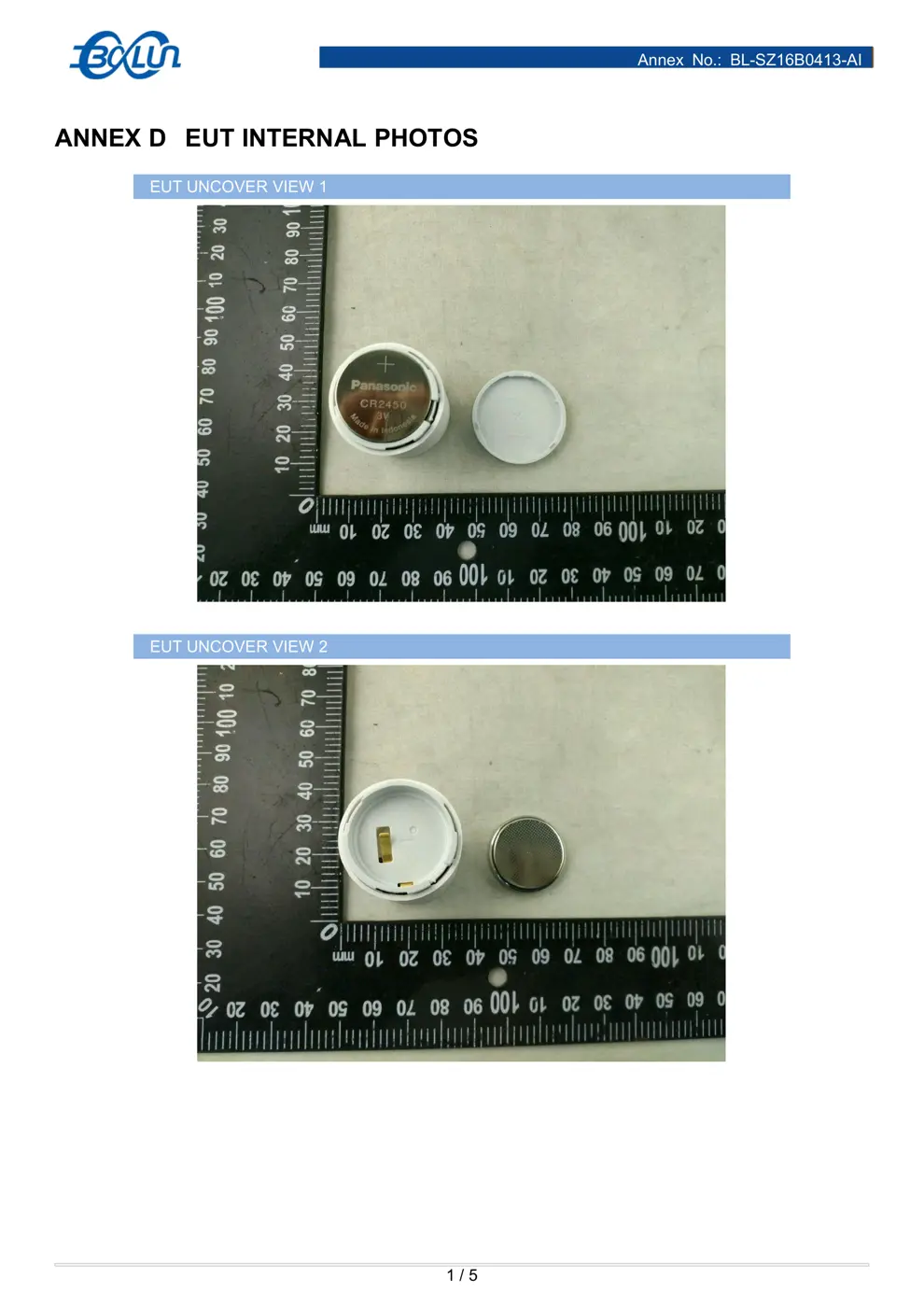
Verdict
The RTCGQ11LM is a Zigbee device from the Aqara Zigbee ecosystem.
📄 Click to view full text manual (SEO)
1
The
Occupancy
Sensor
User
’
s
Manual
Introduce
The
Wireless
Occupancy
Sensor
(OS)
is
a
smart
device
featuring
low
power
consumption,
small
size,
and
cost-efficiency,
utilizing
the
ZigBee
©
wireless
protocol.
It
is
powered
by
a
CR2450
battery,
and
complies
ZigBee
’
s
®
HA1.2
(Home
Automation)
standard.
The
OS
communicates
with
the
Aqara
multi-functional
gateway.
The
OS
employs
PIR
to
detect
motion,
as
well
as
monitoring
its
own
energy
storage.
This
device
complies
with
part
15
of
the
FCC
rules.
Operation
is
subject
to
the
following
two
conditions:
(1)
this
device
may
not
cause
harmful
interference,
and
(2)
this
device
must
accept
any
interference
received,
including
interference
that
may
cause
undesired
operation.
*
This
product
is
the
limit
of
the
indoor
use,
before
use,
please
connect
the
sensor
and
the
gateway
together
.
Changes
or
modifications
not
expressly
approved
by
the
party
responsible
for
compliance
could
void
the
user's
authority
to
operate
the
equipment.
NOTE:
This
equipment
has
been
tested
and
found
to
comply
with
the
limits
for
a
Class
B
digital
device,
pursuant
to
Part
15
of
the
FCC
Rules.
These
limits
are
designed
to
provide
reasonable
protection
against
harmful
interference
in
a
residential
installation.
This
equipment
generates
uses
and
can
radiate
radio
frequency
energy
and,
if
not
installed
and
used
in
accordance
with
the
instructions,
may
cause
harmful
interference
to
radio
communications.
However,
there
is
no
guarantee
that
interference
will
not
occur
in
a
particular
installation.
If
this
equipment
does
cause
harmful
interference
to
radio
or
television
reception,
which
can
be
determined
by
turning
the
equipment
off
and
on,
the
user
is
encouraged
to
try
to
correct
the
interference
by
one
or
more
of
the
following
measures:
Reorient
or
relocate
the
receiving
antenna.
Increase
the
separation
between
the
equipment
and
receiver.
Connect
the
equipment
into
an
outlet
on
a
circuit
different
from
that
to
which
the
receiver
is
connected.
Consult
the
dealer
or
an
experienced
radio/TV
technician
for
help.
RF
warning
statement:
The
device
has
been
evaluated
to
meet
general
RF
exposure
requirement.
The
device
can
be
used
in
portable
exposure
condition
without
restriction.
2
Parameter
Product
Model:
RTCGQ11LM
Product
Size:
30x30x33mm
Battery
Type:
CR2450
Detect
Range:
~170
°
@
7m
Operation
Temperature:
-
10
℃
-
+
45
℃
Operation
Humidity:
0
-
95%RH
,
No
Condensation
Execution
standard:
Q/QLML002
-
2015
Installation
Method:
Effective
distance
validation:
C
lick
the
reset
button
on
the
OS
sensor
i
n
selected
sensor
installation
location,
it
will
be
effective
communication
between
device
and
gateway
if
the
gateway
to
prompt.
Method
1:
Placed
directly
Method
2:
Tear
off
glue
stick
protective
film
(with
round
back
glue
to
stick
in
the
attachment),
paste
in
the
area.
Method
3:
Paste
sensors
in
the
installed
base,
and
then
paste
base
in
the
region.
3
*
Suggest
installation
height
is
1.2
2.1
m,
less
than
1.2
meters
detection
range
has
shrunk,
but
...