
S26 Reset & Teardown (FCC ID 2APN5-S26)
Factory reset and internal photos for Sonoff (Itead) S26. Sonoff smart plug.
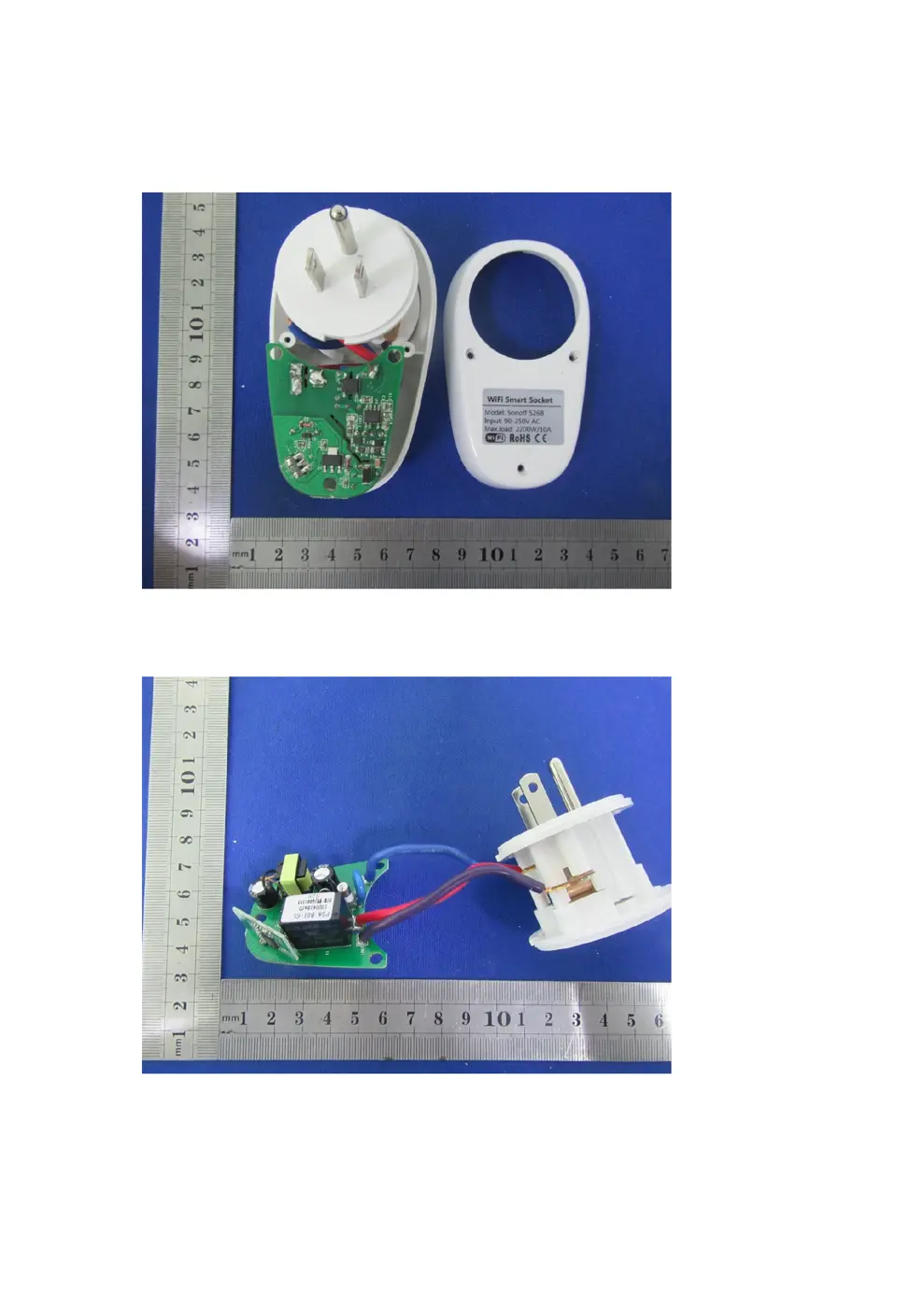
Before you buy the Sonoff (Itead) S26, check what's inside.
The Sonoff S26 is a smart WiFi-enabled plug designed to remotely control power to connected appliances. It supports the 2.4GHz WiFi standard and integrates with the eWeLink app, as well as Amazon Echo and Google Nest.
⚠️ NOTE: Ensure the device is connected to a power source within its specified voltage range (90-250V AC) and does not exceed the maximum load rating of 10A.
Quick Specs
- Manufacturer: Sonoff (Itead)
- Model: S26
- Protocol: WiFi
- Chipset: ESP/CK Chip
- Ecosystem: Sonoff
- App: eWeLink
🔧 Geek Corner (Flashing Info)
- Chipset: ESP8285
- Flashable: ✅ Yes
- Info: Uses ESP8285 which is known to be flashable with custom firmware like Tasmota.
Reset Guide
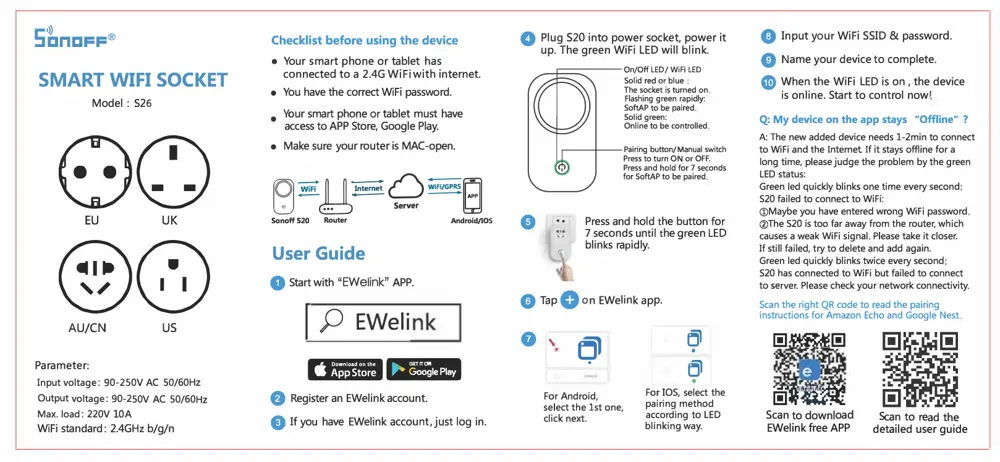
Press and hold f。r 7 seconds forsoftap t。 bepaired press and hold the button for 7 seconds un til the green led <; blinks rapidly.
User Manual
Scanned pages from the official user manual:
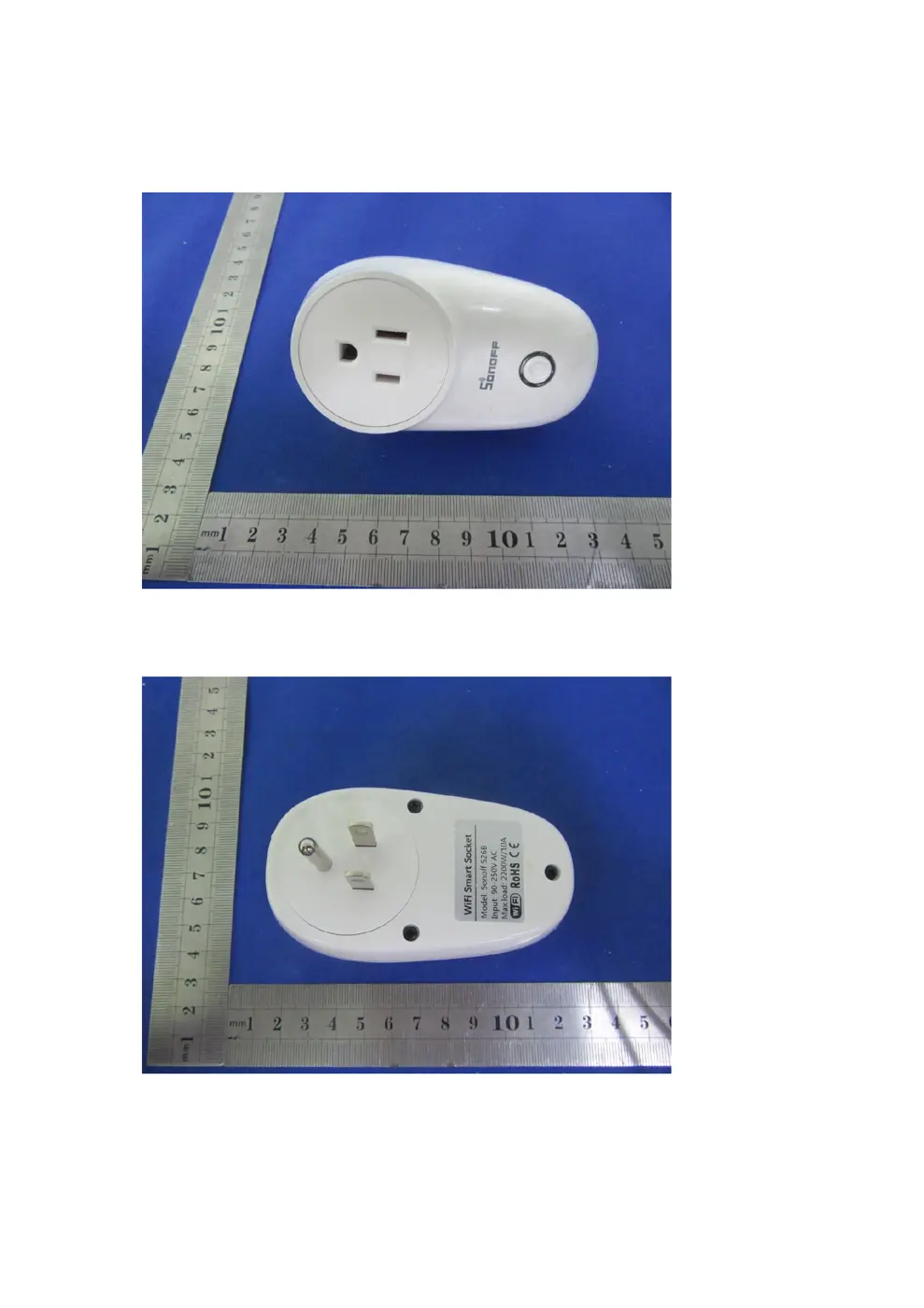
External Photos
Photos of the device exterior:
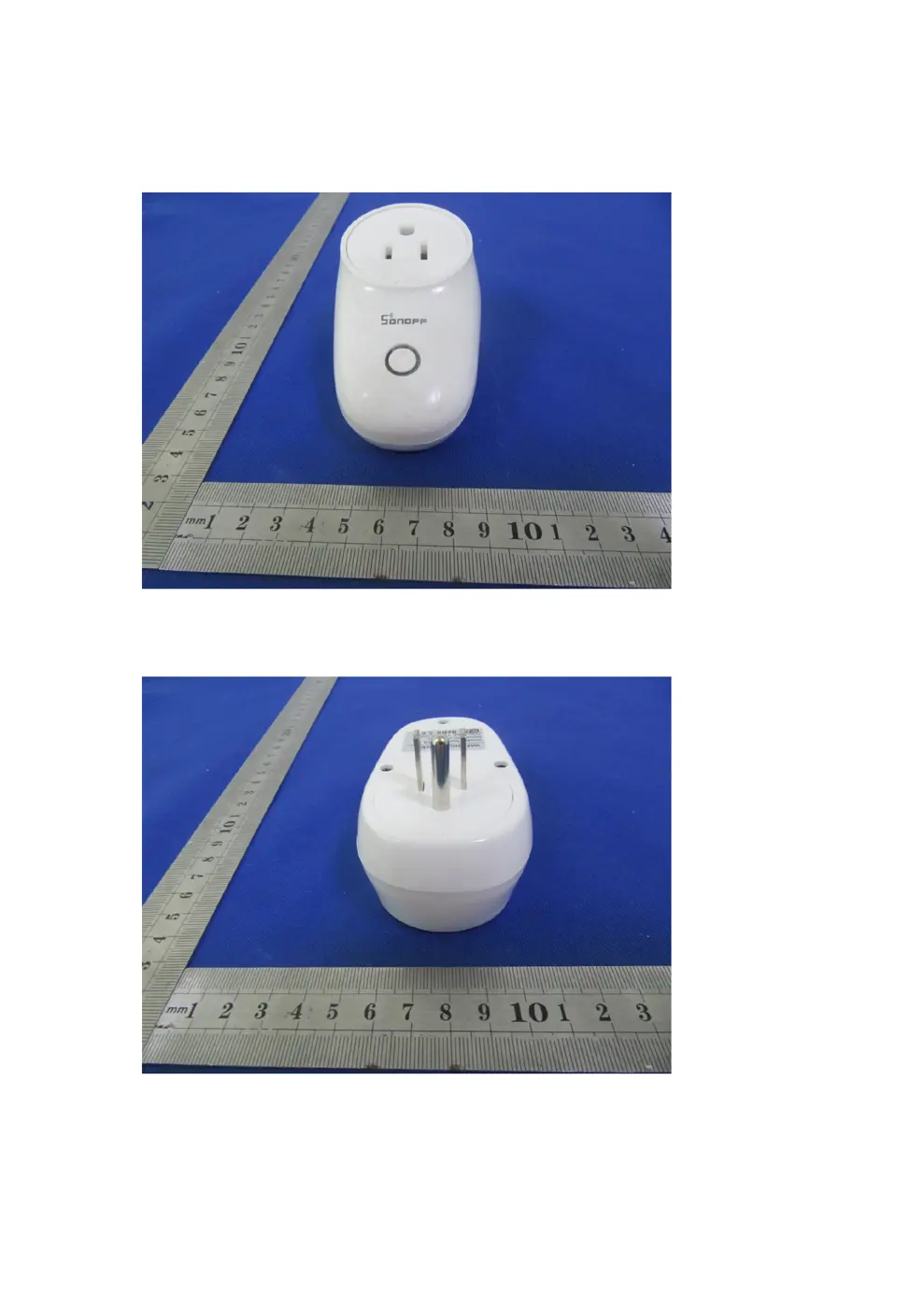
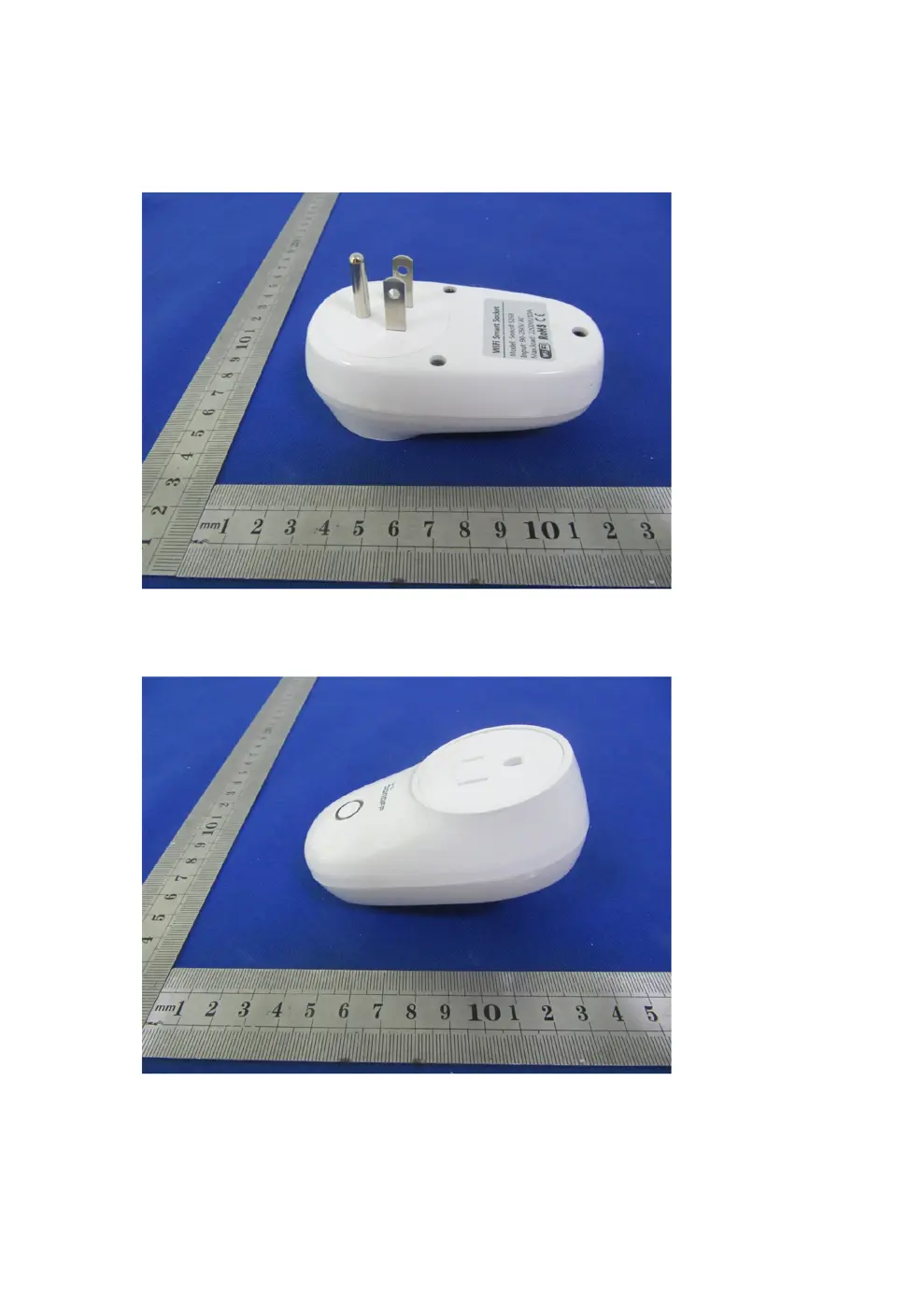
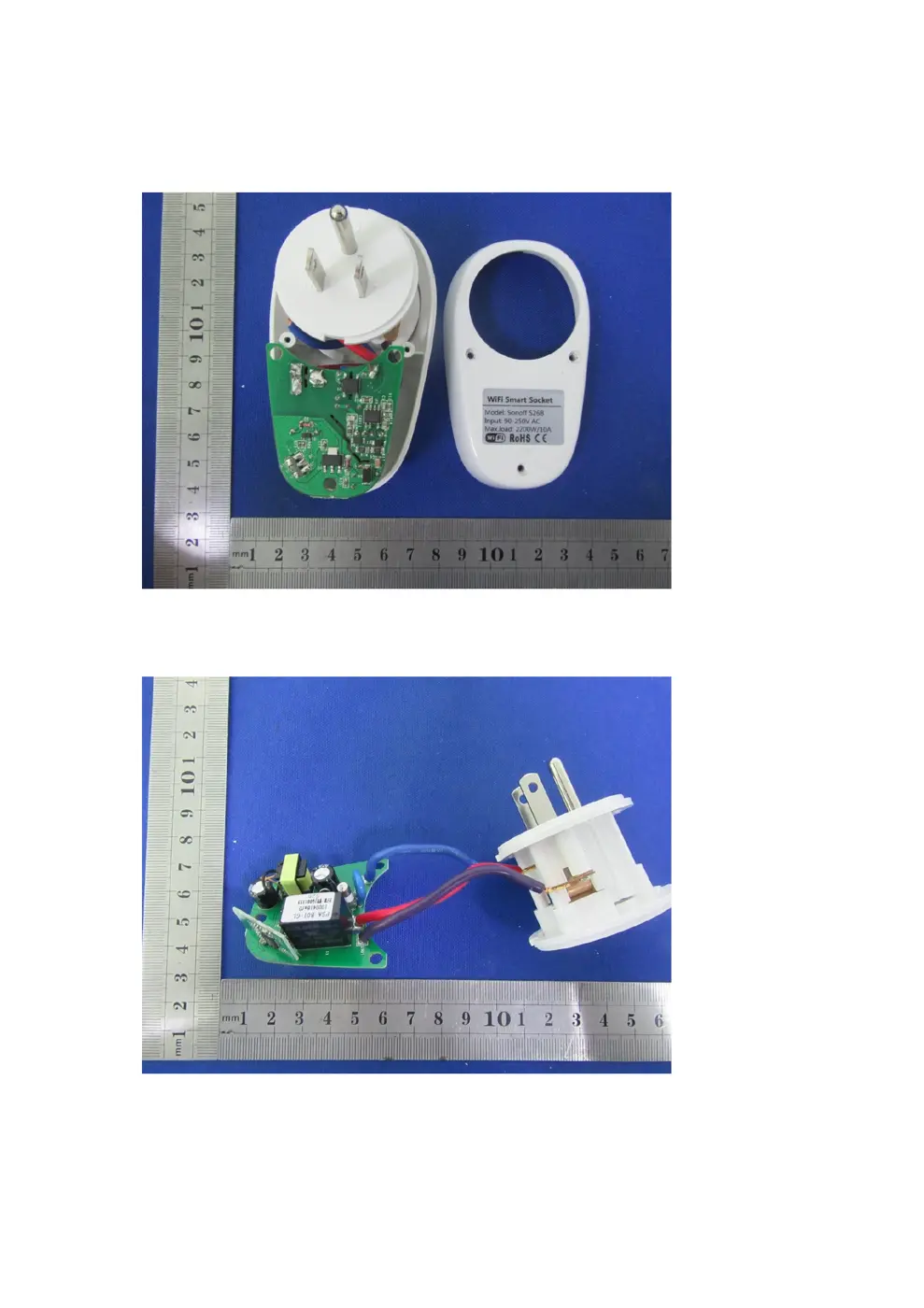
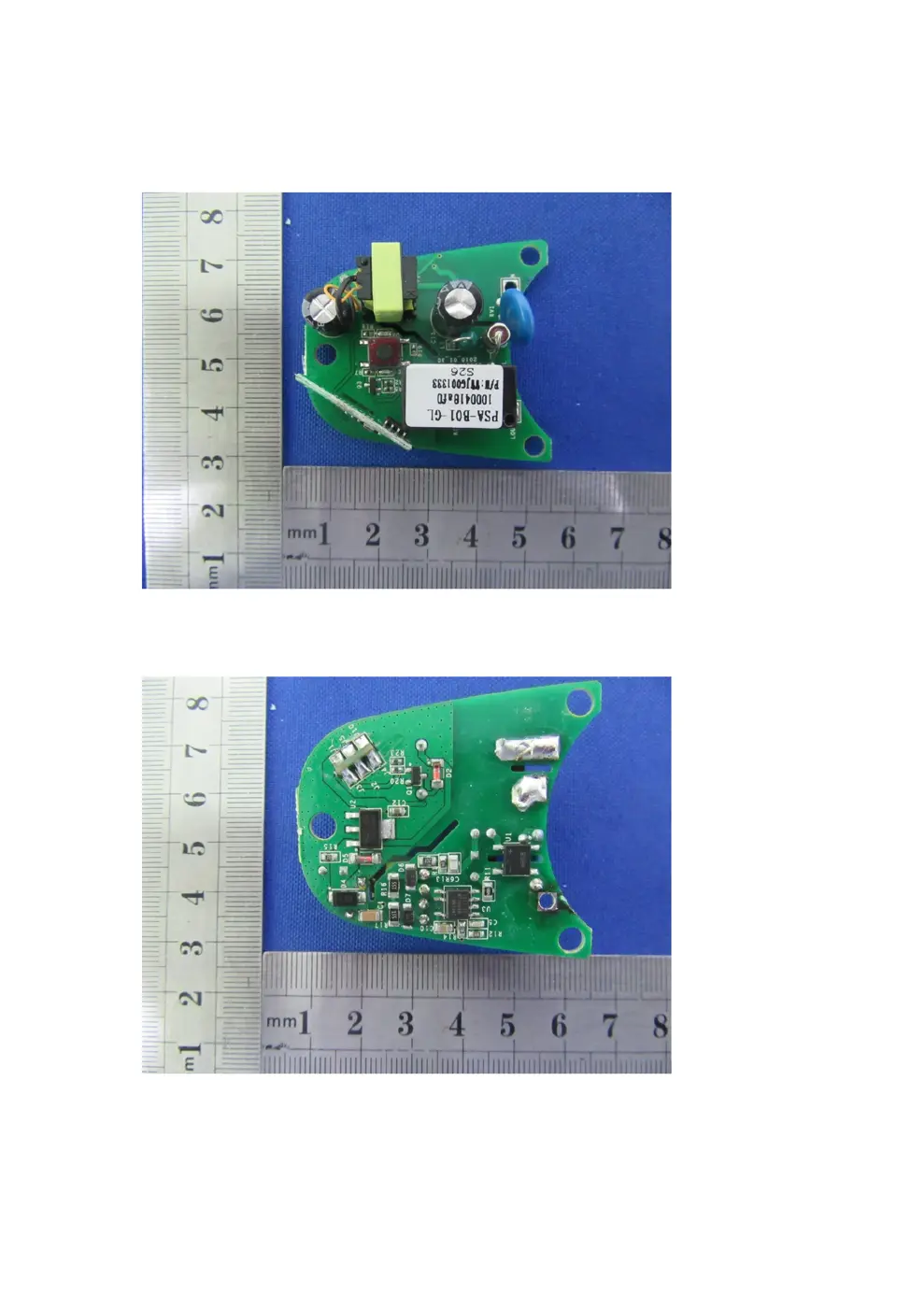
Internal Photos
Teardown photos showing the PCB and components:
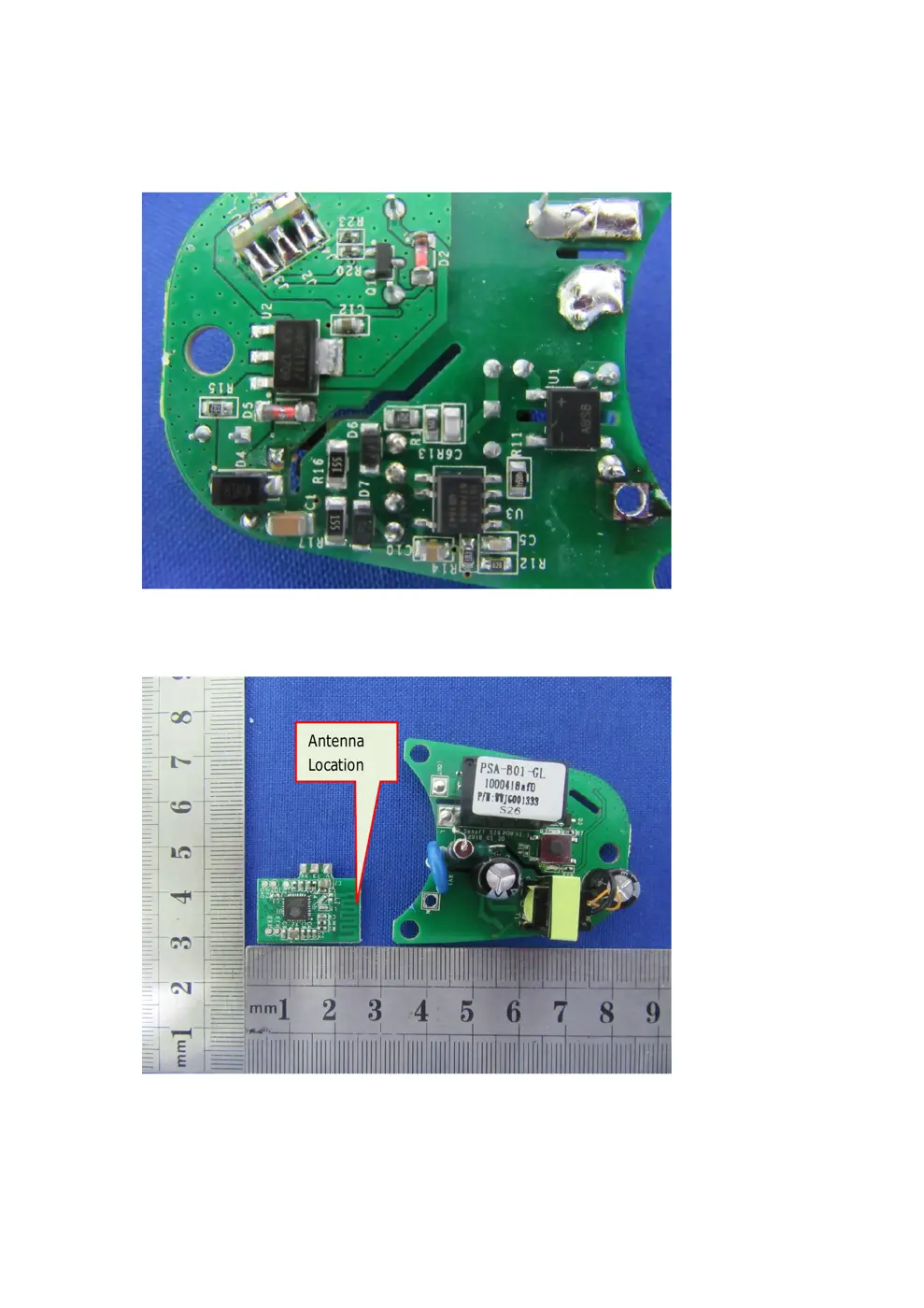
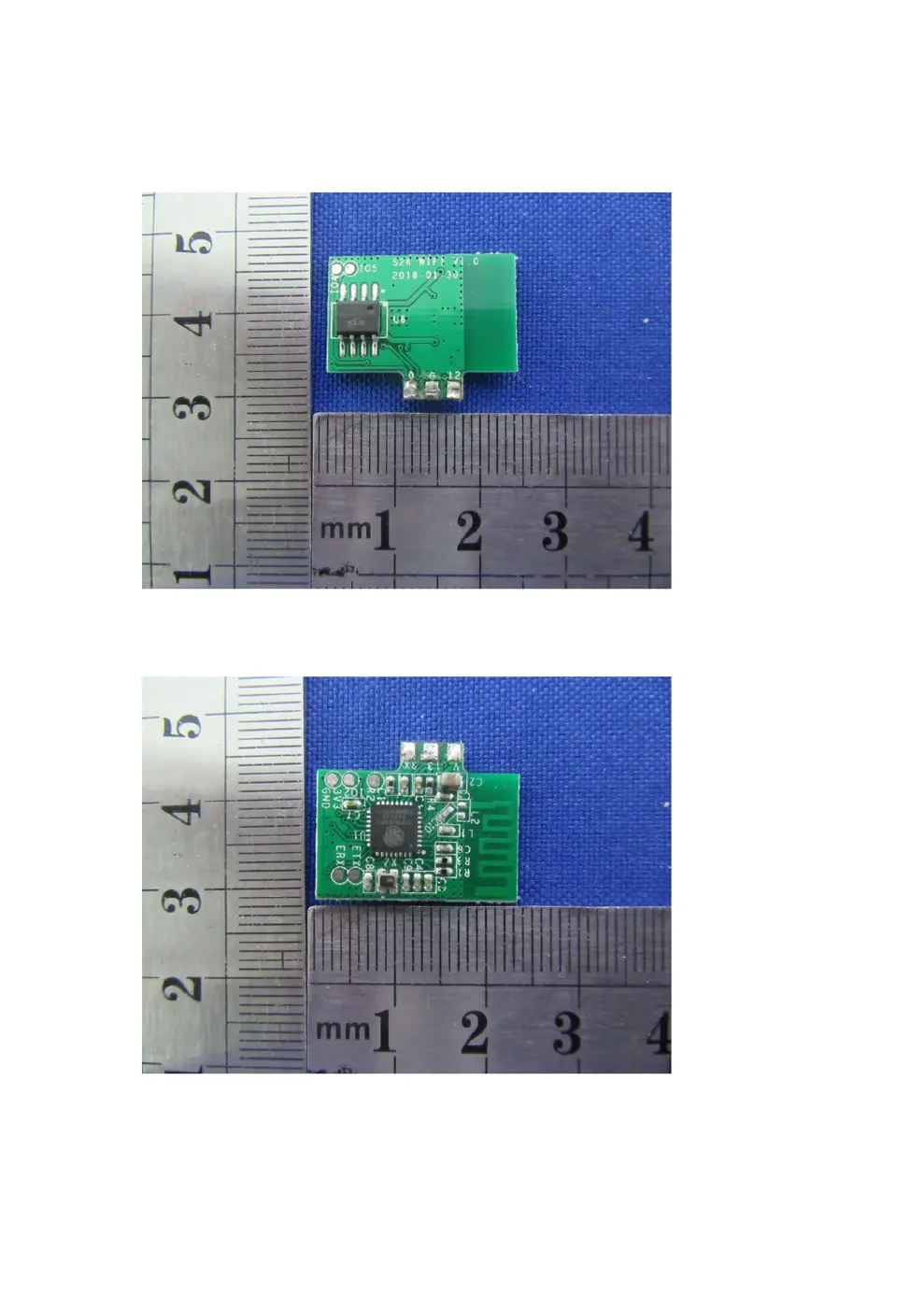
Verdict
The S26 is a WiFi device from the Sonoff ecosystem.
📄 Click to view full text manual (SEO)
5
'
�nDFF®
SMART WIFI SOCKET
Model : 526
。①。⑤
AU/CN US
Parameter.
Input voltage: 90-250V AC 50/60Hz
Output v。ltage: 90-250V AC 50/60Hz
Max. load: 220V lOA
WiFi standard: 2.4GHz b/g/n
Checklist bef,。re using the device
• Your smart ph。ne or tablet has
c。nnected to a 2.4G WiFi with internet.
• You have the cor阳dWiFi passw。rd.
• Yc。ur smart phone。r tablet must have
access t。 APP Store, G。ogle Play.
• Make sure your router is MAC-。pen.
自亘!』E Q�日
s。”。仔S20 Route, And,o;d/1。s
。 Plug 520 int。 power socket, power it
up. The green WiFi LED will blink.
。n/。“ LEO/剧目 LEO
Sol;d时。r blue
The四cketis turned on
Flashing green rapidly:
s。伐APto be间’陀d
s。lidgreen:
。nlinet。 becontrolled
@ ··
阳;ringbutto时Manualswitch
Press to turn。Nor。FF.
Press and hold f。r 7 seconds
forSoftAP t。 bepaired
Press and hold the button for
7 seconds un til the green LED
<; blinks rapidly.
@峙。 。n EWelinka pp.
@飞 01
F。r Android,
select the 1st。ne,
click next.
t?1
t?1.
F。r !OS, select the
pairing meth。d
according t。 LED
blinking way.
。 Input y。ur WiFi SSID & password.
Cl) Name y。ur device to c。mplete.
e whe川、e WiFi LED is 。川he d凹ice
is 。nline. Sta此t。 c。ntrol now'
Q: My device on the app血ys
”
Off line
”
?
A The new added device needs 1-2min t。 connect
to Wifi and the Internet. If it stays。fflinefor a
long time, please judge the problem by the green
LED status:
Green led quickly blinks one time every sec。nd
520 failed to connect to Wifi:
①Maybe you have entered wrong Wifi passwo时
②The 520 is t。。 faraway from the router. which
causes a weak Wifi signal Please take it cl。ser.
If still failed, try to delete and add again.
Green led quickly blinks twice every s配。nd
520 has c。nnectedto Wifi but failed to c。nnect
t。四川er. Please check y。ur netw。rkconnectivity.
Scan the right QR code to read the pairing
instructions for Amazon Echo and Go。gle Nest
回且自甜田
’.... �画II.! i i;阮vl』....
田哥哥目哇
User Guide
QSta同with"EWe link
”
APP.
| ρEWeli
E困盟盟囚噩圆
@问阳r an EWelink acc。unt.
8 If you have EWelink acco川,just log in. Scan t。 download Scan to read the
EWelink free APP detailed user guide
FCCCaution
Thisdevicecomplieswithpart15oftheFCCRules.Operationissubjecttothe
followingtwoconditions:(1)Thisdevicemaynotcauseharmfulinterference,and(2)
thisdevicemustacceptanyinterferencereceived,includinginterferencethatmay
causeundesiredoperation.
AnyChangesormodificationsnotexpresslyapprovedbythepartyresponsiblefor
compliancecouldvoidtheuser'sauthoritytooperatetheequipment.
Note: ThisequipmenthasbeentestedandfoundtocomplywiththelimitsforaClass
Bdigitaldevice,pursuanttopart15oftheFCCRules.Theselimitsaredesignedto
providereasonableprotectionagainstharmfulinterferenceinaresidentialinstallation.
Thisequipmentgeneratesusesandcanradiateradiofrequencyenergyand,ifnot
installedandusedinaccordancewiththeinstructions,maycauseharmfulinterference
toradiocommunications.However,thereisnoguaranteethatinterferencewillnot
occurinaparticularinstallation.Ifthisequipmentdoescauseharmfulinterferenceto
radioo...