
WRG1 Reset & Teardown (FCC ID 2ANDL-WRG1)
Factory reset and internal photos for Tuya Global WRG1. Tuya / Smart Life smart plug.
January 15, 2026
•
8 read
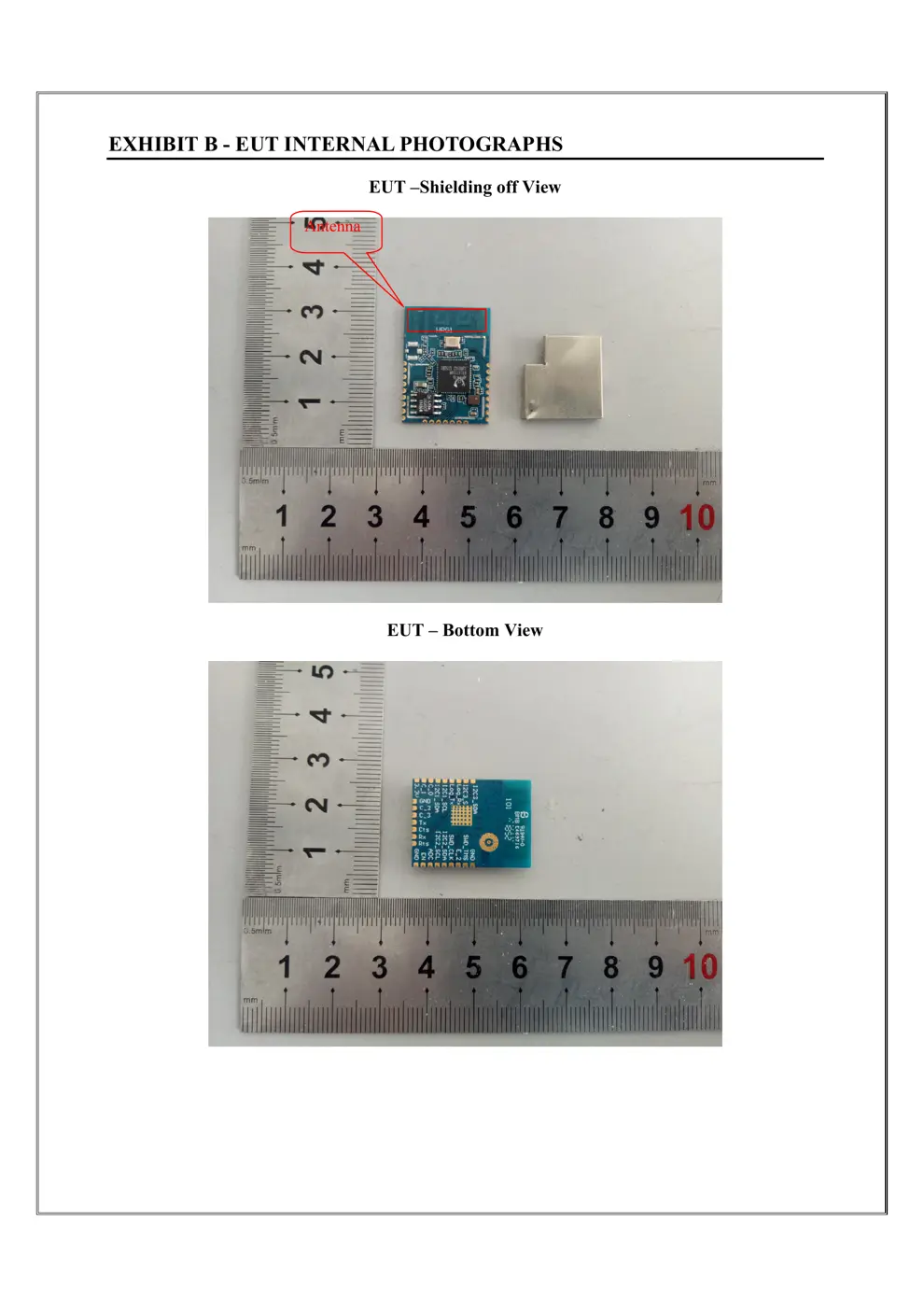
Before you buy the Tuya Global WRG1, check what's inside.
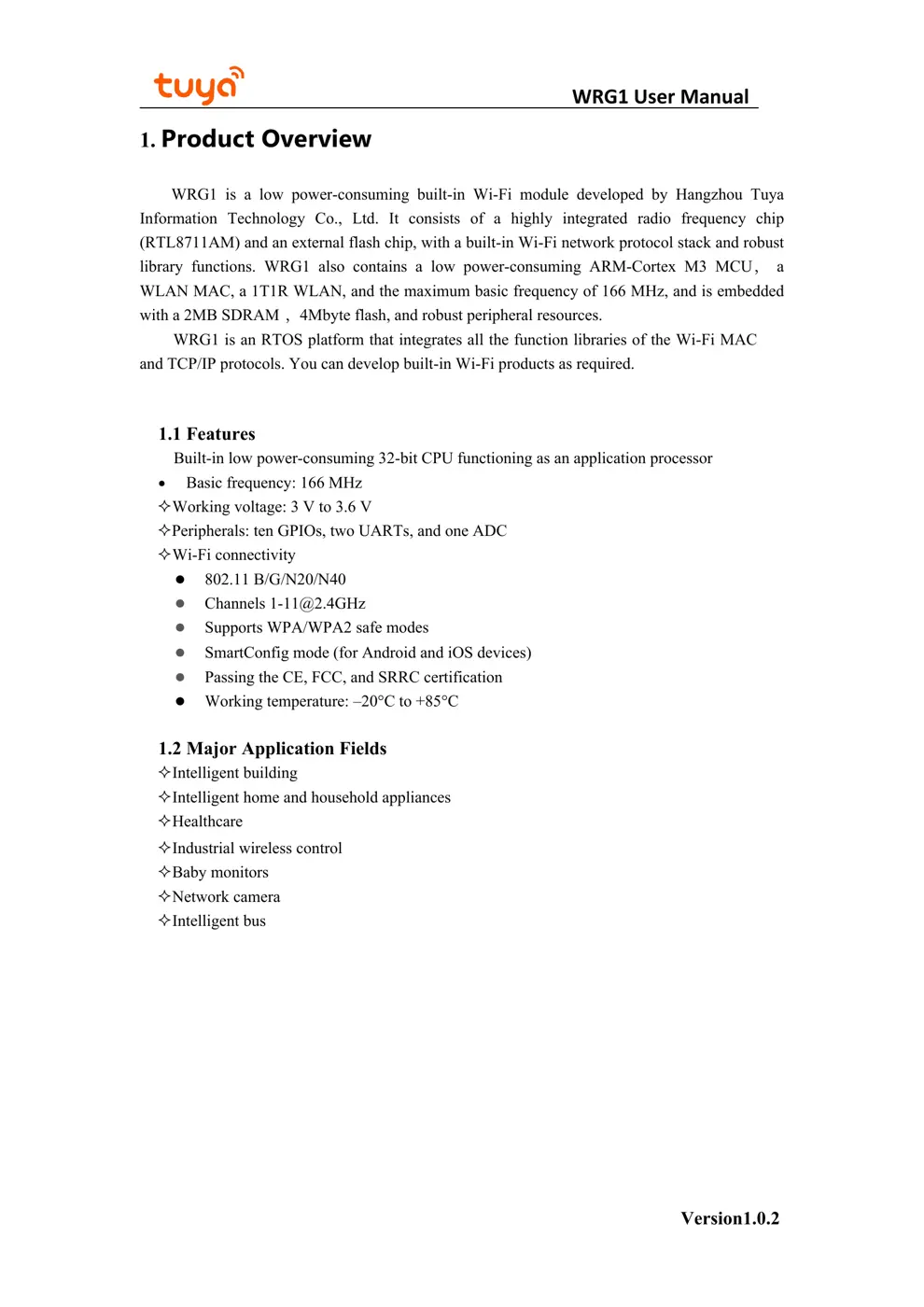
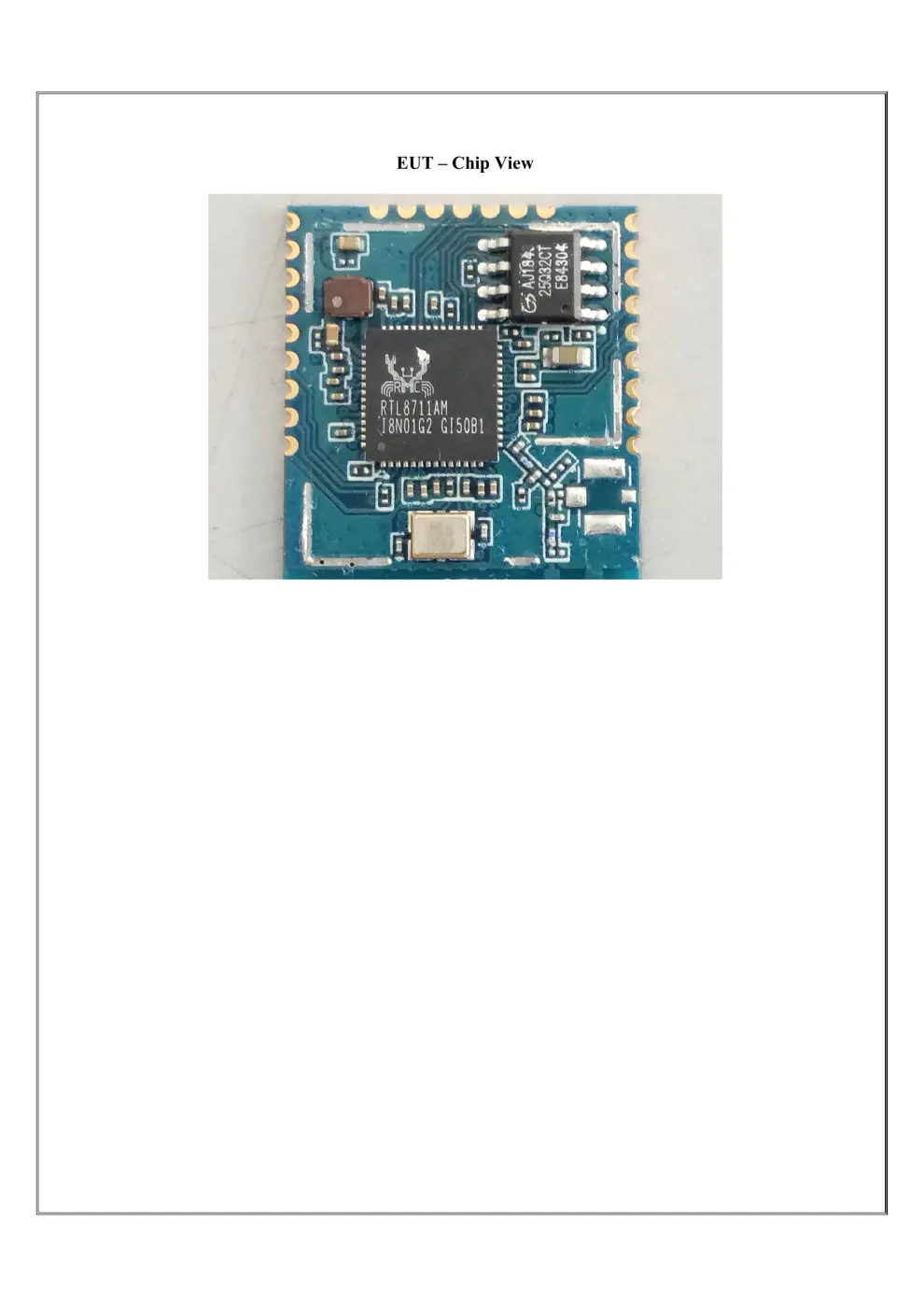
The WRG1 is a low-power WiFi module based on the RTL8711AM chipset, designed for integration into various smart home and industrial control devices. It operates on a low voltage and provides standard WiFi connectivity for IoT applications.
⚠️ NOTE: Ensure correct battery polarity when installing.
Quick Specs
- Manufacturer: Tuya Global
- Model: WRG1
- Protocol: WiFi
- Chipset: Realtek/Beken
- Ecosystem: Tuya / Smart Life
- App: Smart Life
🔧 Geek Corner (Flashing Info)
- Chipset: RTL8711AM
- Flashable: ❌ No
- Info: While it has many GPIOs, the RTL8711AM is not a common target for custom firmware flashing like ESP8266/ESP32, and the manual does not indicate support.
User Manual
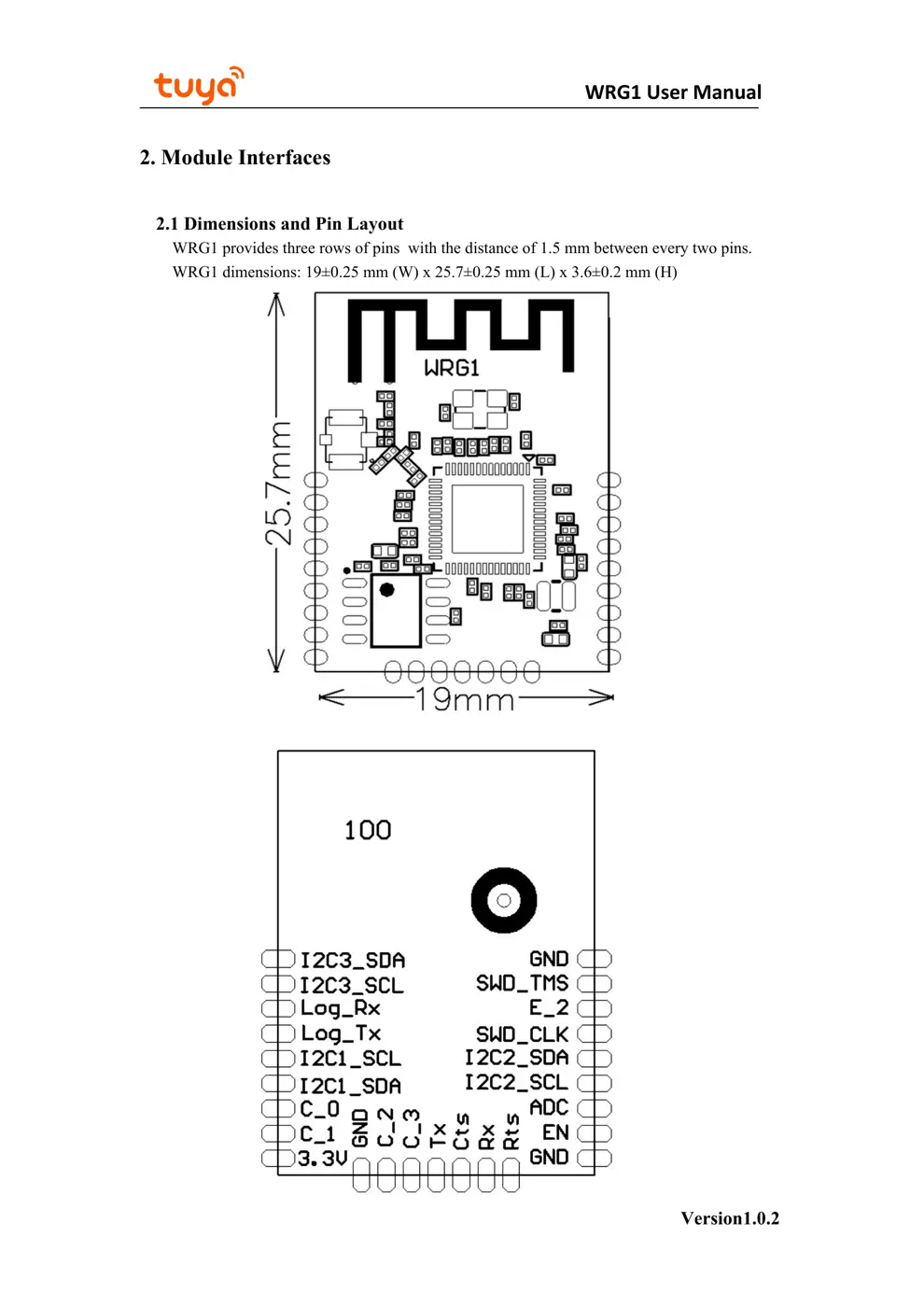
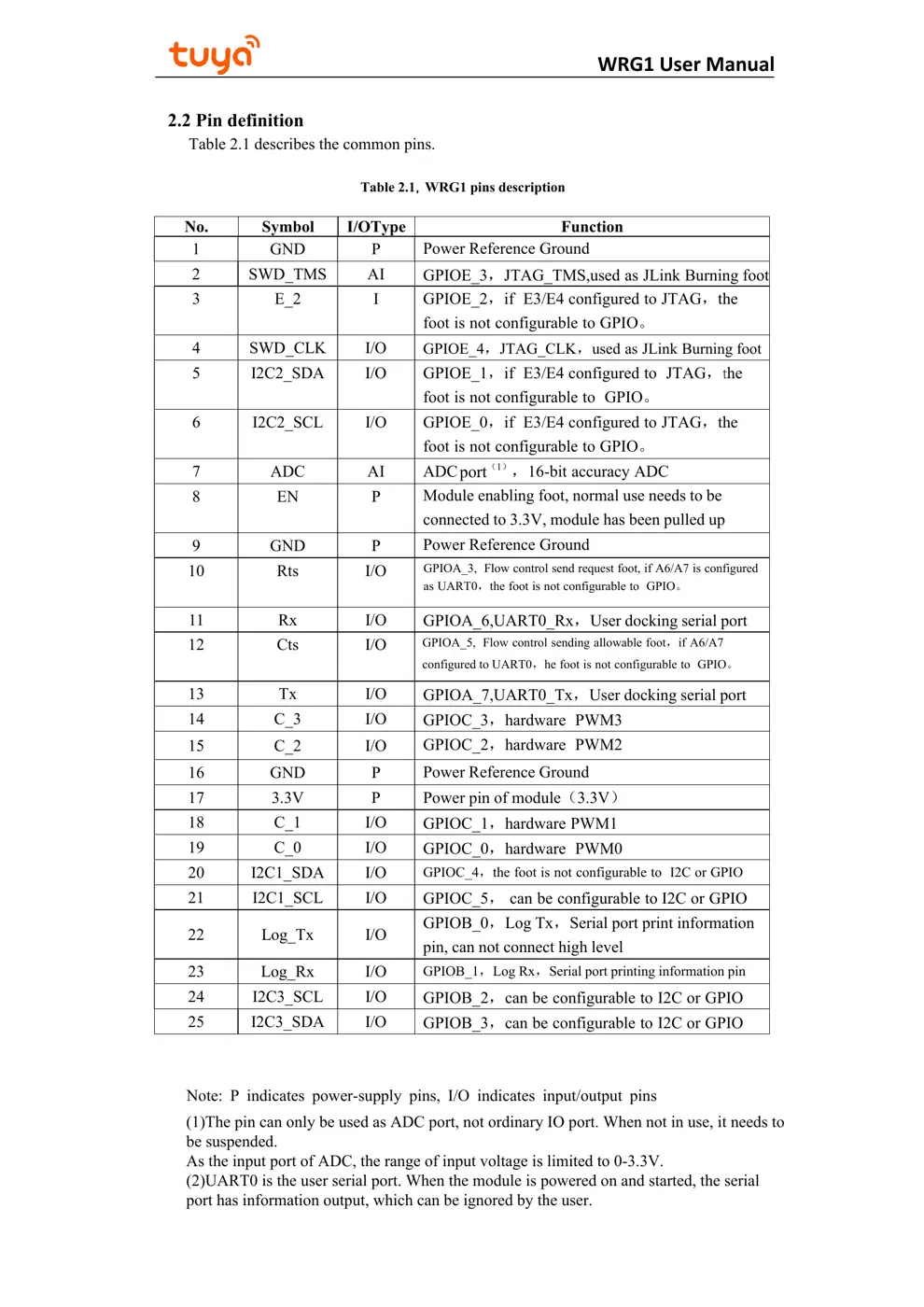
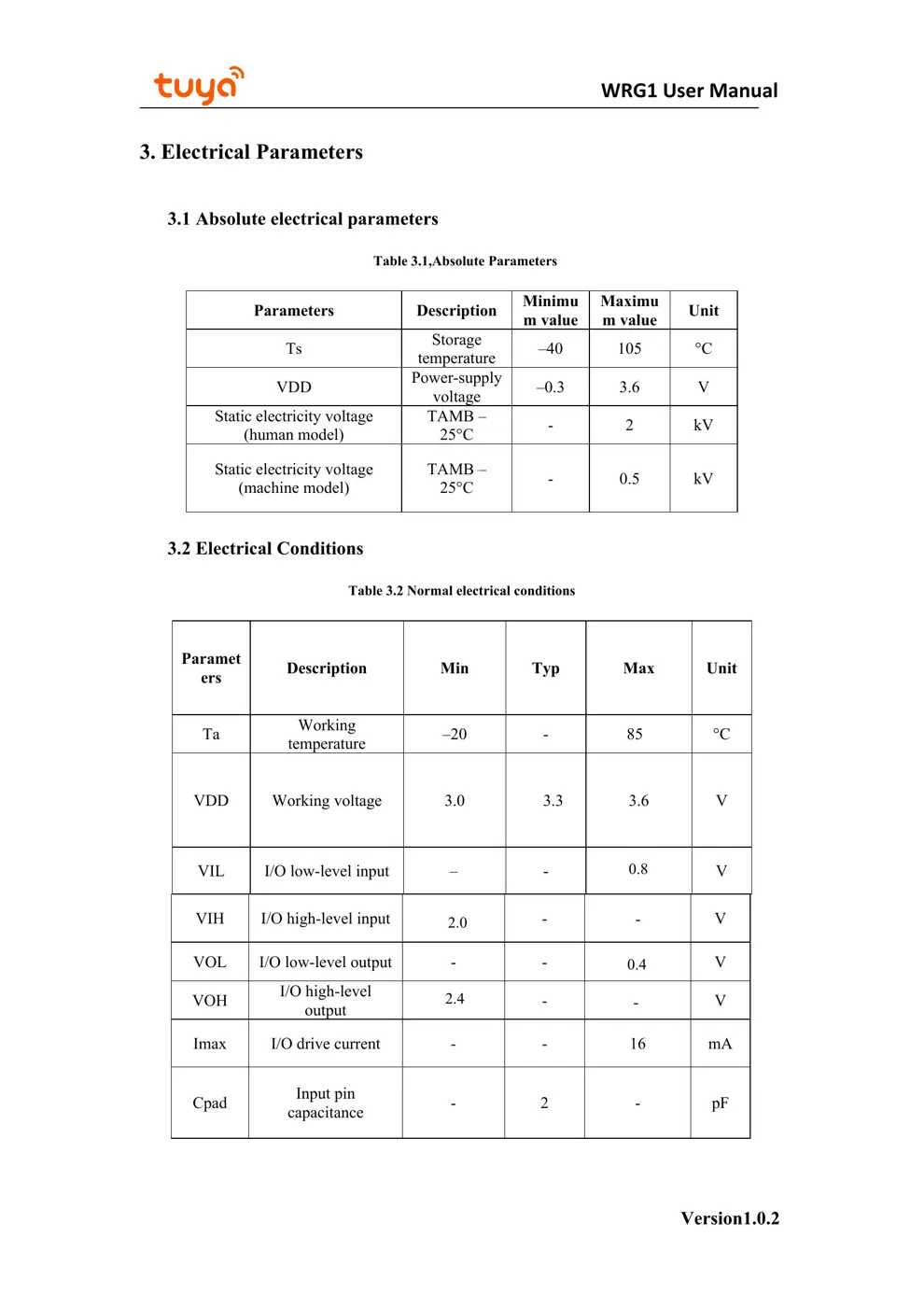
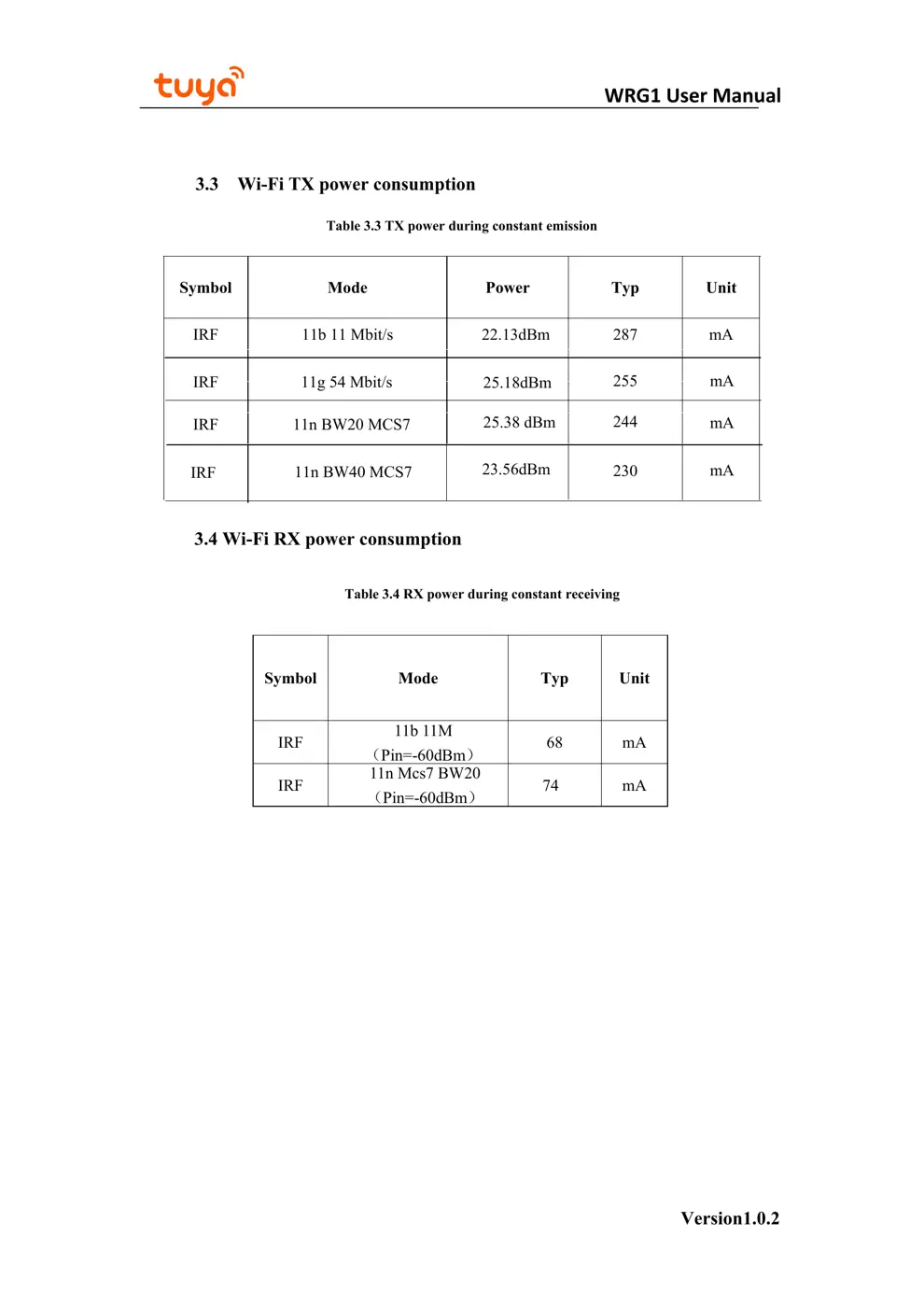
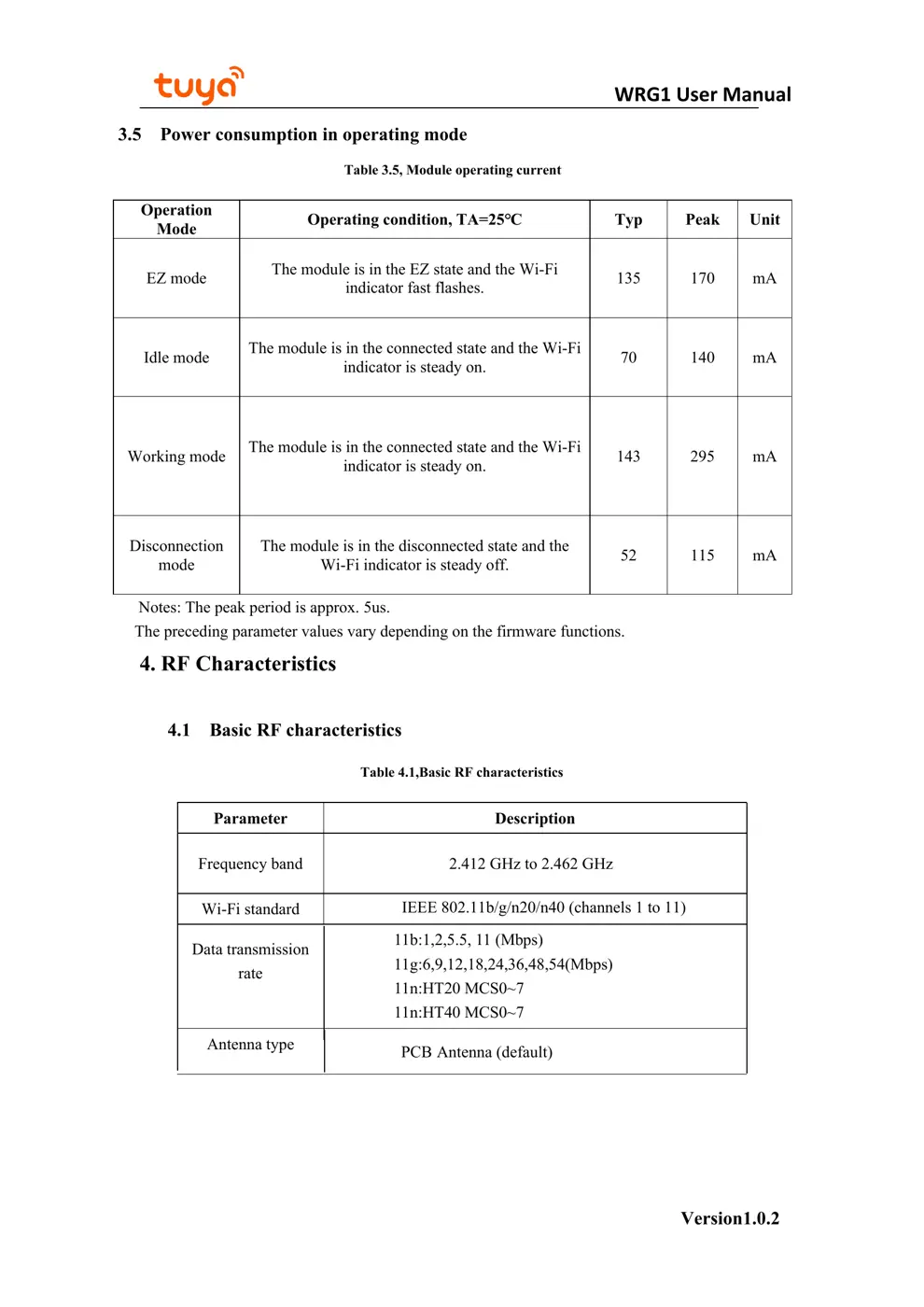
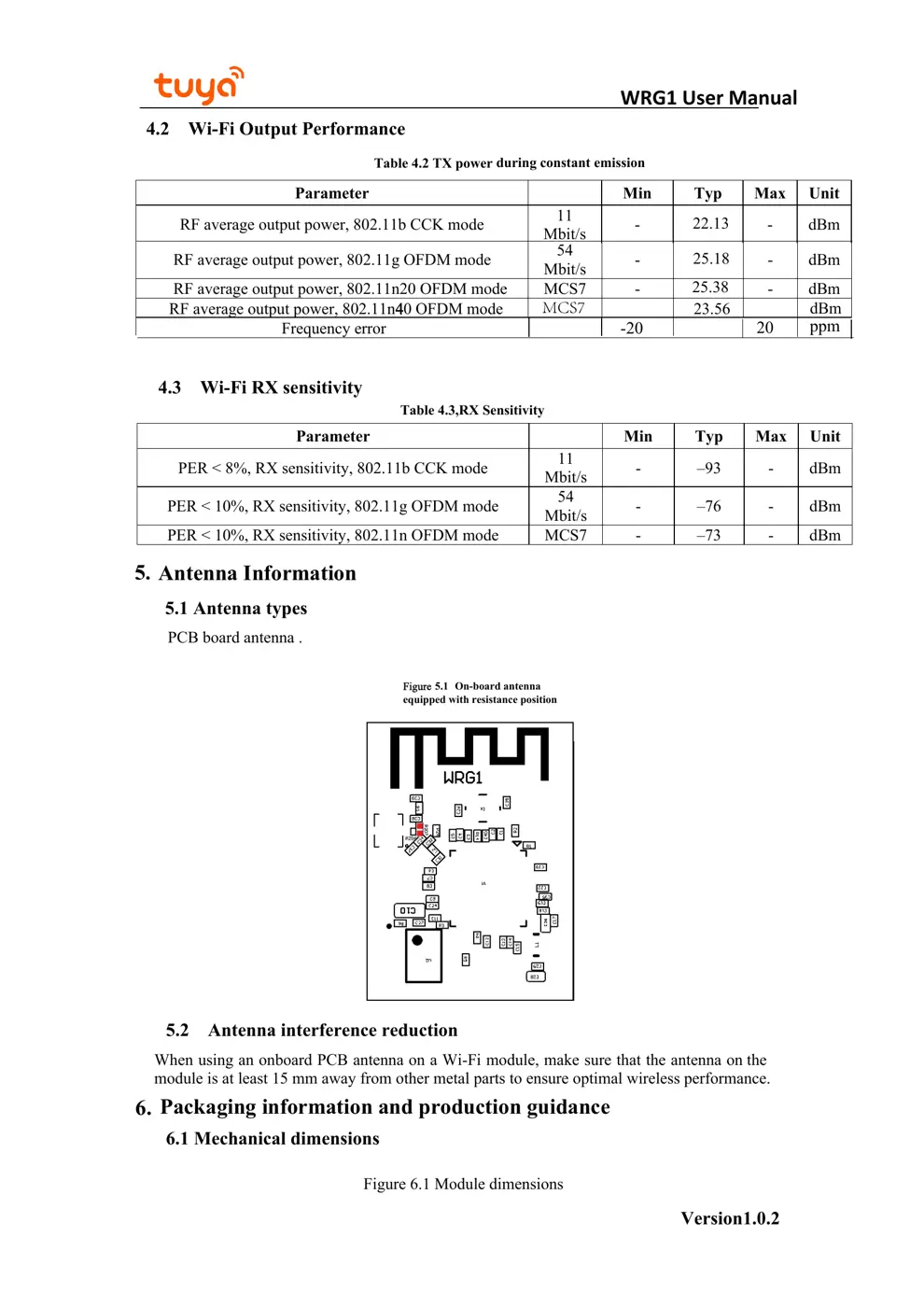
Scanned pages from the official user manual:
External Photos
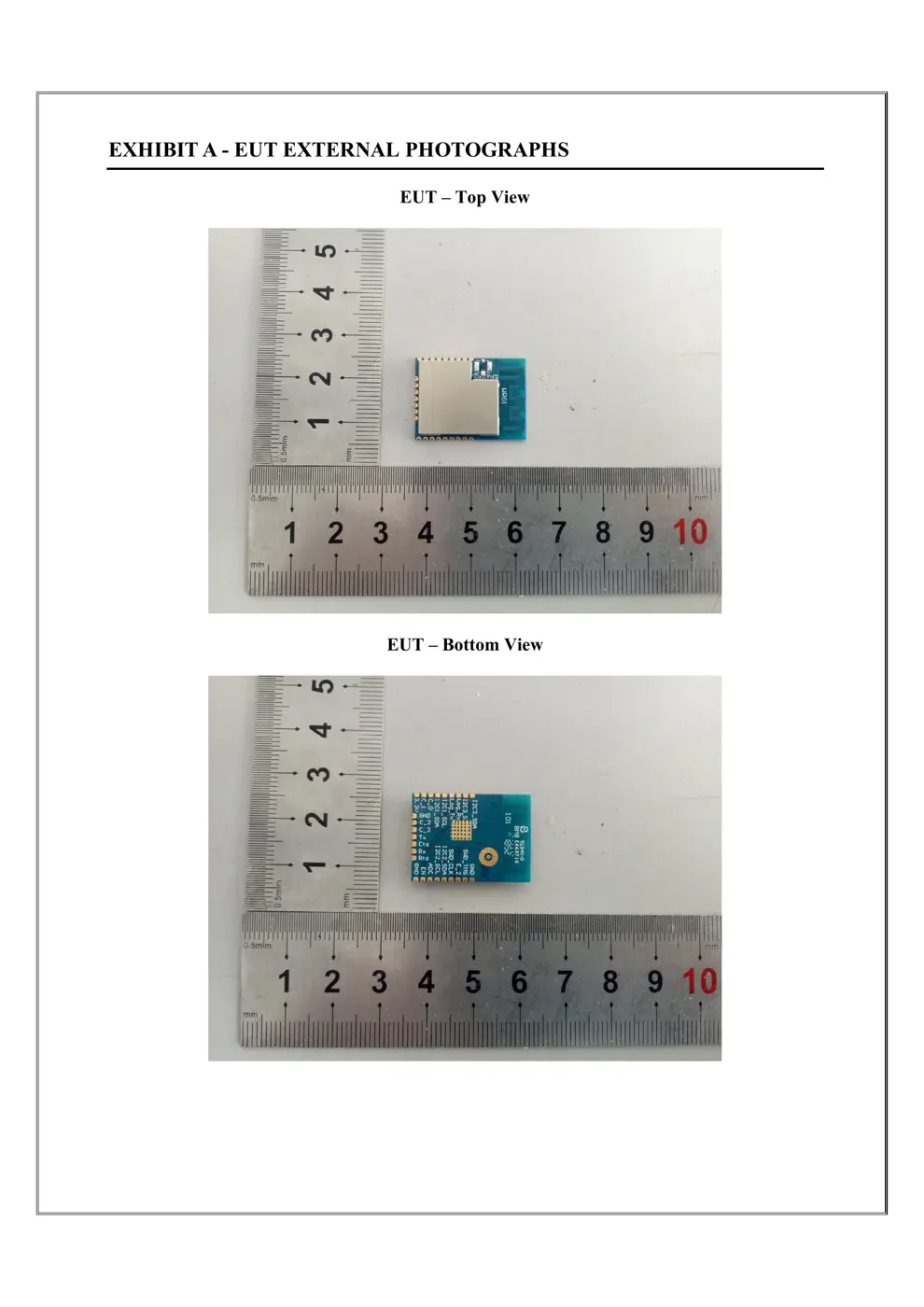
Photos of the device exterior:
Internal Photos
Teardown photos showing the PCB and components:
Verdict
The WRG1 is a WiFi device from the Tuya / Smart Life ecosystem.
📄 Click to view full text manual (SEO)
WRG1 User Manual
Version1.0.2
1. Product Overview
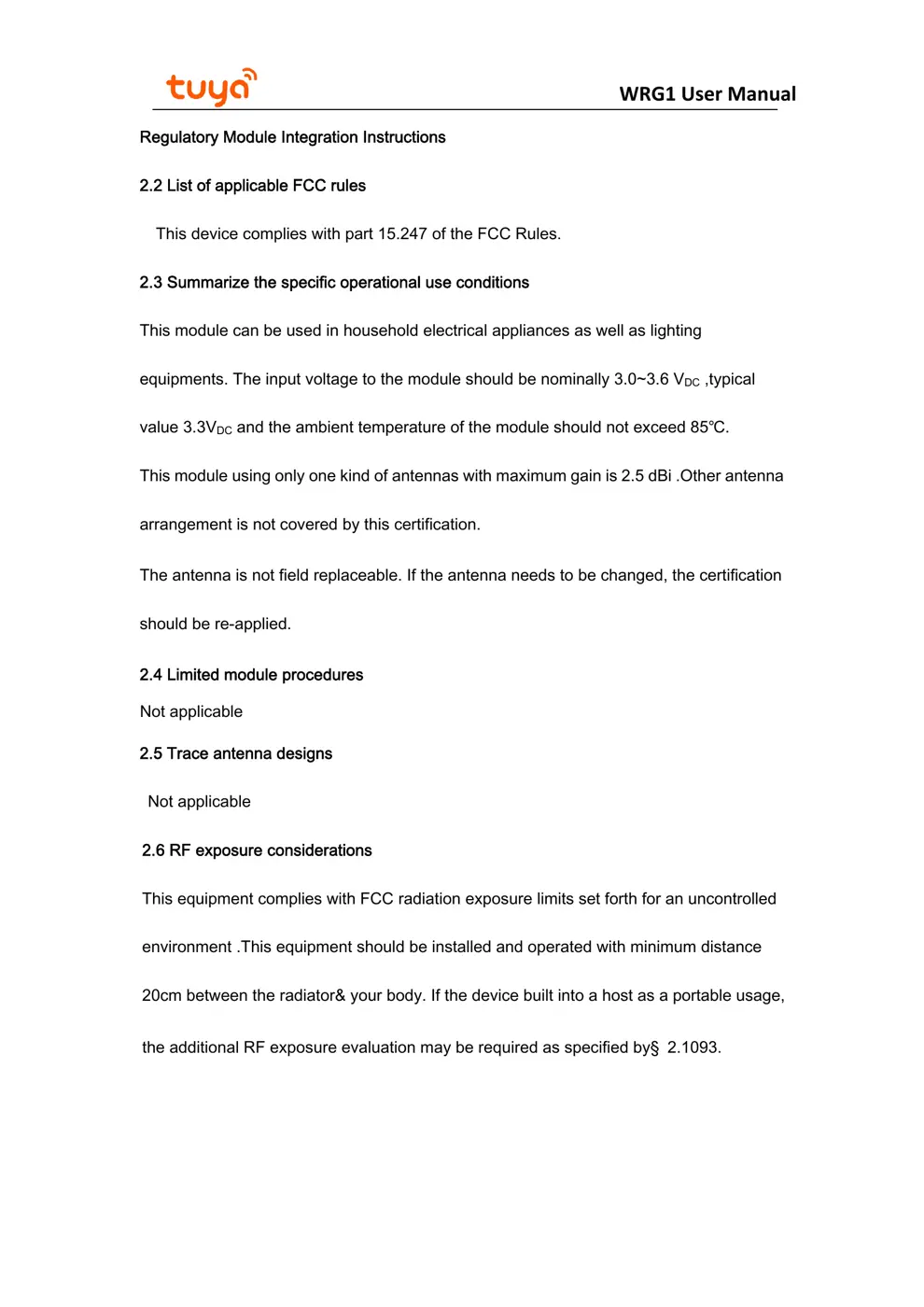
 WRG1 is a low power-consuming built-in Wi-Fi module developed by Hangzhou Tuya
Information Technology Co., Ltd. It consists of a highly integrated radio frequency chip
(RTL8711AM) and an external flash chip, with a built-in Wi-Fi network protocol stack and robust
library functions. WRG1 also contains a low power-consuming ARM-Cortex M3 MCU, a
WLAN MAC, a 1T1R WLAN, and the maximum basic frequency of 166 MHz, and is embedded
with a 2MB SDRAM ,4Mbyte flash, and robust peripheral resources.
WRG1 is an RTOS platform that integrates all the function libraries of the Wi-Fi MAC
and TCP/IP protocols. You can develop built-in Wi-Fi products as required.
1.1 Features
Built-in low power-consuming 32-bit CPU functioning as an application processor
 Basic frequency: 166 MHz
 Working voltage: 3 V to 3.6 V
 Peripherals: ten GPIOs, two UARTs, and one ADC
 Wi-Fi connectivity
 802.11 B/G/N20/N40
 Channels [email protected]
 Supports WPA/WPA2 safe modes
 SmartConfig mode (for Android and iOS devices)
 Passing the CE, FCC, and SRRC certification
 Working temperature: –20°C to +85°C
1.2 Major Application Fields
 Intelligent building
 Intelligent home and household appliances
 Healthcare
 Industrial wireless control
 Baby monitors
 Network camera
 Intelligent bus
Version1.0.2
2. Module Interfaces
2.1 Dimensions and Pin Layout
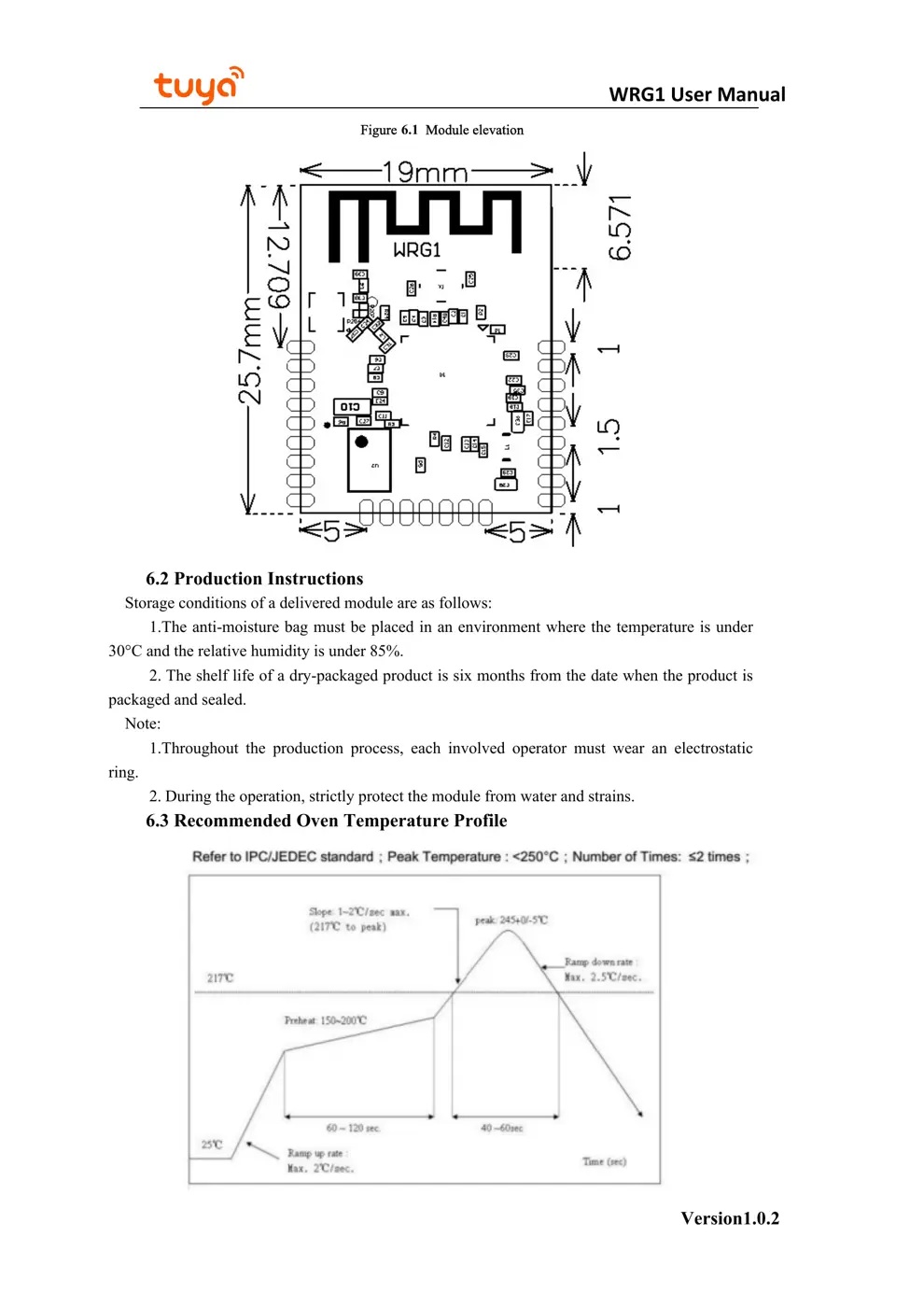
WRG1 provides three rows of pins with the distance of 1.5 mm between every two pins.
WRG1 dimensions: 19±0.25 mm (W) x
25.7±0.25 mm (L) x 3.6±0.2 mm (H)
WRG1 User Manual
2.2 Pin definition
Table 2.1 describes the common pins.
Table 2.1,WRG1 pins description
No. Symbol I/OType Function
1 GND P Power Reference Ground
2 SWD_TMS AI GPIOE_3,JTAG_TMS,used as JLink Burning foot
3 E_2 I GPIOE_2,if E3/E4 configured to JTAG,the
foot is not configurable to GPIO。
4 SWD_CLK I/O GPIOE_4,JTAG_CLK,used as JLink Burning foot
5 I2C2_SDA I/O GPIOE_1,if E3/E4 configured to JTAG,the
foot is not configurable to GPIO。
6 I2C2_SCL I/O GPIOE_0,if E3/E4 configured to JTAG,the
foot is not configurable to GPIO。
7 ADC AI ADC port(1),16-bit accuracy ADC
8 EN P Module enabling foot, normal use needs to be
connected to 3.3V, module has been pulled up
9 GND P Power Reference Ground
10 Rts I/O GPIOA_3, Flow control send request foot, if A6/A7 is configured
as UART0,the foot is not configurable to GPIO。
11 Rx I/O GPIOA_6,UART0_Rx,User docking serial port
12 Cts I/O GPIOA_5, Flow control sending allowable foot,if A6/A7
configured to UART0,he foot is not configurable to GPIO。
13 Tx I/O GPIOA_7,UART0_Tx,User docking serial port
14 C_3 I/O GPIOC_3,hardware PWM3
15 C_2 I/O GPIOC_2,hardware PWM2
16 GND P Power Reference Ground
17 3.3V P Power pin of module(3.3V)
18 C_1 I/O GPIOC_1,hardware PWM1
19 C_0 I/O GPIOC_0,hardware PWM0
20 I2C1_SDA I/O GPIOC_4,the foot is not configurable to I2C or GPIO
21 I2C1_SCL I/O GPIOC_5, can be configurable to I2C or GPIO
22 Log_Tx I/O GPIOB_0,Log Tx,Serial port print in...