
D Reset & Teardown (FCC ID 2APN5MINI-D)
Factory reset and internal photos for Generic IoT D. Unknown smart plug.
January 15, 2026
•
7 read
Before you buy the Generic IoT D, check what's inside.
This device is a smart switch designed for installation within a mounting box, offering control via the Matter protocol. It supports integration with major smart home ecosystems like Apple, Google, Alexa, and SmartThings.
⚠️ NOTE: Ensure all power to the mains is disconnected before installation or servicing.
Quick Specs
- Manufacturer: Generic IoT
- Model: D
- Protocol: WiFi
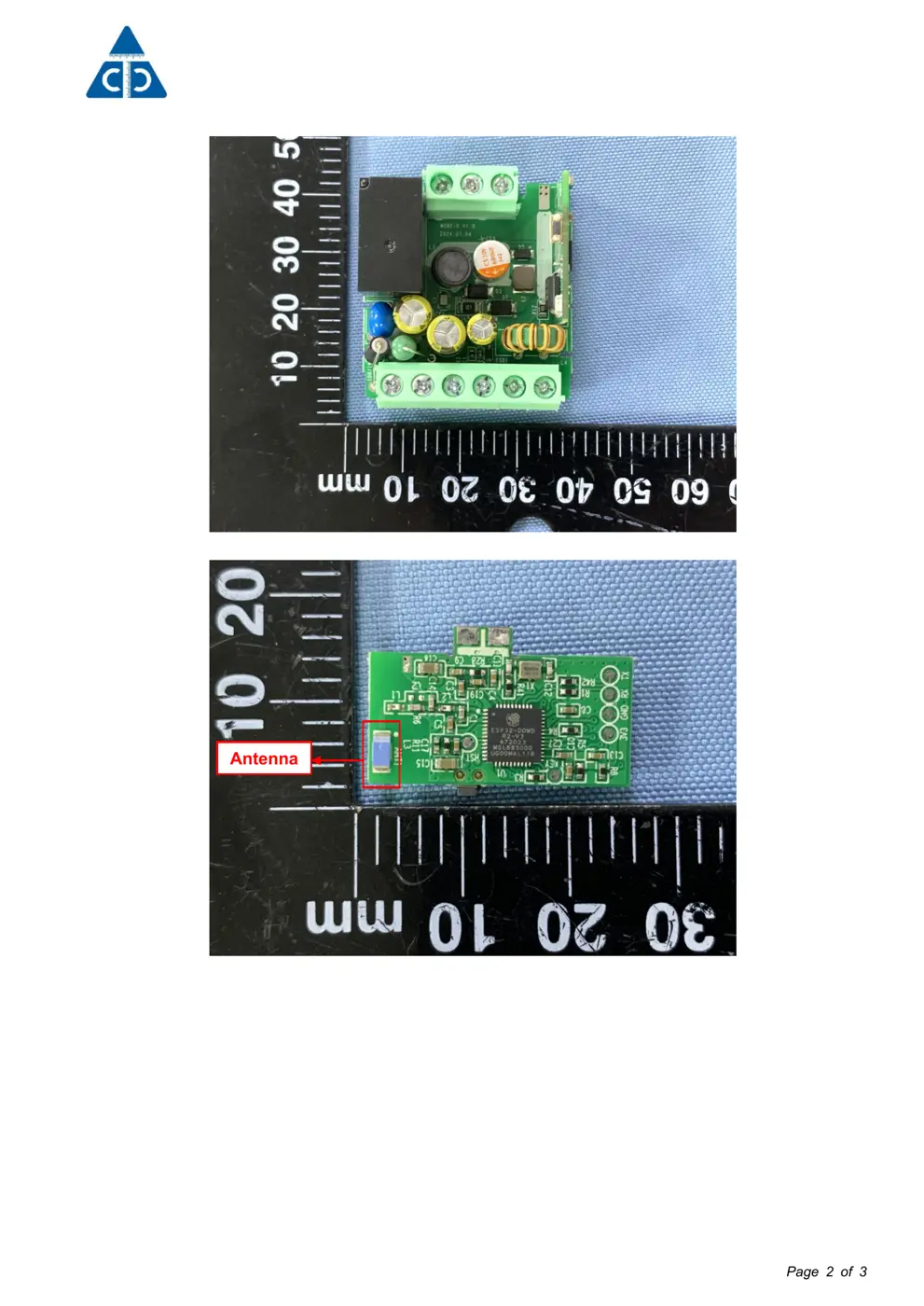
- Chipset: Realtek RTL8720
- Ecosystem: Unknown
- App: Unknown
🔧 Geek Corner (Flashing Info)
- Chipset: Realtek RTL8720DN
- Flashable: ❌ No
- Info: While it uses a Realtek chip, the device is designed for mains power and ecosystem integration, with no readily available information or community support for flashing custom firmware.
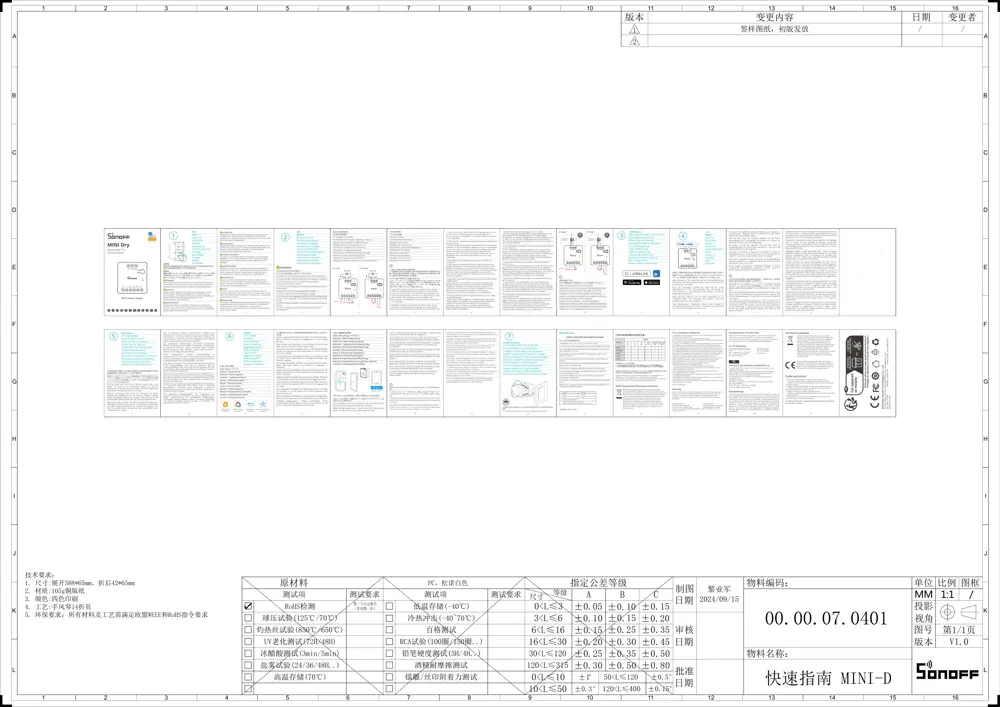
User Manual
Scanned pages from the official user manual:
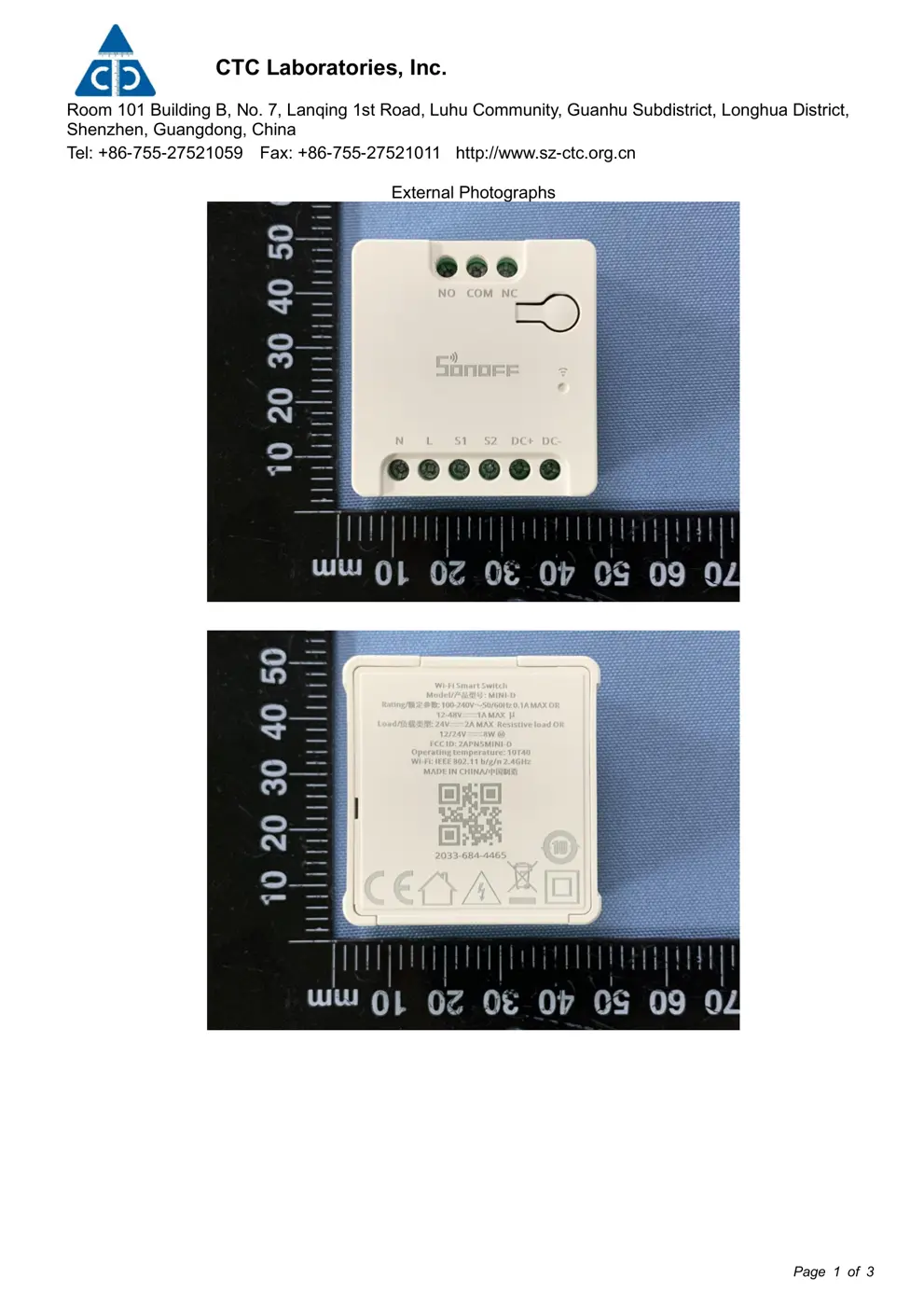
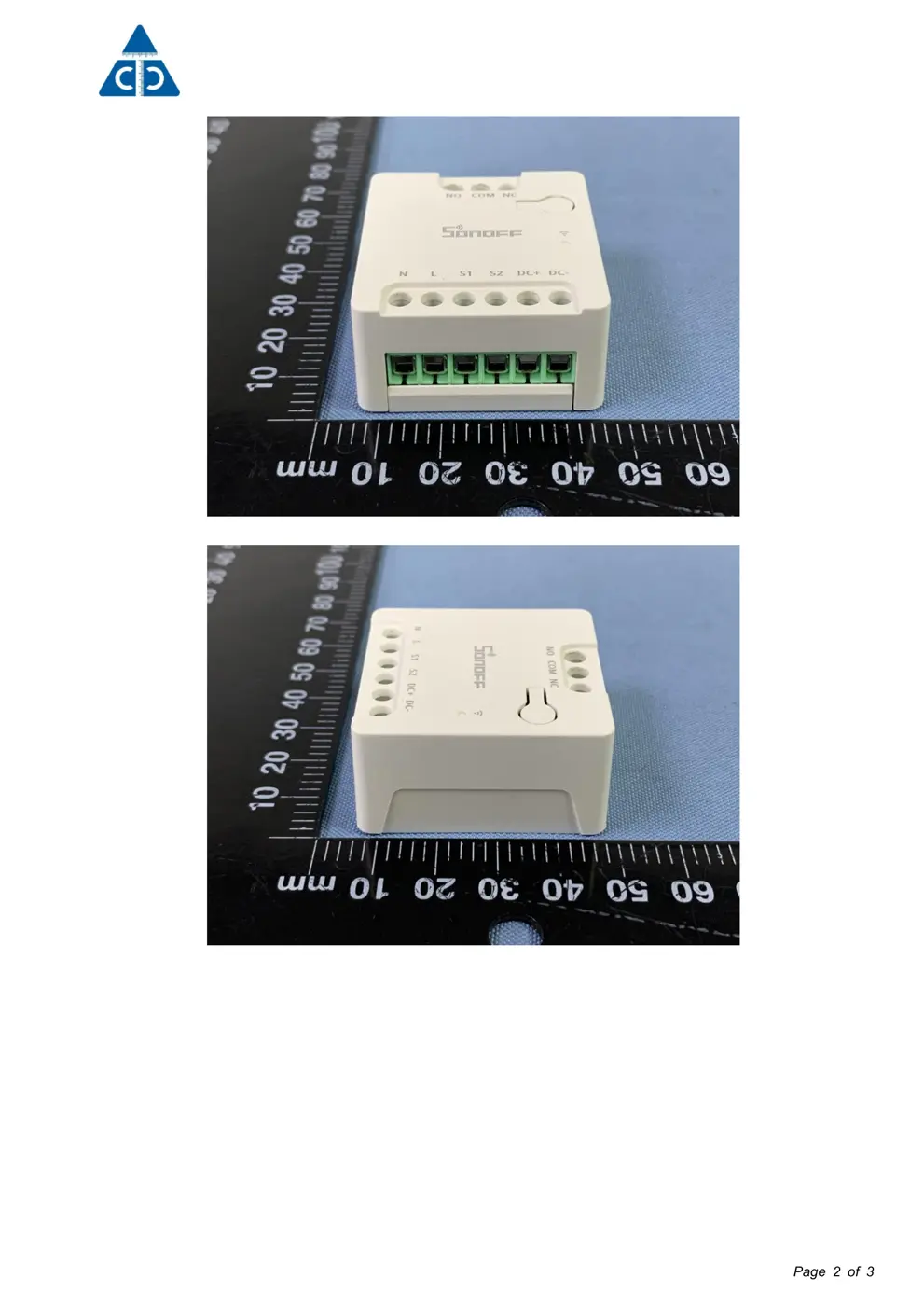
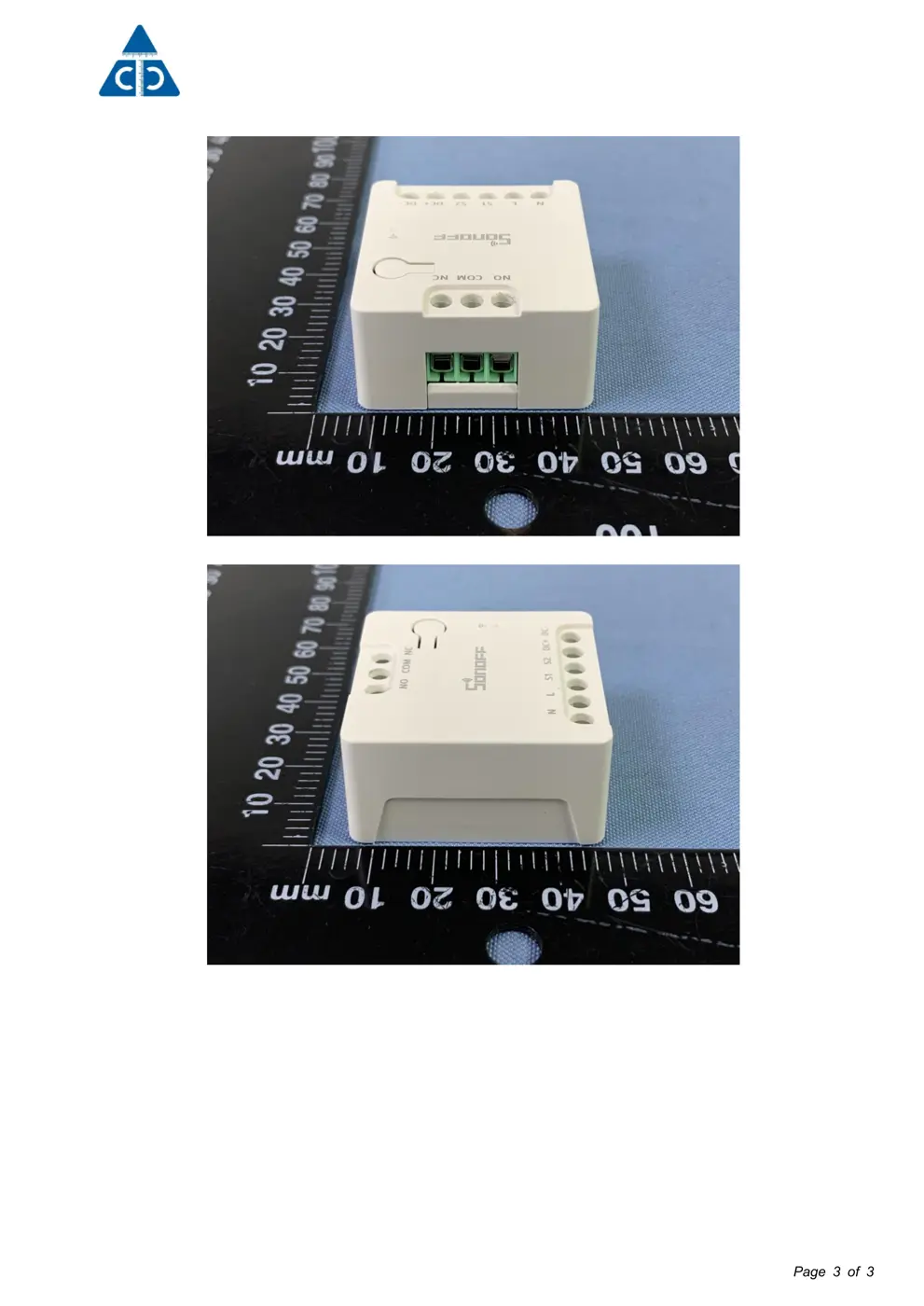
External Photos
Photos of the device exterior:
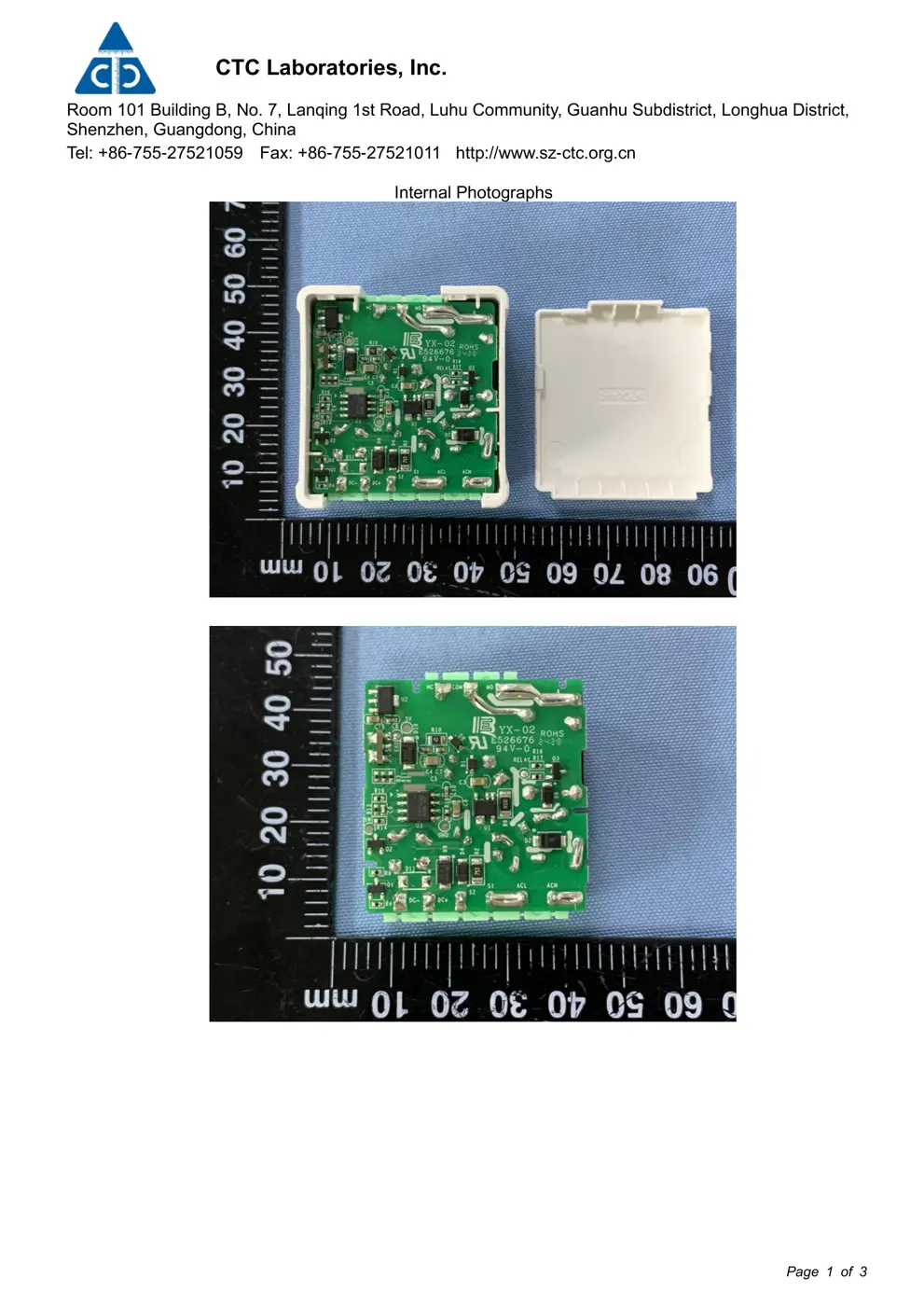
Internal Photos
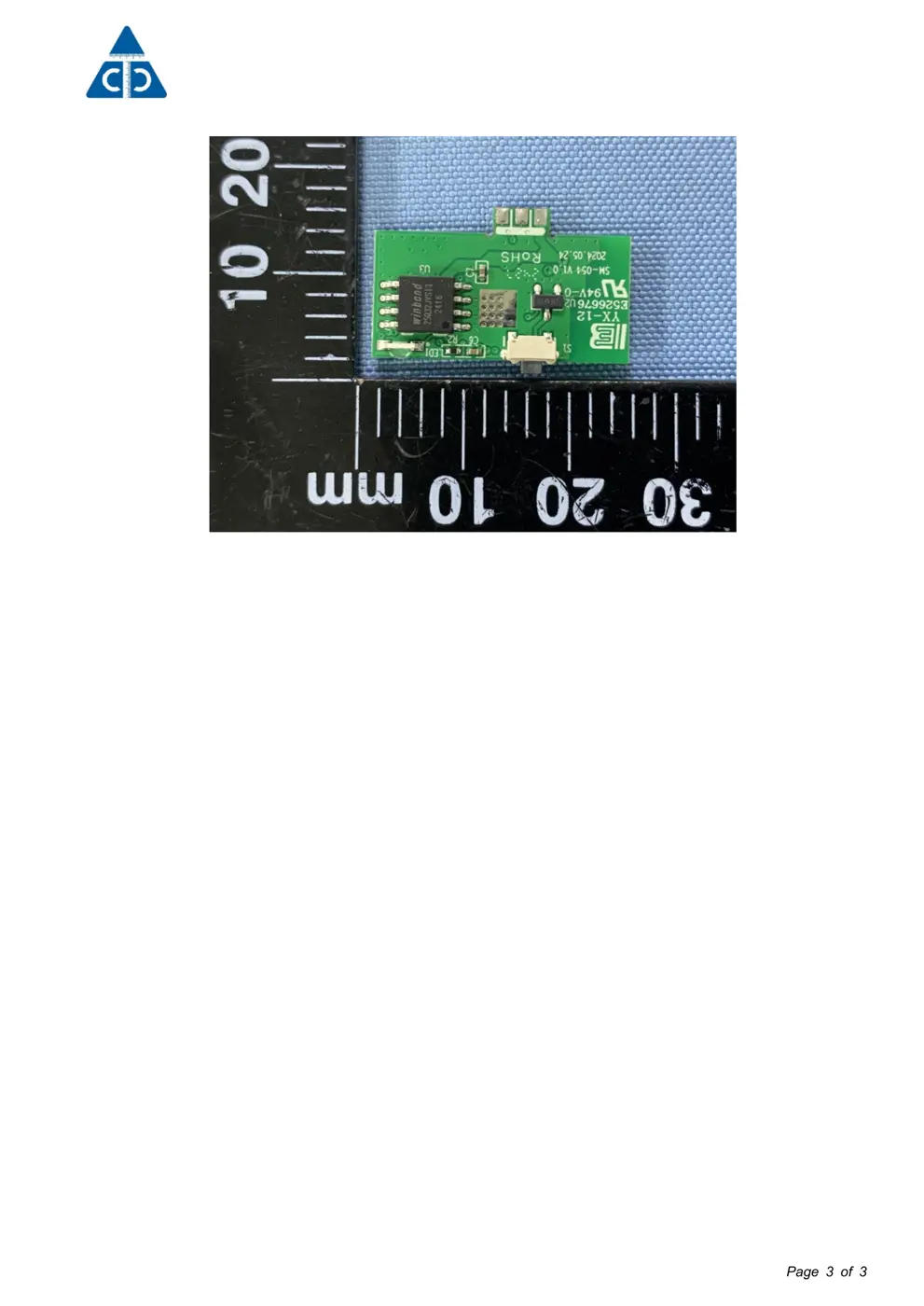
Teardown photos showing the PCB and components:
Verdict
The D is a WiFi device from the Unknown ecosystem.
📄 Click to view full text manual (SEO)
8
A
B
7654321 9 10 11 12 13 14 15 16
87654321 9 10 11 12 13 14 15 16
C
D
E
F
G
H
I
J
K
L
A
B
C
D
E
F
G
H
I
J
K
L
0<L≤3
CBA 制图
2024/09/15
3<L≤6
6<L≤16
16<L≤30
30<L≤120
120<L≤315
/1:1MM
00.00.07.0401
快速指南 MINI-D
冷热冲击(-40~70℃)
RCA试验(100圈/150圈..)
铅笔硬度测试(3H/4H..)
UV老化测试(72H/48H)
冰醋酸测试(3min/5min)
盐雾试验(24/36/48H..)
版本 V1.0
±0.05 ±0.10 ±0.15
±0.10 ±0.15 ±0.20
±0.15 ±0.25 ±0.35
±0.20 ±0.30 ±0.45
±0.25 ±0.35 ±0.50
±0.30 ±0.50 ±0.80
1
2
0<L≤10 ±1° ±0.5°
10<L≤50
50<L≤120
120<L≤400 ±0.15°□
1. 尺寸:展开588*65mm,折后42*65mm
2. 材质:105g铜版纸
±0.3°
6
Add Device
Gerät hinzufügen
Ajouter un appareil
Aggiungi Dispositivo
Dodaj urządzenie
Lägg till enhet
Apparaat toevoegen
Añadir dispositivo
Adicionar dispositivo
方法1: Matter添加
方法1: Matter ペ アリング
Method 1: Matter Pairing
Methode 1: Matter-Kopplung
Méthode 1 : Appariement Matter
Metodo 1: Abbinamento Matter
Sposób 1: Parowanie Matter
Metod 1: Para ihop Matter
Methode 1: Matter Koppeling
Método 1: Emparejamiento con Matter
Método 1: Emparelhamento Matter
Add to Apple
via Matter
Add to Google
via Matter
Add to Alexa
via Matter
Add to SmartThings
via Matter
Matter-compatible アプリをクリックしてから、 クイックガイドの M a t t e r
Open a Matter-compatible App to scan the Matter QR code on the
Quick Guide or the device itself to add the device.
Öffnen Sie eine Matter-kompatible App, um den Matter QR-Code
auf der Kurzanleitung oder dem Gerät selbst zu scannen und das
Gerät hinzuzufügen.
Ouvrez l'application compatible avec Matter pour scanner le code
QR Matter dans le guide rapide ou sur l'appareil lui-même afin
d'ajouter l'appareil.
Apri un'app compatibile con Matter per scansionare il codice QR di
Matter sulla Guida Rapida o sul dispositivo e aggiungere il
dispositivo.
Otwórz aplikację kompatybilną z Matter, aby zeskanować kod QR
Matter na Skróconej instrukcji obsługi lub samym urządzeniu, aby
dodać urządzenie.
Öppna en Matter-kompatibel app för att skanna Matter QR-koden
på snabbguiden eller på själva enheten för att lägga till enheten.
Open een Matter-compatibele App om de Matter QR code op de
Quick Guide of het apparaat zelf te scannen om het apparaat toe
te voegen.
Abra la aplicación compatible con Matter para escanear el código
QR de Matter en la Guía rápida o en el mismo dispositivo para
añadir el dispositivo.
Abra um Aplicativo compatível com Matter para ler o código QR do
Matter no Guia Rápido, ou no próprio dispositivo, para adicioná-lo.
7
Install the device in the mounting box
Installieren Sie das Gerät in der Einbaudose
Installer l'appareil dans le boîtier de montage
Installare il dispositivo nella scatola di montaggio
Zainstaluj urządzenie w skrzynce montażowej
Installera enheten i monteringslådan
Installeer het apparaat in de montagedoos
Instale el aparato en la caja de montaje
Instalar o aparelho na caixa de montagem
方法2: eWeLink App ペ アリング
Method 2: eWeLink App Pairing
Methode 2: eWeLink App-Kopplung
Méthode 2 : Appariement de eWeLink App
Metodo 2: Associazione dell'eWeLink App
Sposób 2: Parowanie eWeLink Ap...